
Access the League Filter by tapping 🏆 Leagues from the Edit Task menu. This lets you control which competitions and leagues your task is allowed to trade in.
How It Works
How It Works
Leagues are organized into regional categories. Tap a category to expand it and toggle individual leagues on or off. The number in brackets shows how many leagues are currently enabled out of the total available (e.g. 5/5 means all leagues in that category are enabled).
Basketball Example
Basketball Example
For a Basketball task the leagues are organized into 4 regional categories: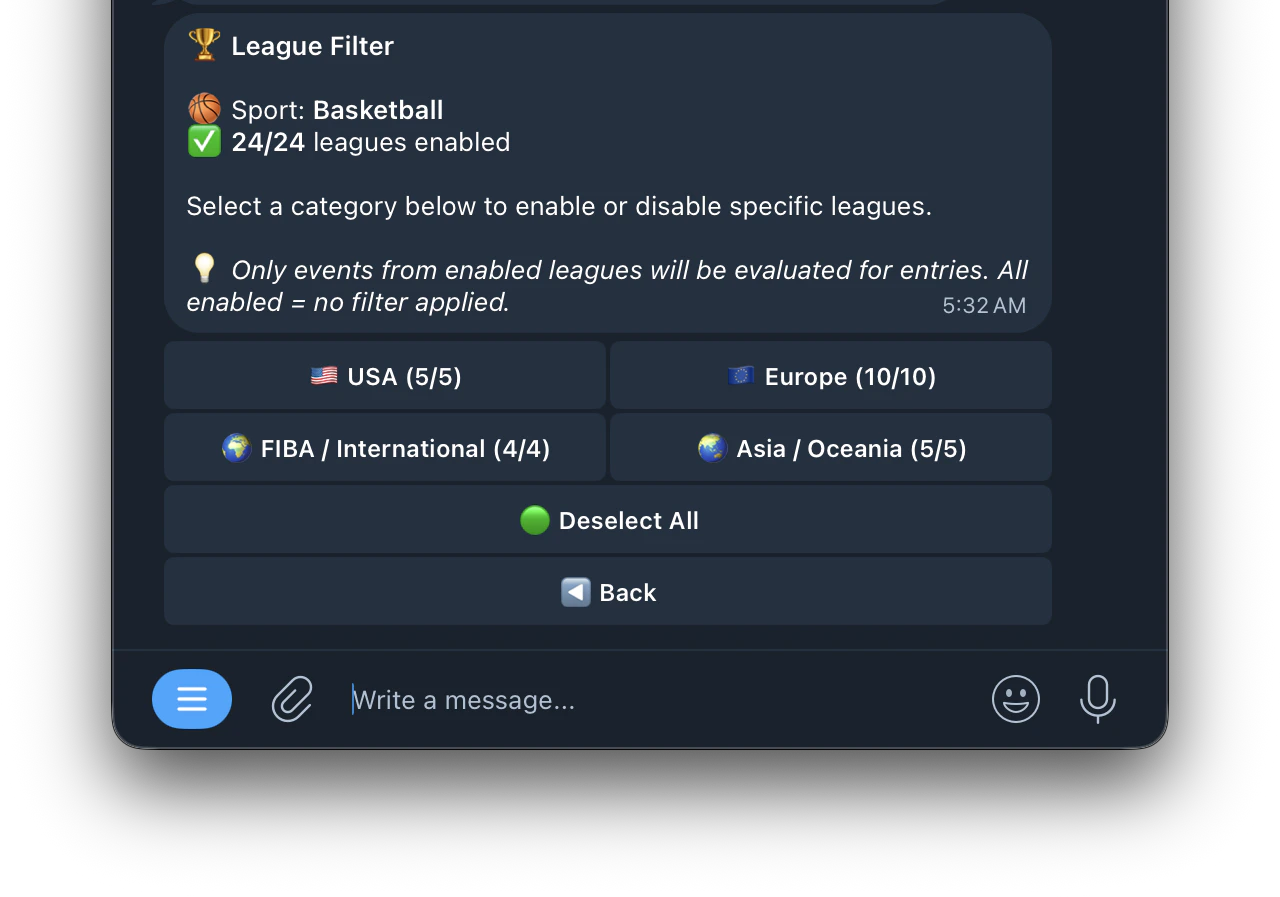
- 🇺🇸 USA (5/5) — NBA, G League and other US competitions
- 🇪🇺 Europe (10/10) — EuroLeague, national leagues and cups
- 🌍 FIBA / International (4/4) — World Cup, Olympic and FIBA competitions
- 🌏 Asia / Oceania (5/5) — NBL, Asian leagues and regional competitions