Create a new copy trade task and start copying a wallet.
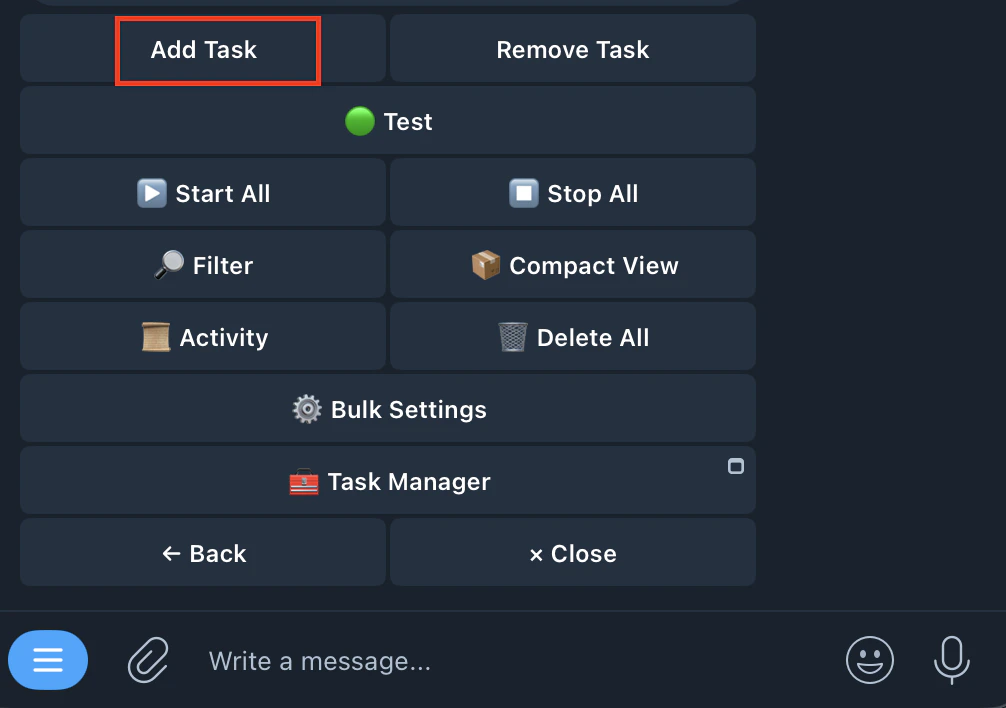
- Tap Add Task
Tap Add Task from the /copytrade main menu
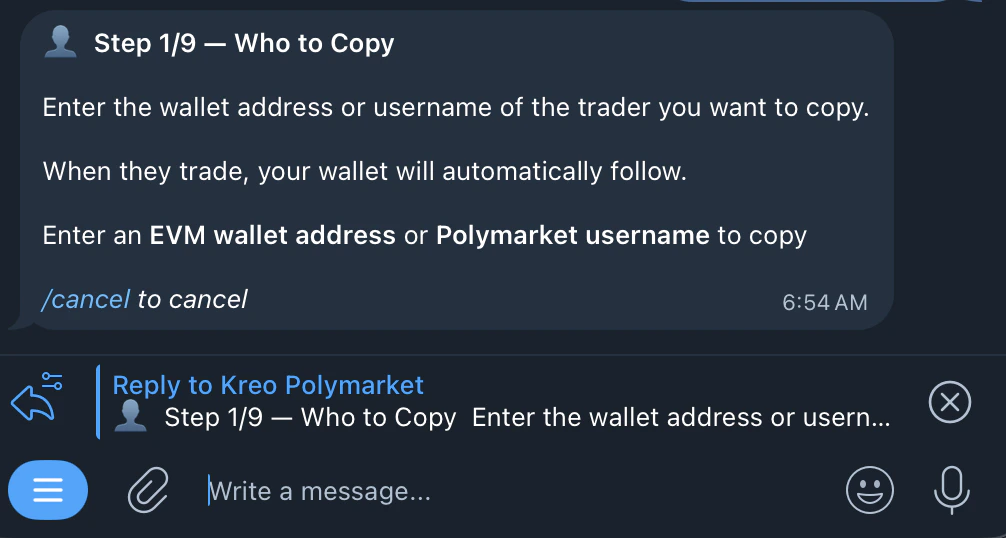
- Enter the wallet address or Polymarket username to copy
Paste a Polymarket wallet address (0x…) or Polymarket username
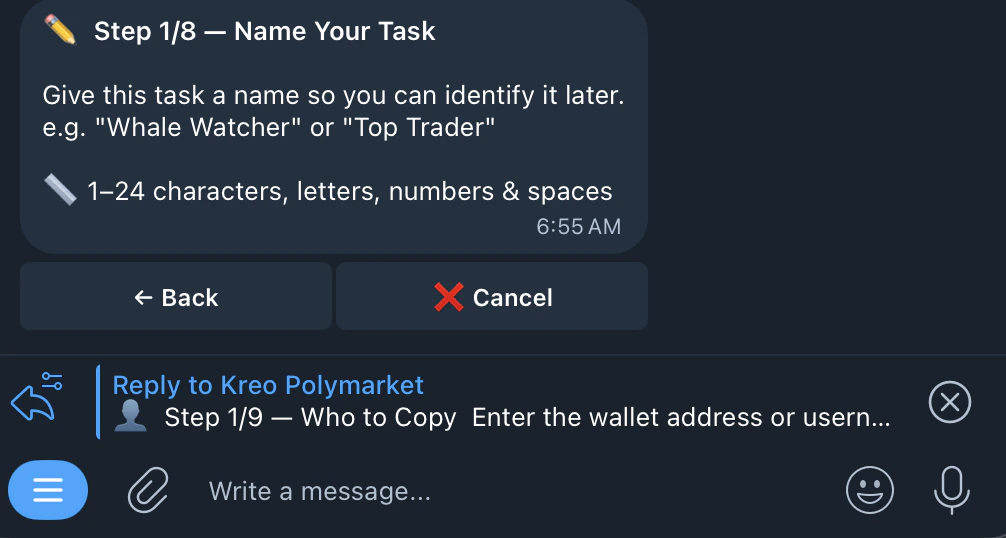
- Name your task
Give it a recognizable name (e.g. “BTC Trader”)
- Choose your wallet
Select which of your Kreo wallets (W1, W2, etc.) to trade from
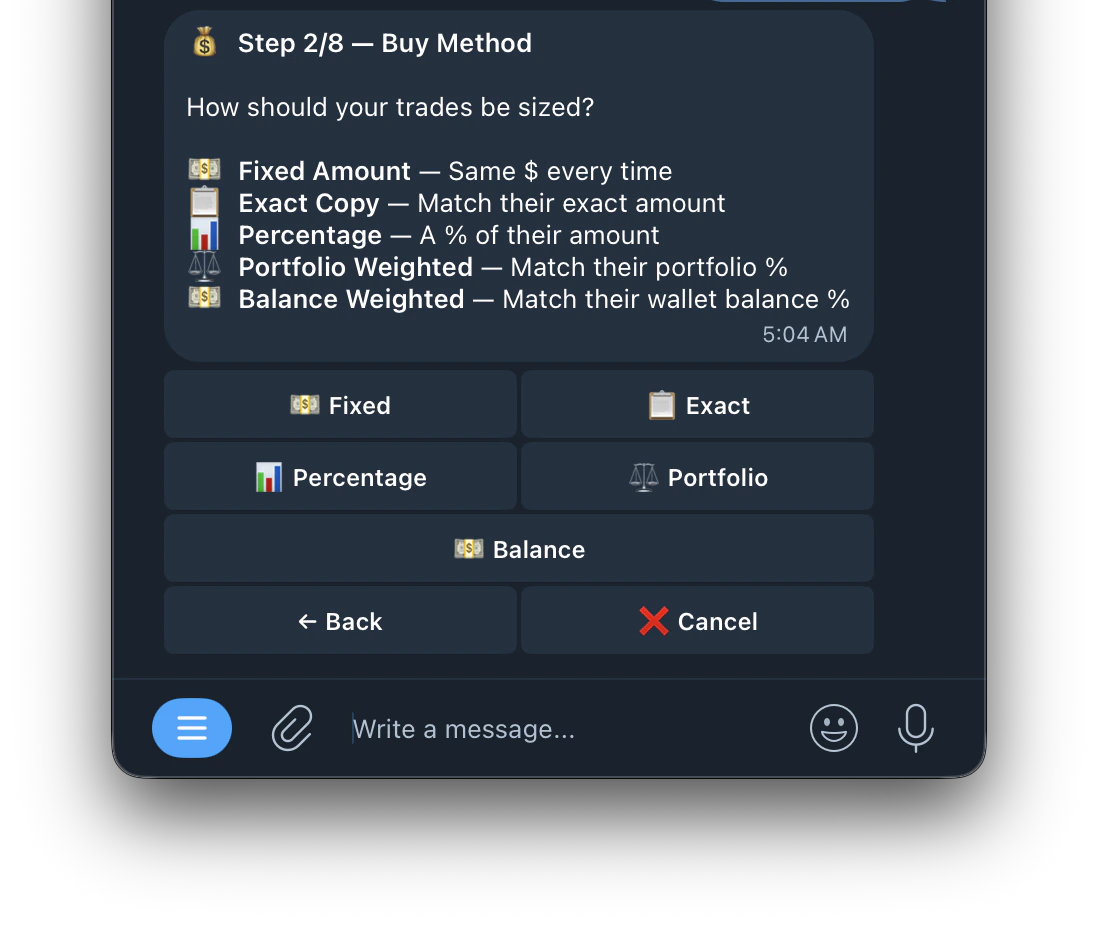
- Choose a buy method
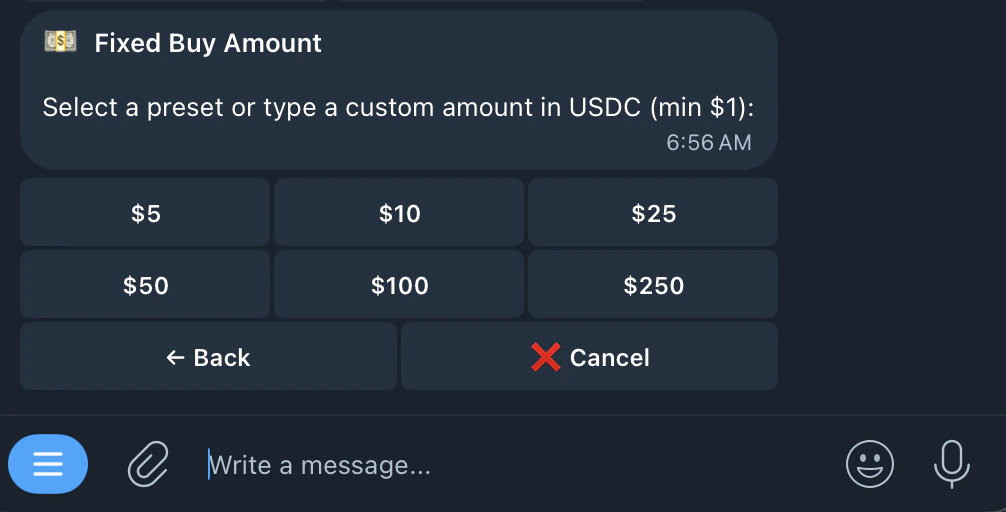
- Set your buy amount
Set your trade size based on your chosen method. Minimum $1
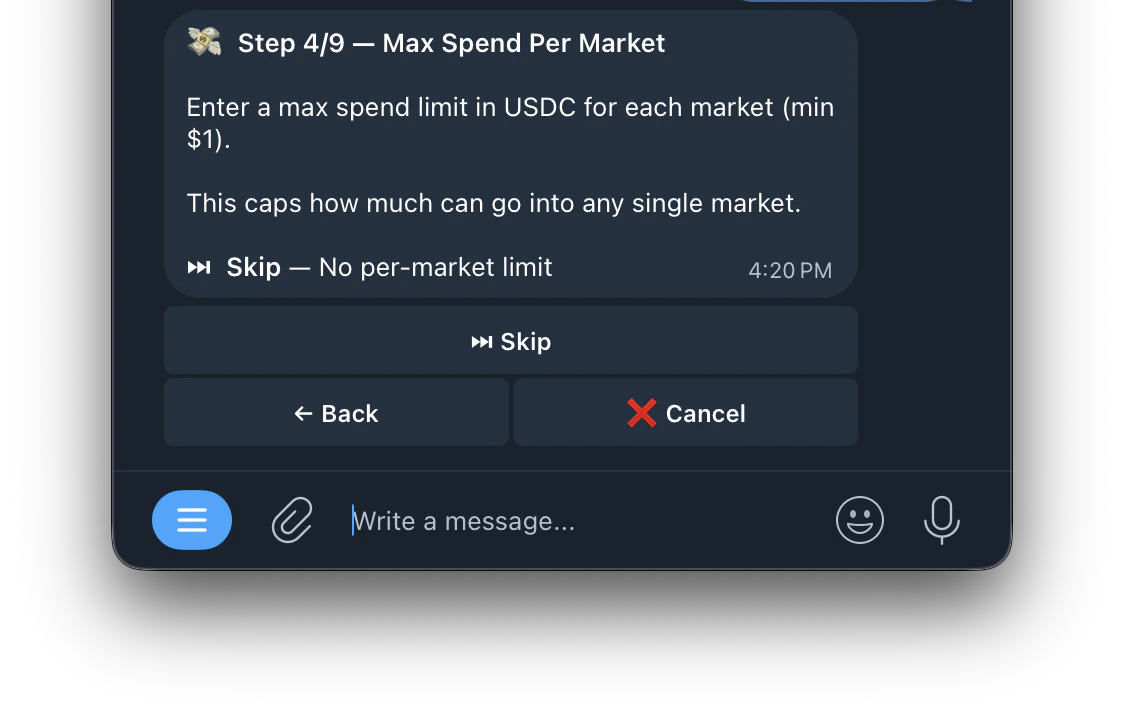
- Set Max Spend Per Market
Caps how much this task can spend on any single market.
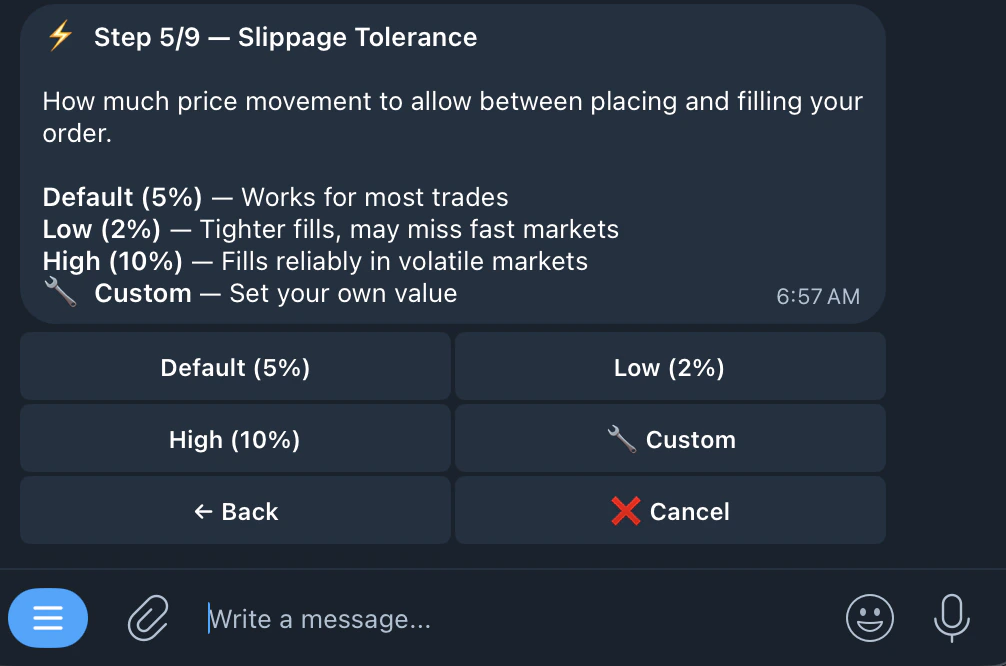
- Set slippage (default 5%)
Max price difference you’ll accept. Default 5%. Higher = more fills, Lower = better prices
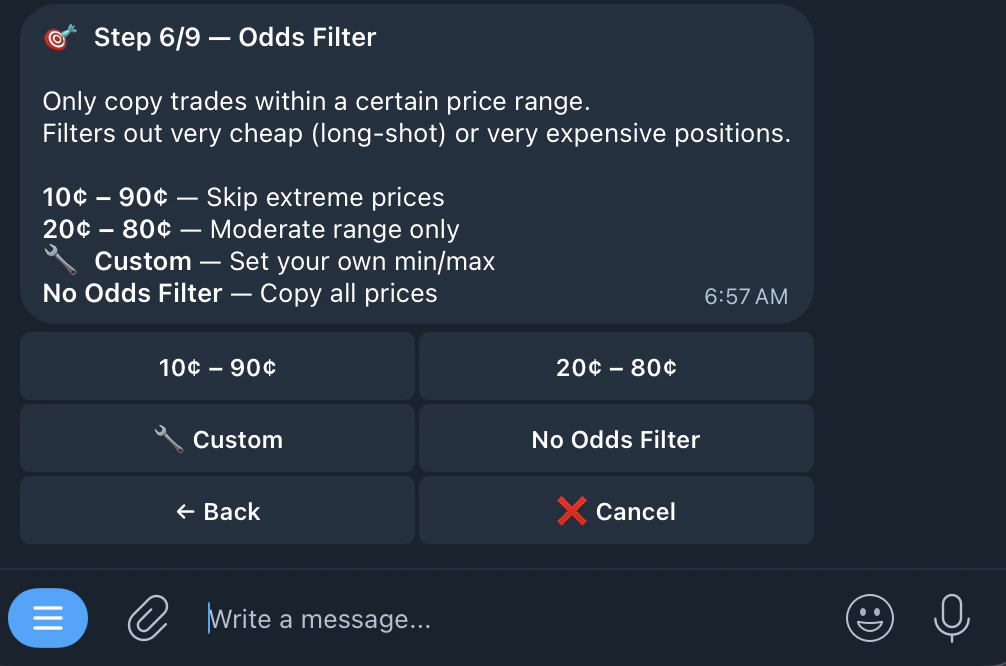
- Set odds/price filter
Set min/max odds range to copy. Example: 10¢–90¢ skips extreme odds
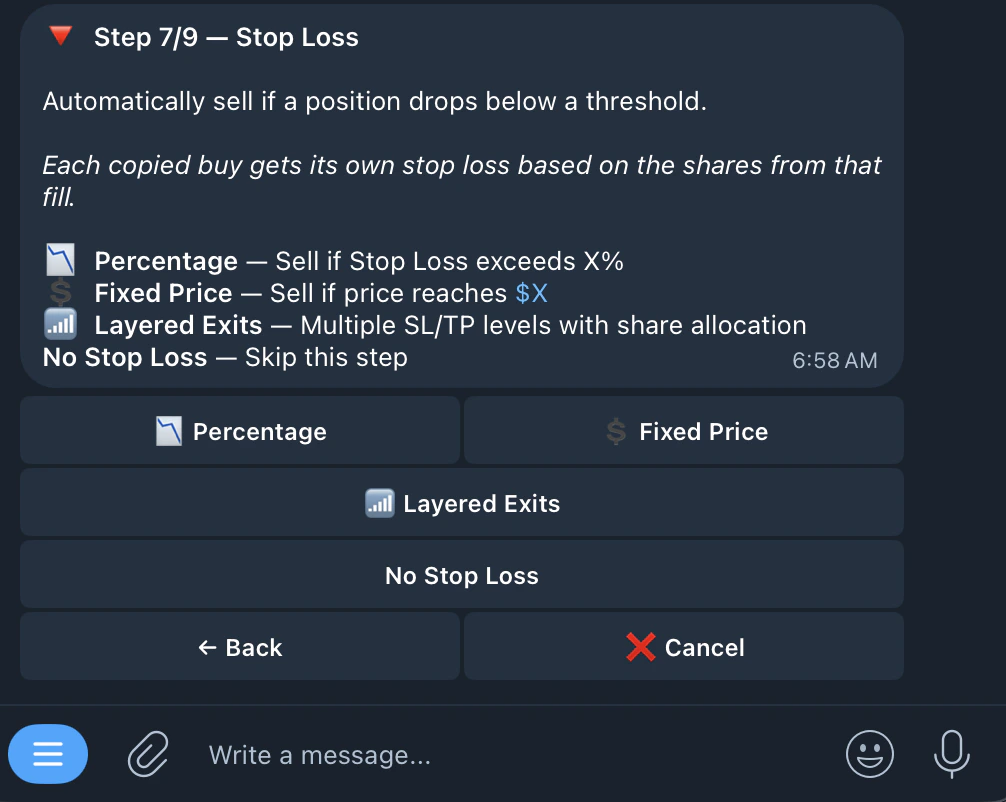
- Set stop loss (optional)
Automatically sell your position if the price drops below a set threshold. Protects you from large losses.
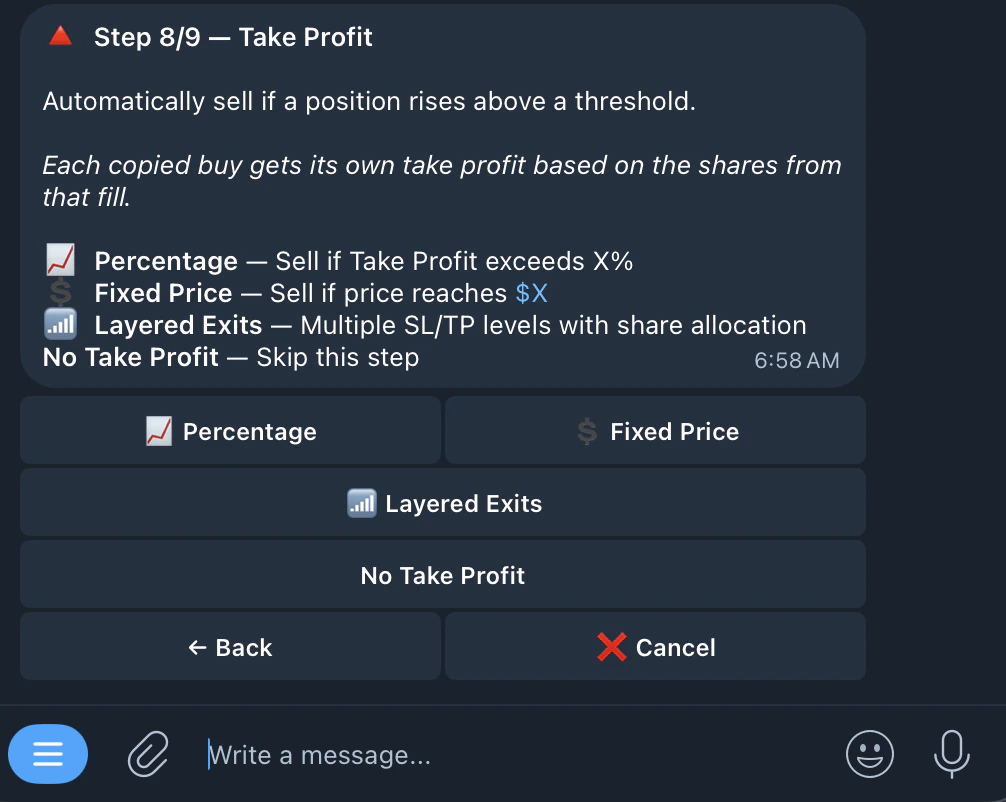
- Set take profit (optional)
Automatically sell your position if the price rises above a set threshold. Locks in your gains.
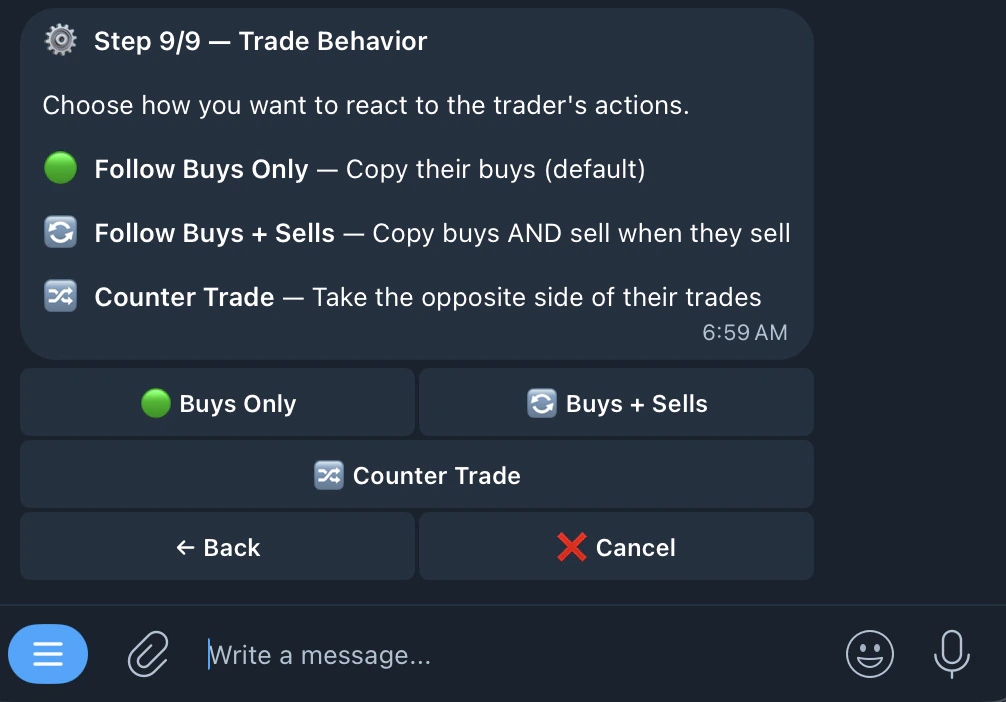
- Choose trade behavior (buys, sells, counter)
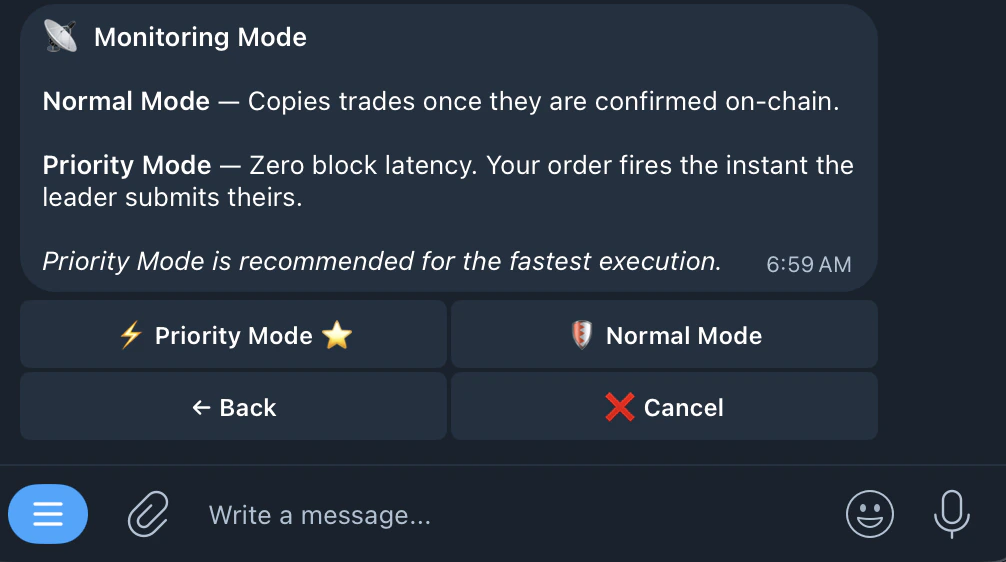
- Monitoring Mode
- confirm and create task
Up to 1,000 tasks per account.