
In order to start trading with Kreo, you will need to deposit funds into your Kreo generated wallet (USDC.e on Polygon).
Please always make sure to send USDC.e OR use our in-built bridging system to bridge inside of Kreo. Deposit addresses are temporary, always request a new address before each transfer.
Depositing USDC.e
1
Open /wallets
Type /wallets or type /start and click on Wallets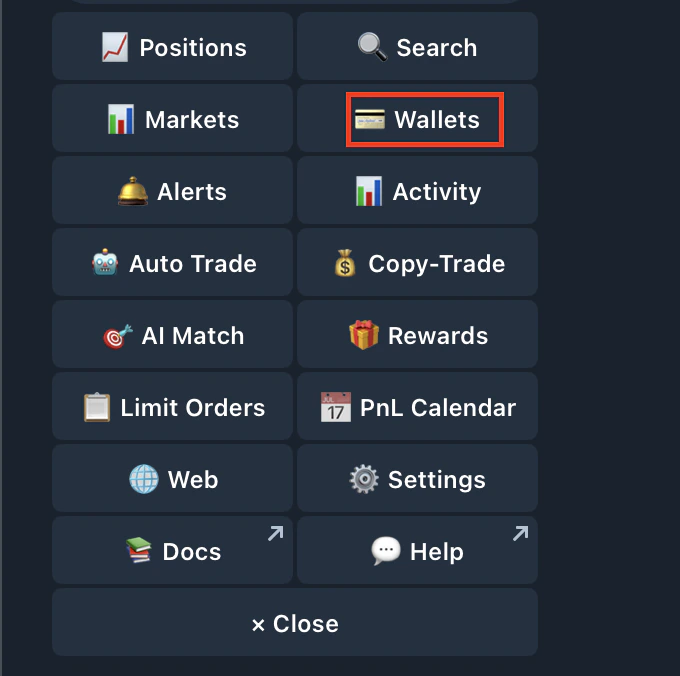
2
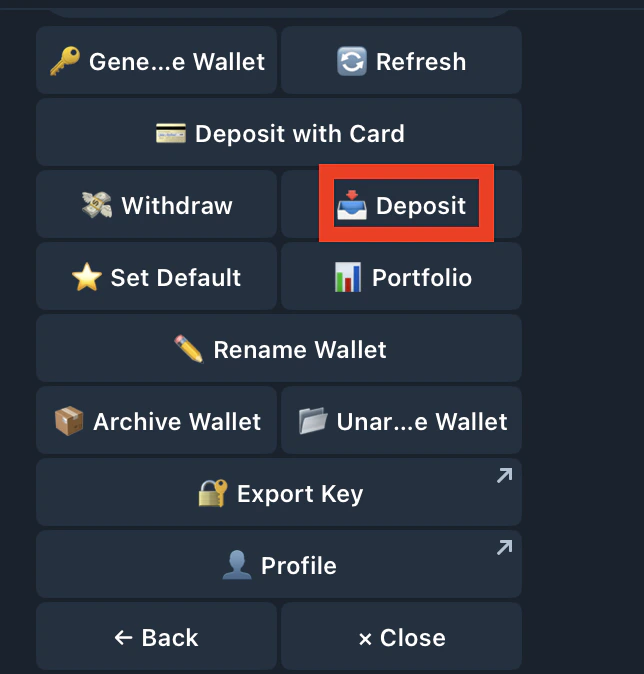
Deposit
Click on the deposit button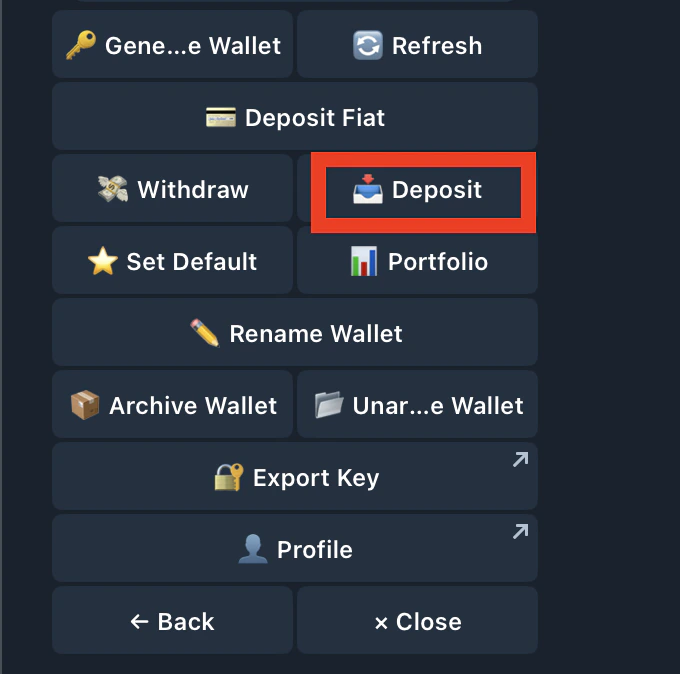
3
Send USDC.e (Proof of Stake) on Polygon to that wallet
Click on USDC.E ON Polygon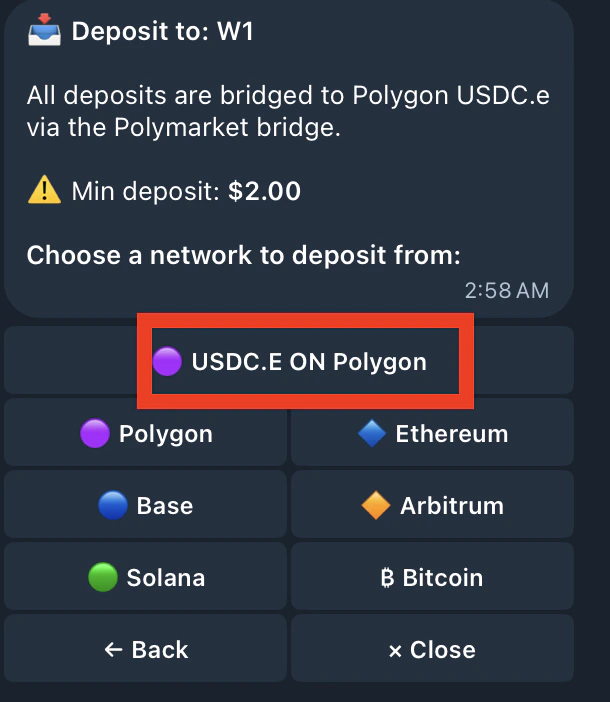
4
Copy the address
Make sure you’re send only send USDC.e on Polygon to this address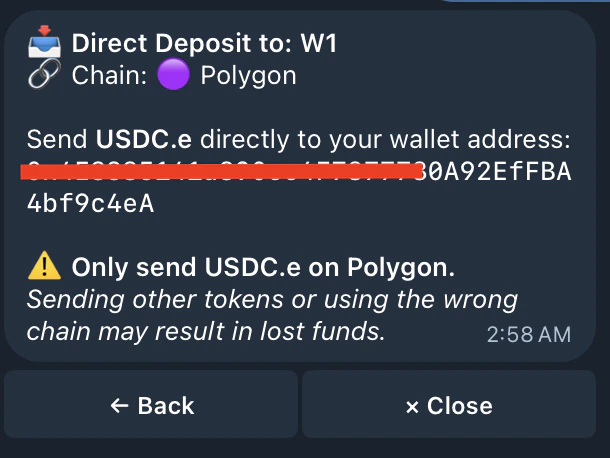
Depositing any other currency
1
Open /wallets
Type /wallets or type /start and click on Wallets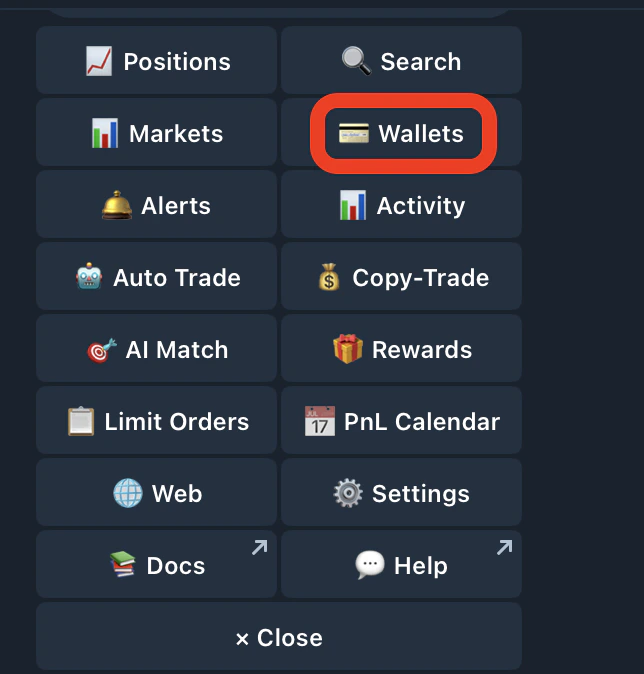
2
Press Deposit
3
Choose a currency to bridge from into your Kreo wallet
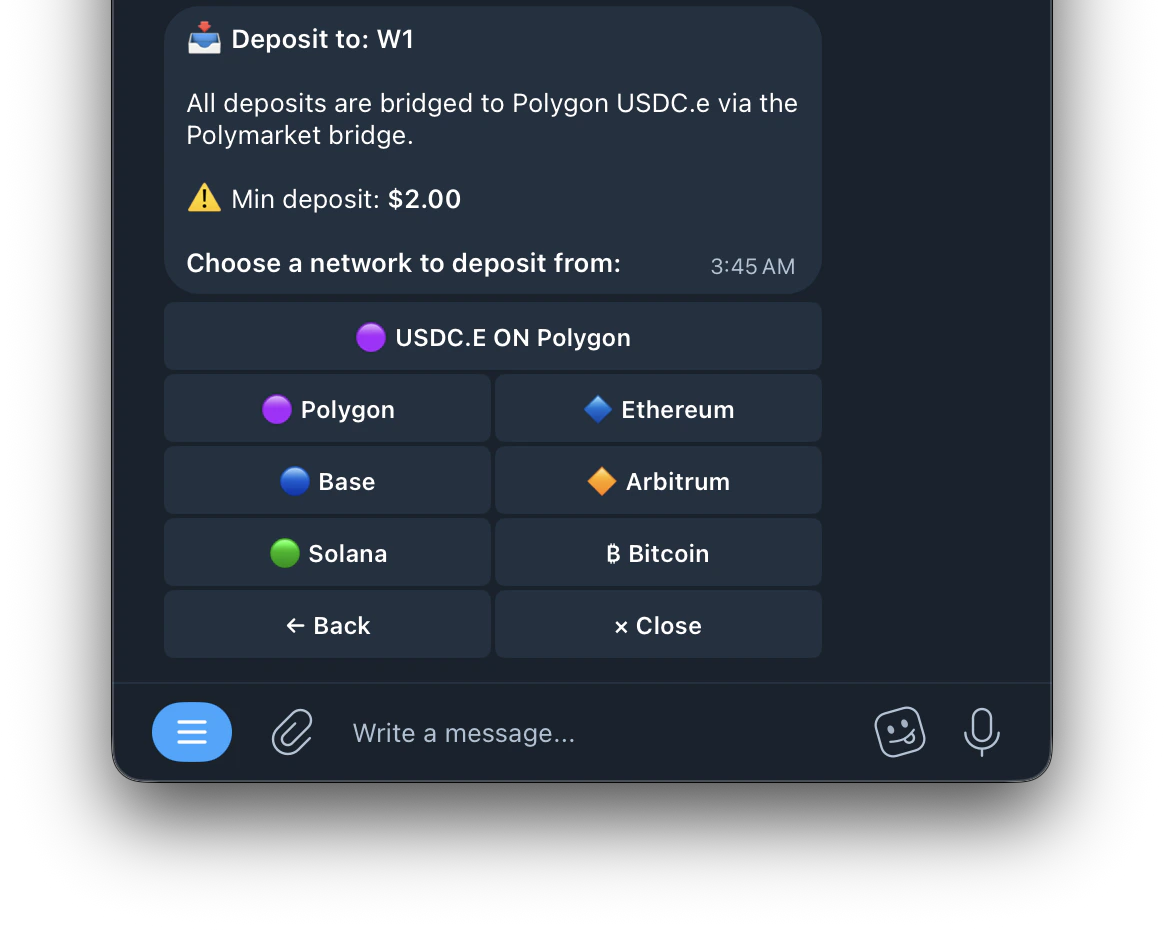
USDC.E ON (Polygon)
USDC.E ON (Polygon)
Send USDC.e to the wallet directly
Polygon
Polygon
Send any of the Supported tokens : WBTC, USDC, WBTC, USDT on Polygon (Minimum Deposit is $2)
Ethereum
Ethereum
Send any of the Supported tokens : TUSD, EUROC, UNI, WBTC, SAND, POL, PAXG, BUSD, QNT, USDe, APE, LINK, BLUR, SKY, LDO, DAI, RNDR, kBTC, MATIC, AAVE, USDP, SHIB, BBTC, MKR, CRO, USDC, ARB, SNX, WETH, ENS, ETH, IMX, GRT, cbBTC, USDT, USDS, INJ on ETH (Minimum Deposit is $7)
Base
Base
Send any of the Supported tokens : uXRP, WETH, DAI, USDe, USDS, USDC, AERO, ETH, cbBTC, USDbC, USDT (Minimum Deposit is $2)
Arbitrum
Arbitrum
Send any of the Supported tokens : uXRP, WETH, DAI, USDe, USDS, USDC, AERO, ETH, cbBTC, USDbC, USDT (Minimum Deposit is $2)
Solana
Solana
Send any of the Supported tokens : SOL, TRUMP, USDe, USDC, USDT, JupUSD (Minimum Deposit is $2)
Bitcoin
Bitcoin
Send any of the Supported tokens : BTC (Minimum Deposit is $7)