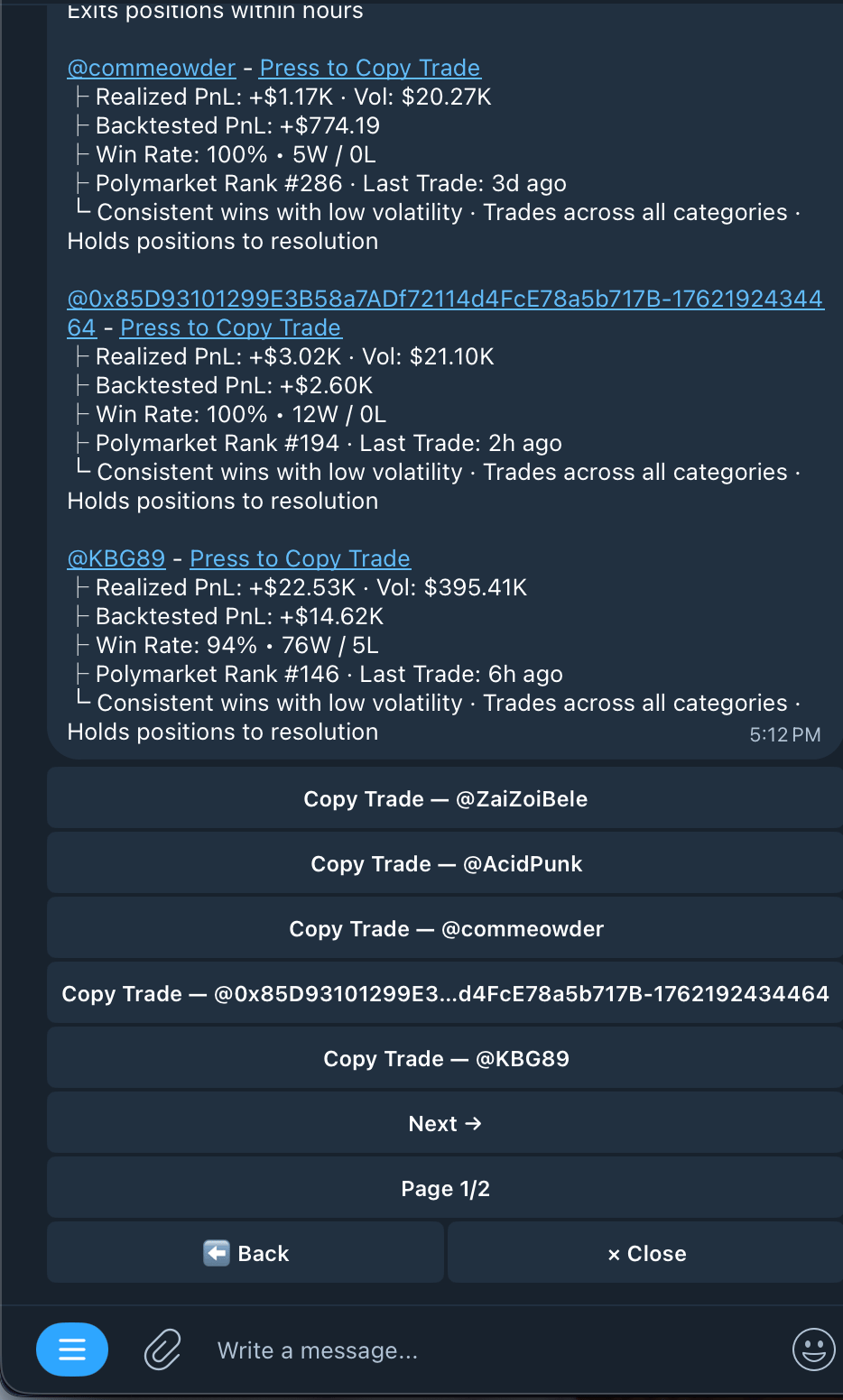
Find wallets that are worth copying in under a minute with our AI Wallet Matcher
Always double check all parameters set by Kreo and adjust them to your trading preferences.AI Match now uses improved data for more accurate wallet matching results
Using the AI matcher to find wallets to copy trade
1
Type /match or Press AI Match on the Homepage
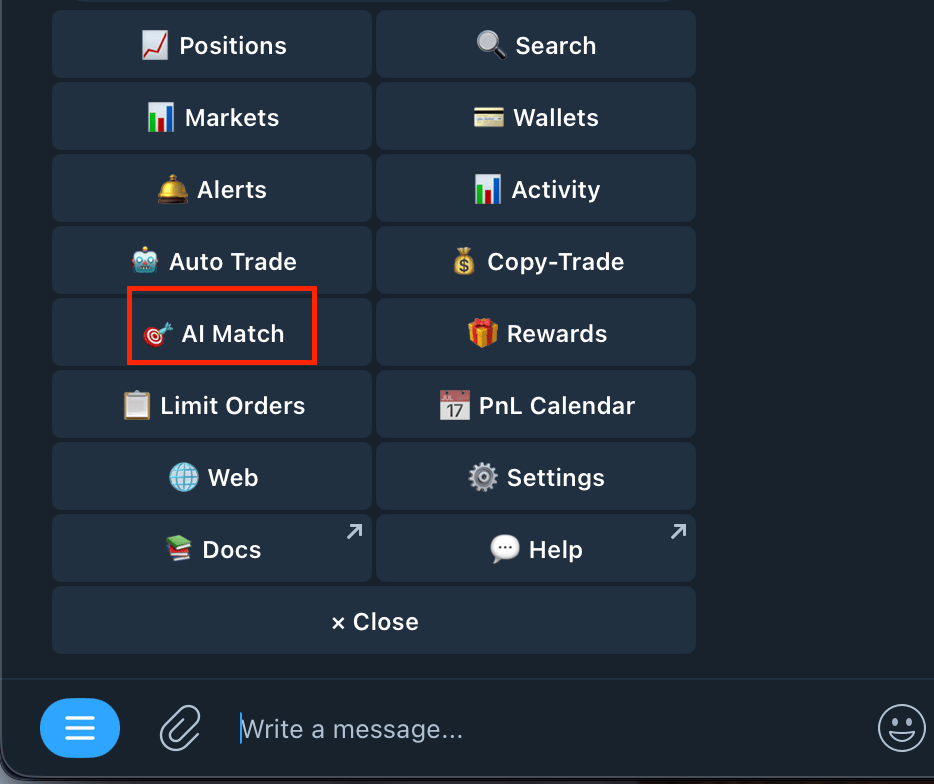
2
Choose your risk tolerance with Copy Trading
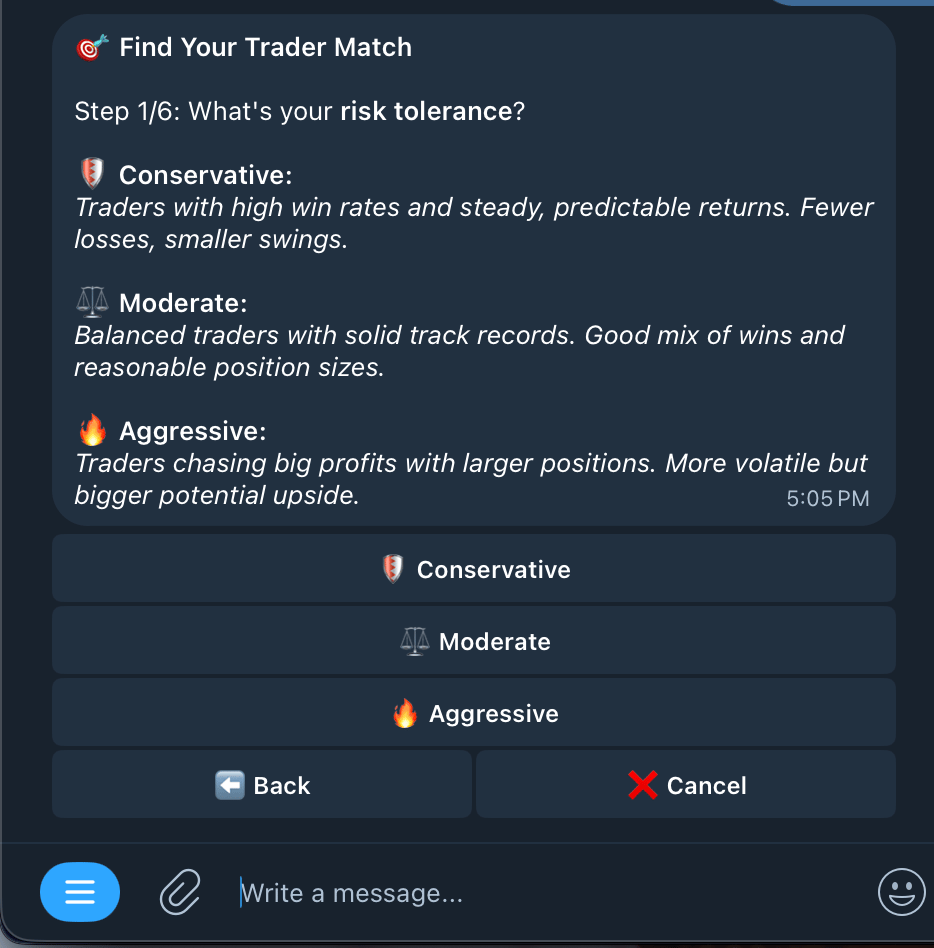
3
Select Markets you want to copy trade (Select All if you're not worried)
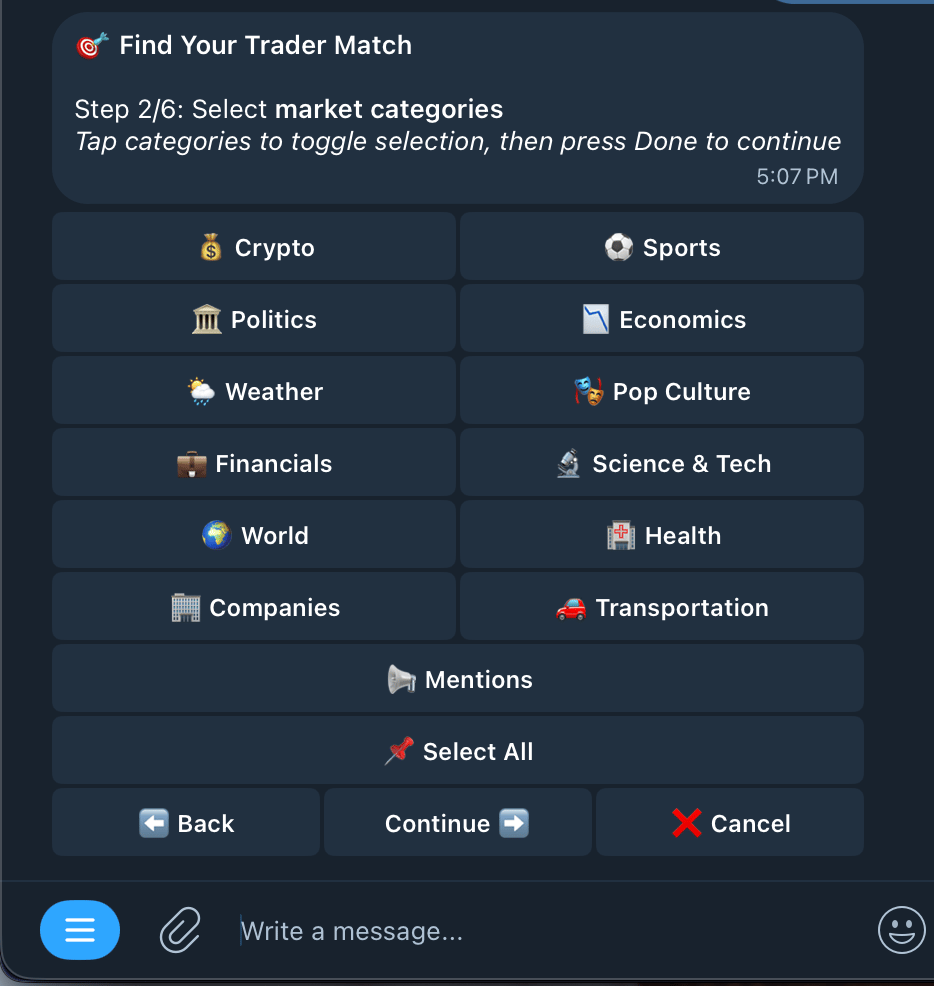
4
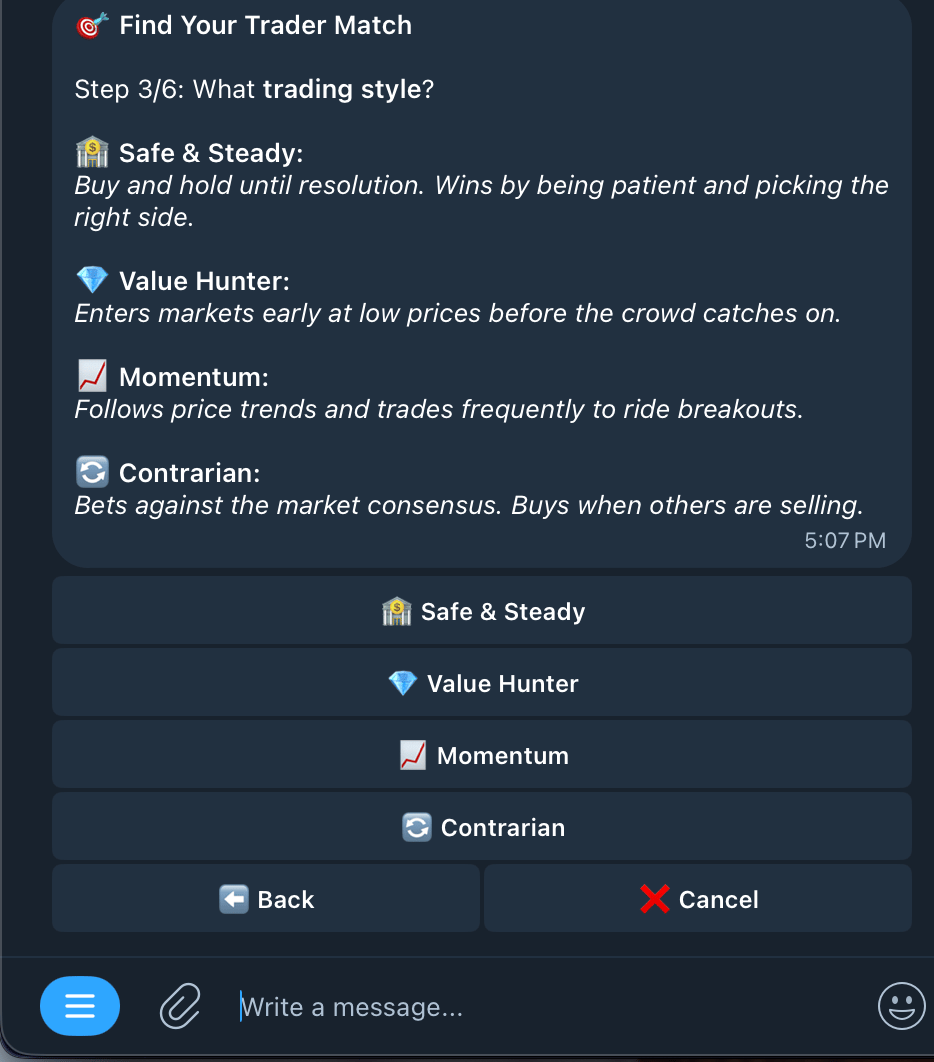
Choose your trading style
5
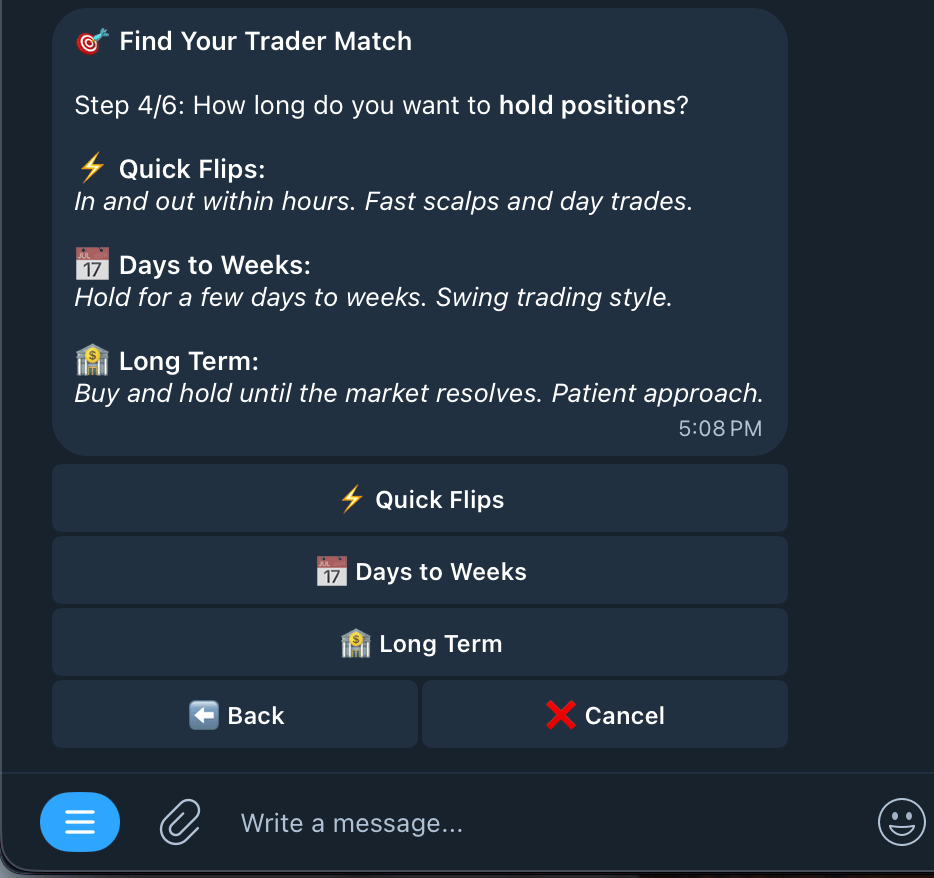
Choose how long you like to hold positions
6
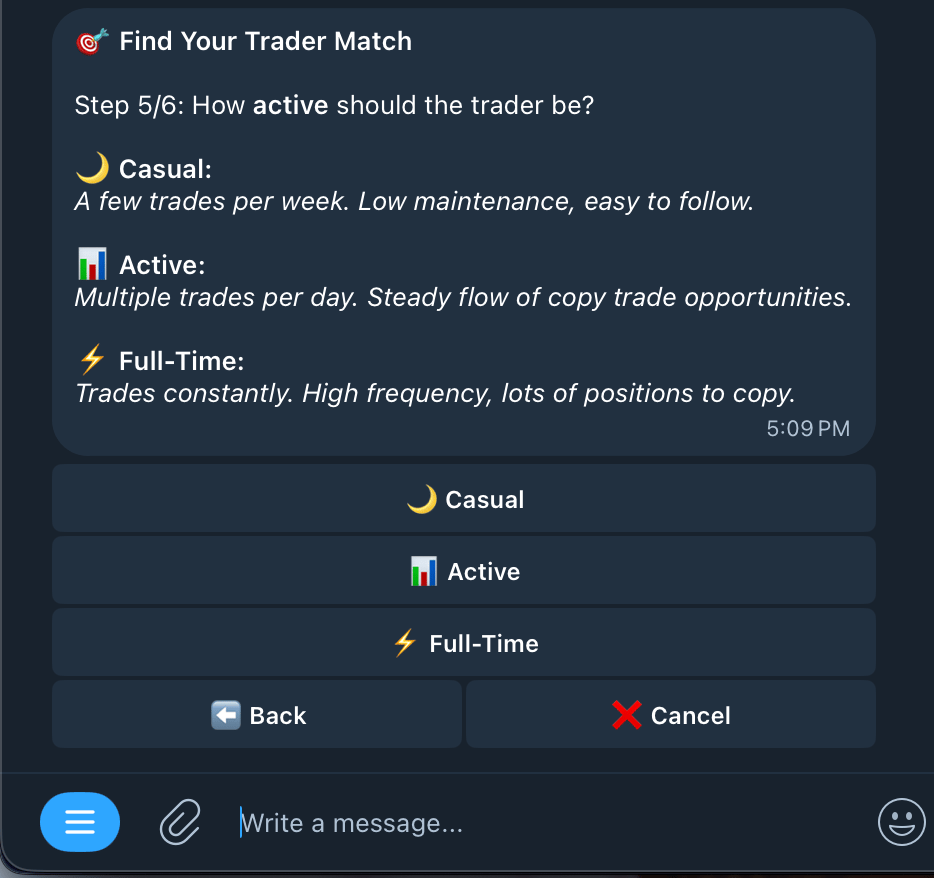
Choose how active traders should be on your list
7
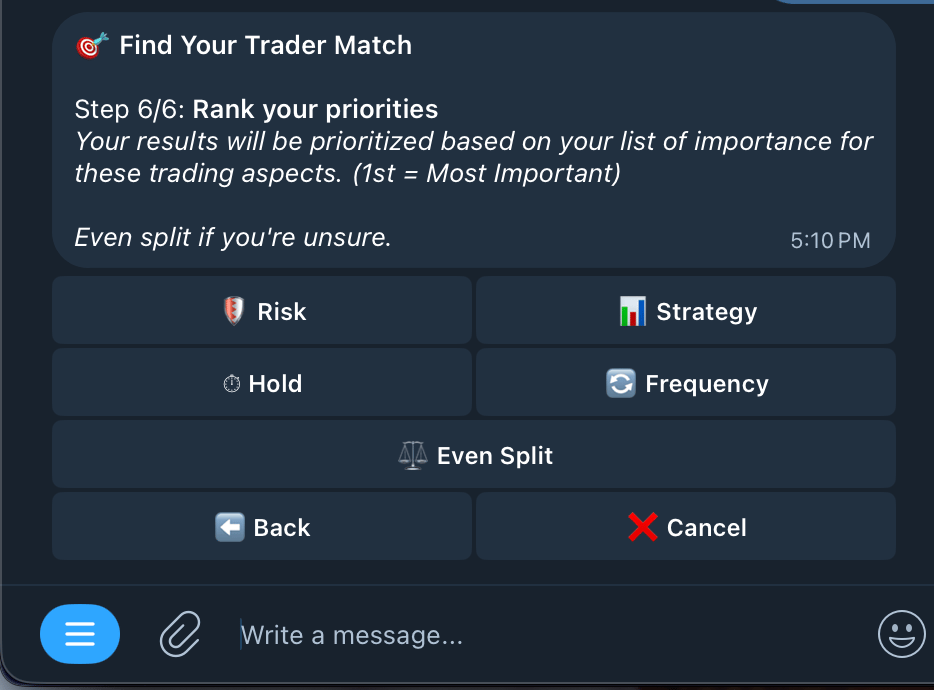
Rank your priorities
Rank from most important (1st) to least important (5th) in order to change the prioritization of your list, if you’re not too sure, you can click even split for a more balanced outlook.
8
Find your trader matches
You can begin copytrading any one of these wallets by pressing on the button or their respective hyperlink.