
Access Take Profit settings from the Advanced menu in your task. When your position reaches the target profit level it will be sold automatically.
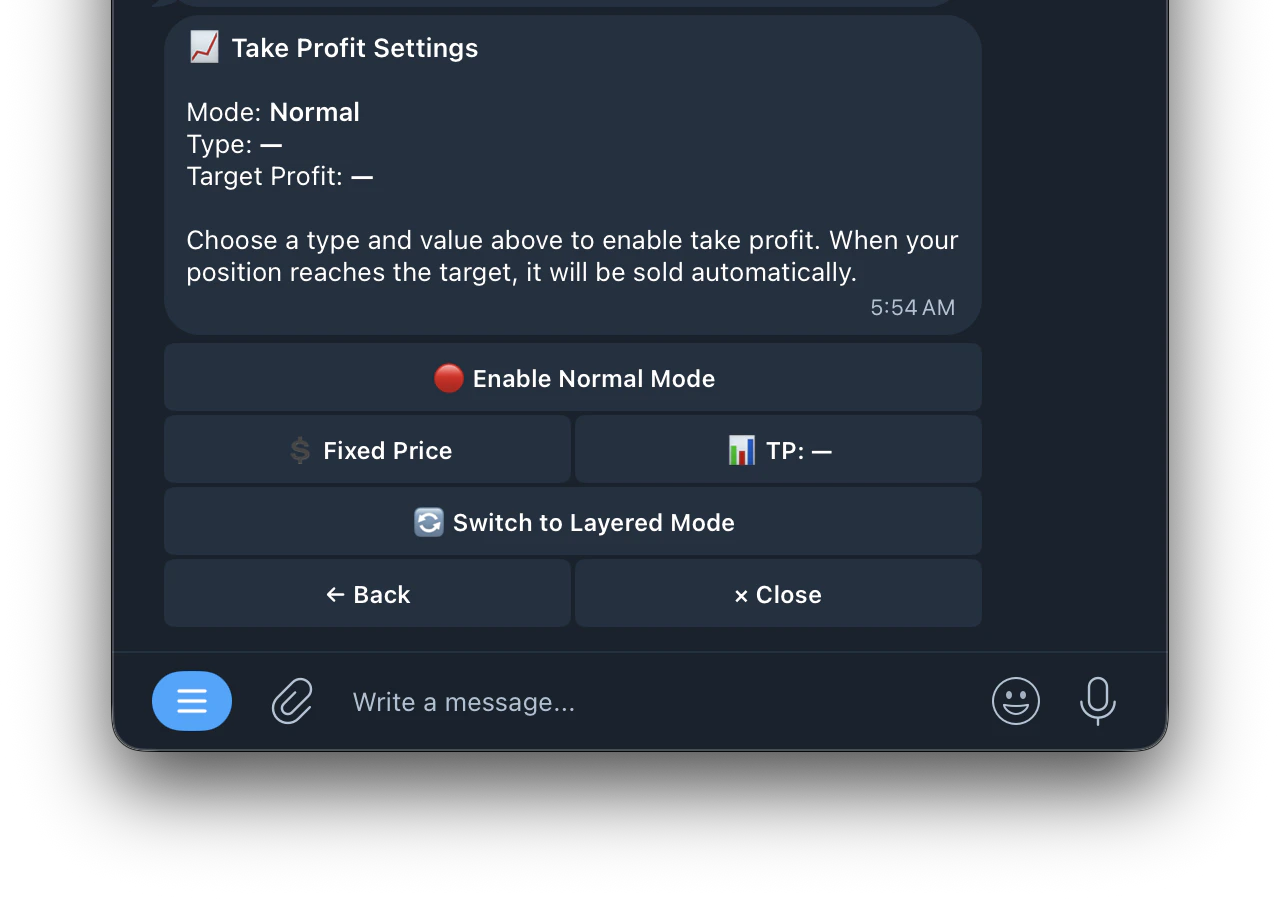
Normal Mode
Normal Mode
In Normal Mode you set a single target price at which your position will be sold.Settings:
- 🔴 Enable Normal Mode: turn Take Profit on or off
- 💲 Fixed Price: set the exact price at which to sell
- 📊Switch to Layered Mode TP: set your target share price
Switch to Layered Mode
Switch to Layered Mode
switches to Layered Take Profit for staged exitsLayered Mode
Layered Mode
Layered Take Profit sells your position in stages as the price rises, instead of waiting for one single target. This lets you lock in gains along the way rather than risking a full reversal before hitting your target.
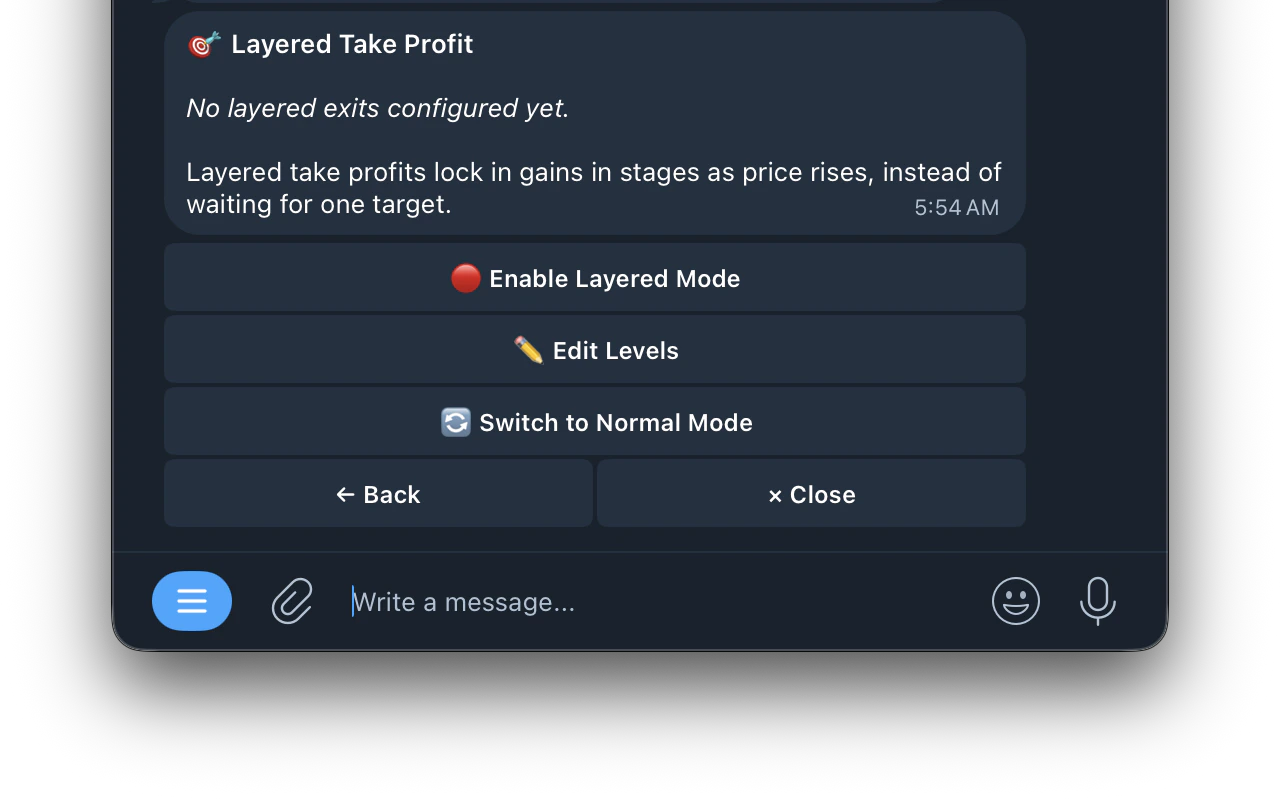
Settings
Settings
- Enable Layered Mode: turn Layered Take Profit on or off
- Edit Levels: customize your exit levels
- Switch to Normal Mode: switch back to single target mode
Layered Take Profit Presets
Layered Take Profit Presets
- +25%, +75%: sells in 2 stages at 25% and 75% profit
- +20%, +50%, +100%: sells in 3 stages at 20%, 50% and 100% profit
- +50%, +150%: sells in 2 stages at 50% and 150% profit
- ✏️ Custom: create your own custom exit levels