Copy Trade Schedule
Set specific trading hours for your copy trade task. New entries outside your set window are skipped automatically.
How to Access
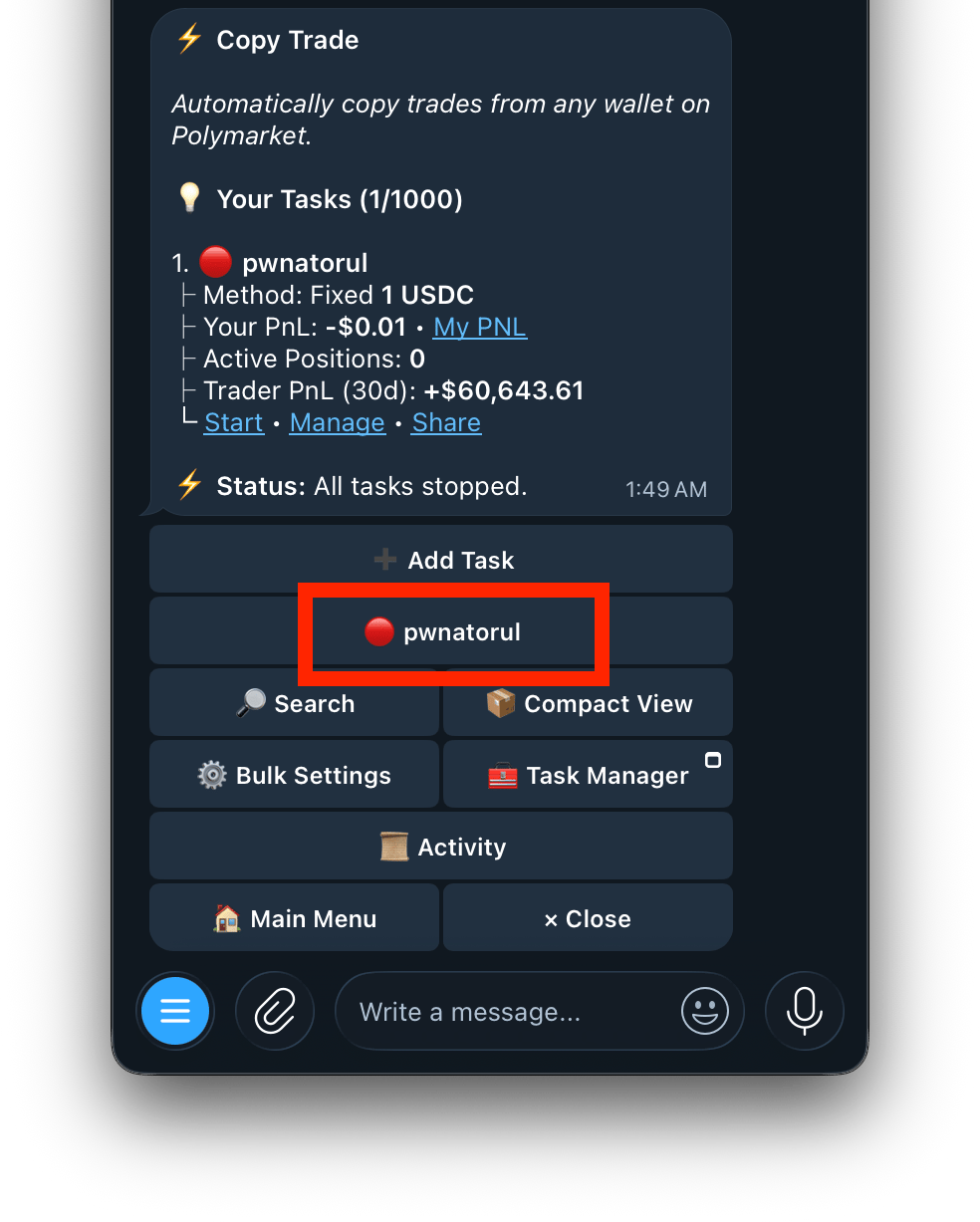
  1. Go to /copytrade or /start and click on the copytrade button
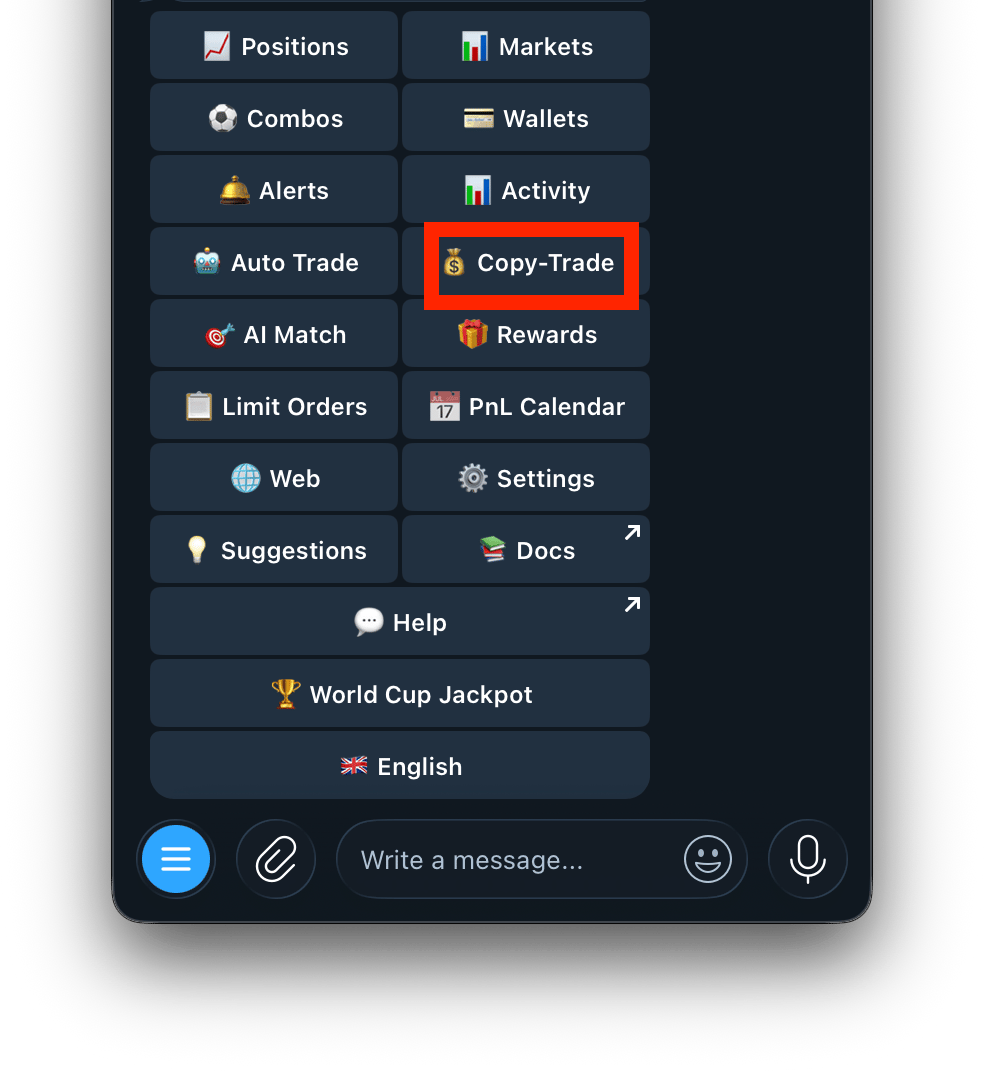
    Screenshot 2026 07 24 At 1 47 52 AM
  2. Select your task
    Screenshot 2026 07 24 At 1 49 07 AM
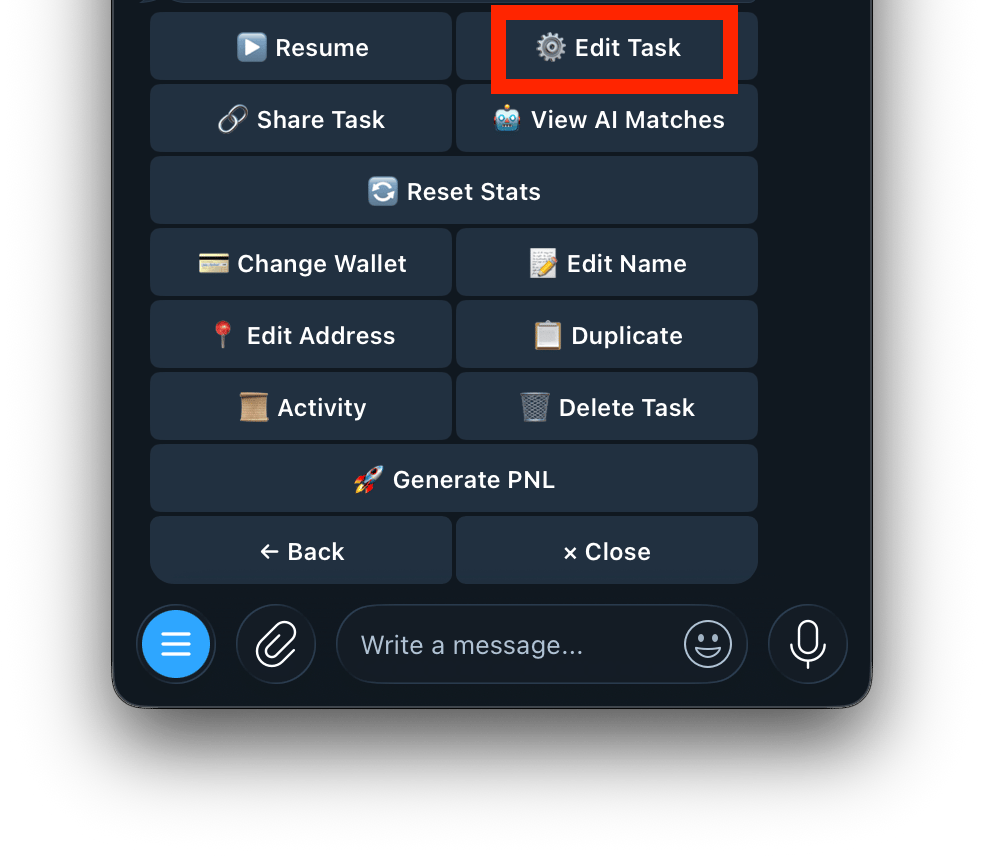
  3. Click on Edit Task
    Screenshot 2026 07 24 At 1 50 44 AM
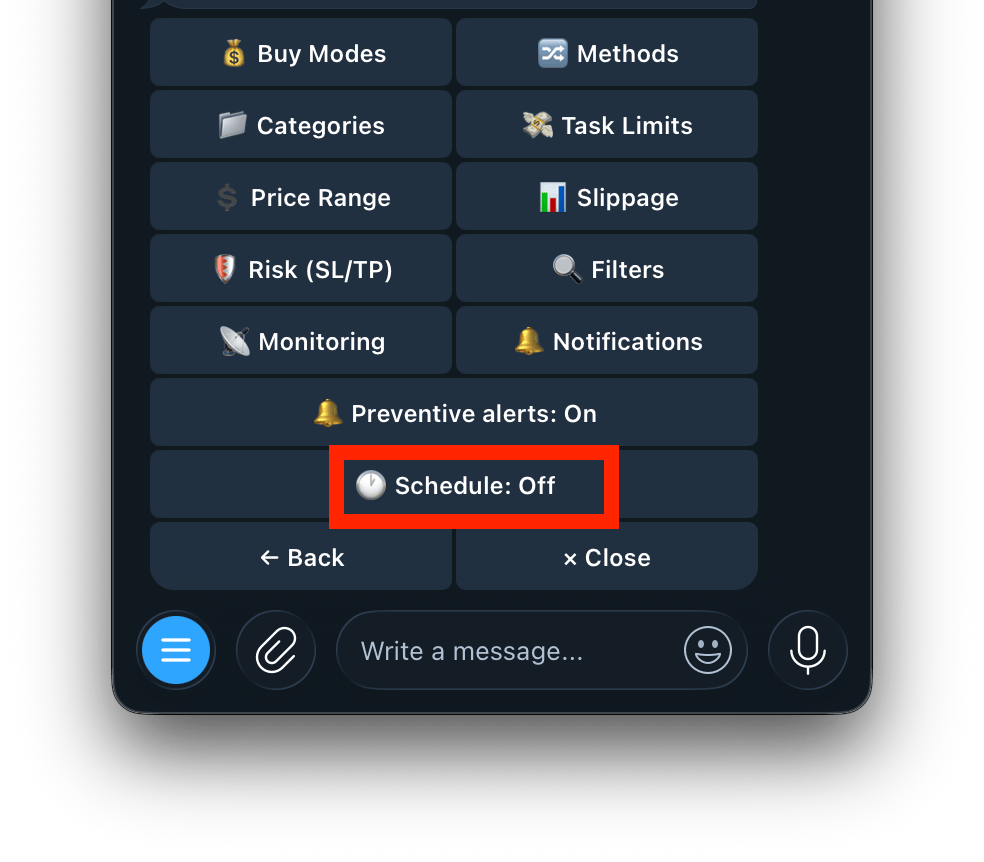
  4. Tap Schedule
    Screenshot 2026 07 24 At 1 51 45 AM
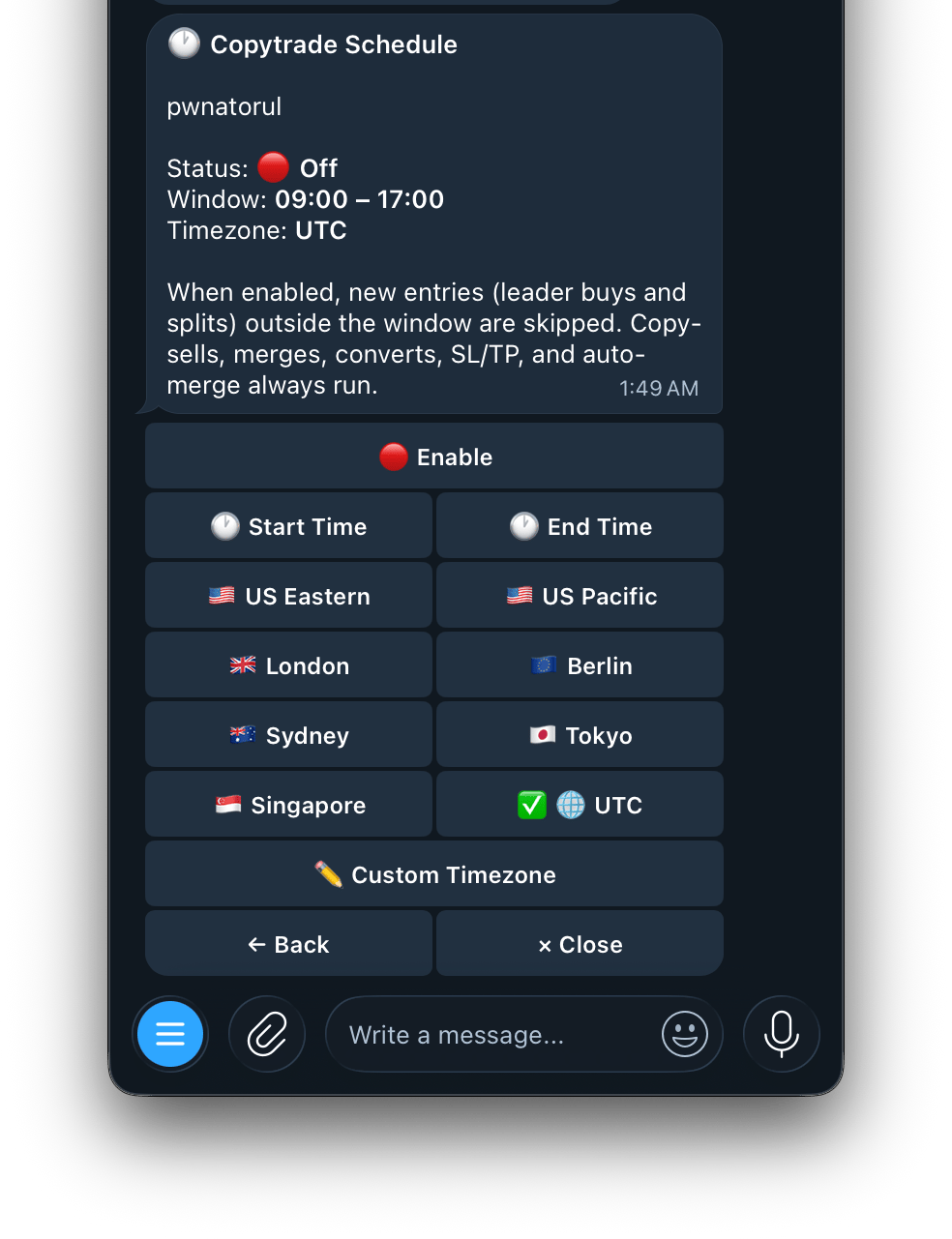
How it Works When enabled, the bot only copies new buys and splits within your set time window. Copy-sells, merges, converts, SL/TP, and auto-merge always run regardless of schedule.
Screenshot 2026 07 24 At 1 53 35 AM
Settings Available Timezones
Copy-sells, merges, converts, SL/TP, and auto-merge always run even outside your scheduled window.