Documentation Index

Fetch the complete documentation index at: https://docs.kreo.app/llms.txt

Use this file to discover all available pages before exploring further.

Configure how this task reacts to the trader’s activity.
Screenshot 2026 04 28 At 1 01 11 AM
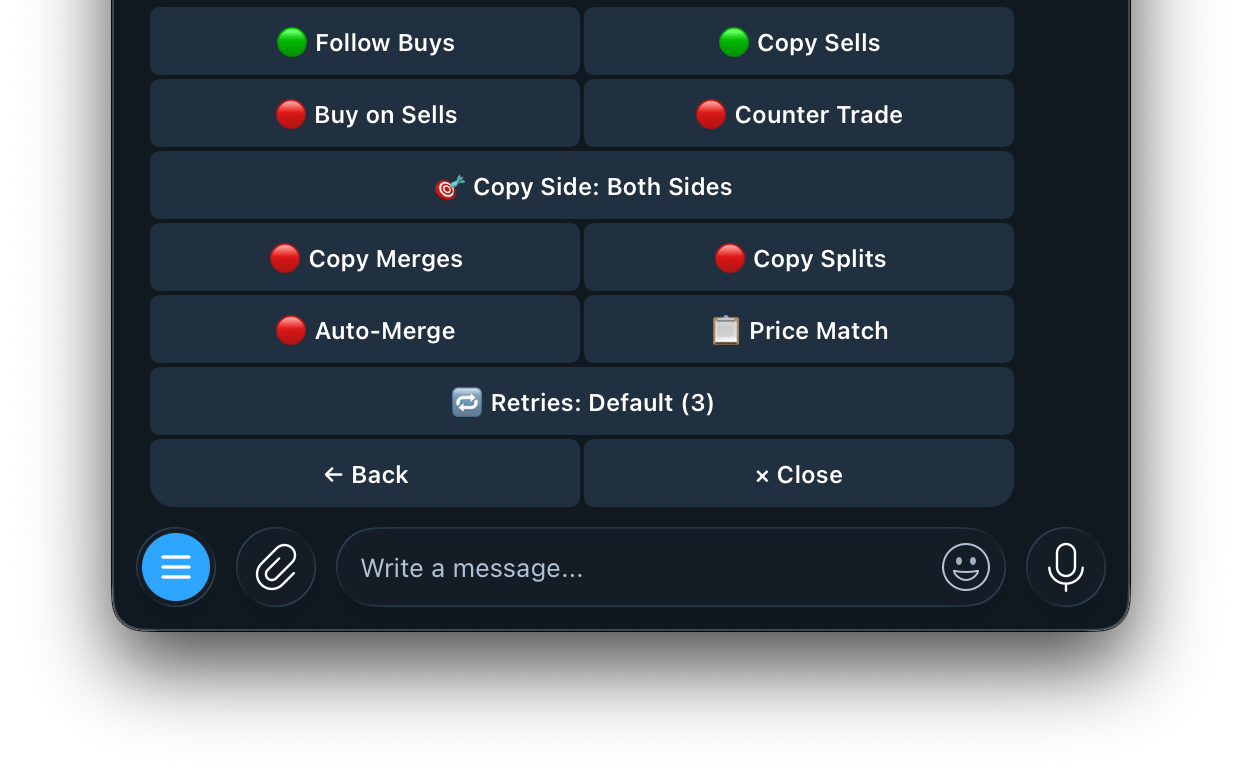
MethodWhat it does
Follow BuysWhen the trader buys, you buy the same market. Turn off to only track sells
Copy SellsWhen the trader sells, you sell your position too. Exit when they exit
Buy on SellsWhen the trader sells, you buy the same side instead. Buy the dip on their exits
↔️Counter TradeTake the opposite side of every trade. If they buy YES, you buy NO
🎯 Copy SideOnly copy YES trades, only NO trades, or both sides
Auto-MergeWhen you hold one side, automatically buys the opposite if both sides together cost less than $1.00 per share. Merges them for guaranteed profit
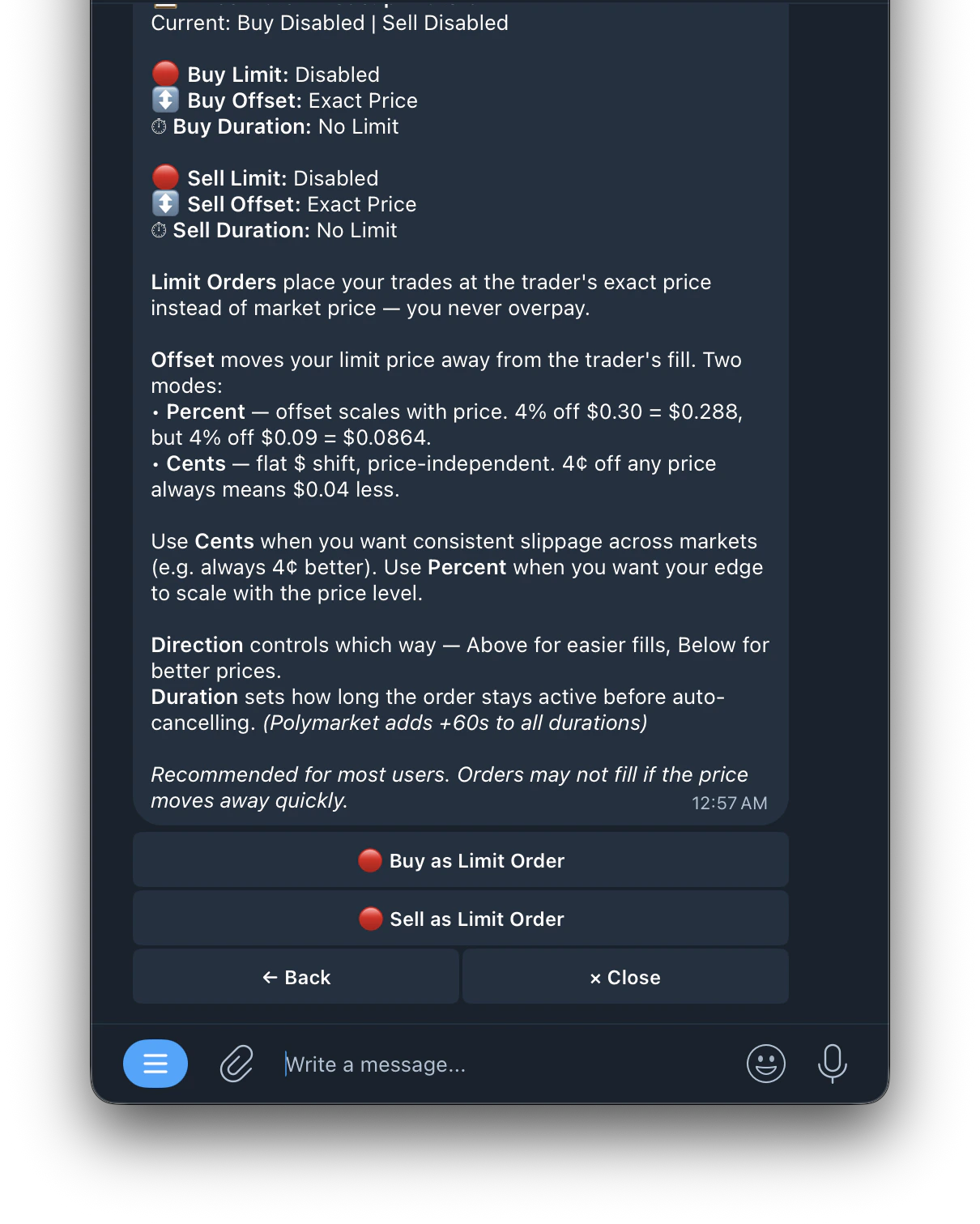
📋 Price Match ModePlace orders at the exact price the trader got instead of market price. Your order waits to fill at that price or better — you never overpay
🔁 RetriesHow many times to retry an order on transient failures (price moved, balance not refreshed, etc.). Applies to buys and sells. Default is 3, range 0–5. Set 0 to use default
📋 Price Match
Screenshot 2026 04 28 At 1 05 36 AM
How it Works When enabled, instead of filling at whatever the current market price is, the bot places a limit order at the trader’s exact entry price (or better). Buy Limit / Sell Limit
SettingWhat it means
Buy LimitWhen on, buy orders are placed as limit orders at the leader’s price
Sell LimitWhen on, sell orders are placed as limit orders at the leader’s price
Offset How far from the trader’s price to place your limit order. Two modes:
ModeHow it worksExample
PercentOffset scales with price4% off $0.30 = $0.288 | 4% off $0.09 = $0.0864
CentsFlat dollar shift, price-independent4¢ off any price = always $0.04 less
Use Cents when you want consistent slippage across all markets. Use Percent when you want your edge to scale with the price level. Direction
  • Above: places limit above trader’s price = easier fills but slightly worse price
  • Below: places limit below trader’s price = better price but may not fill if market moves away
Duration How long the limit order stays active before auto-cancelling. Polymarket automatically adds +60 seconds to all durations.
  • Set 0 = GTC (Good Till Cancelled) — stays open until filled or manually cancelled
Recommended for most users. Orders may not fill if the price moves away quickly.