Setting up and managing crypto auto trade tasks.Creating a Crypto Auto Trade Task
1
Navigate to /autotrade
Type /Autotrade or /start and click on Auto Trade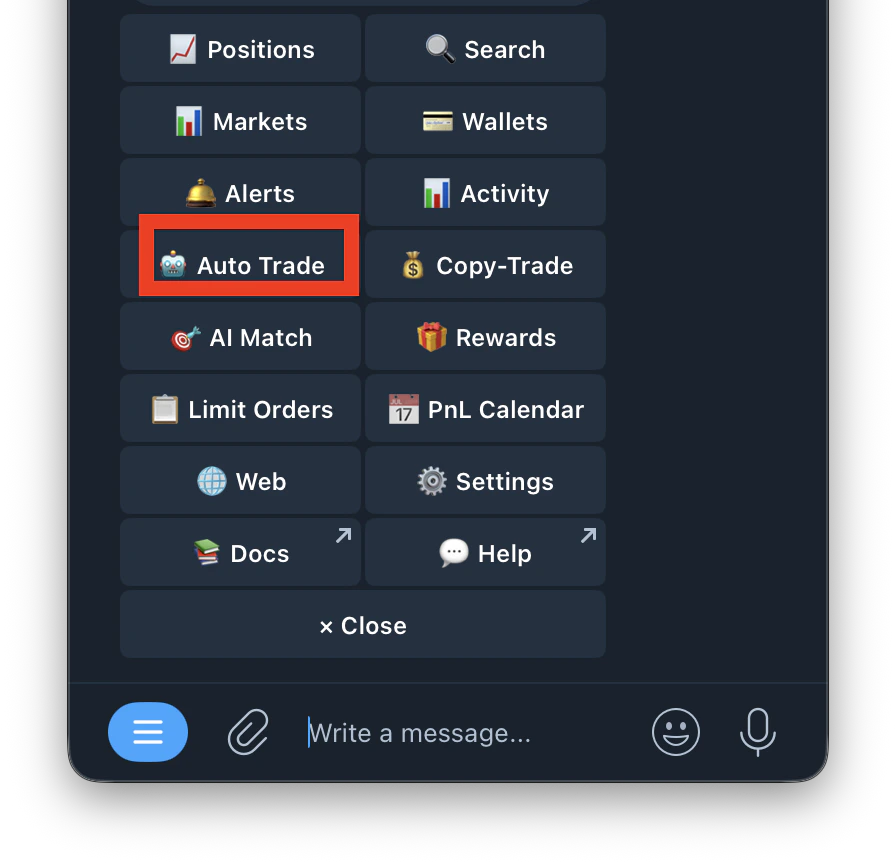
2
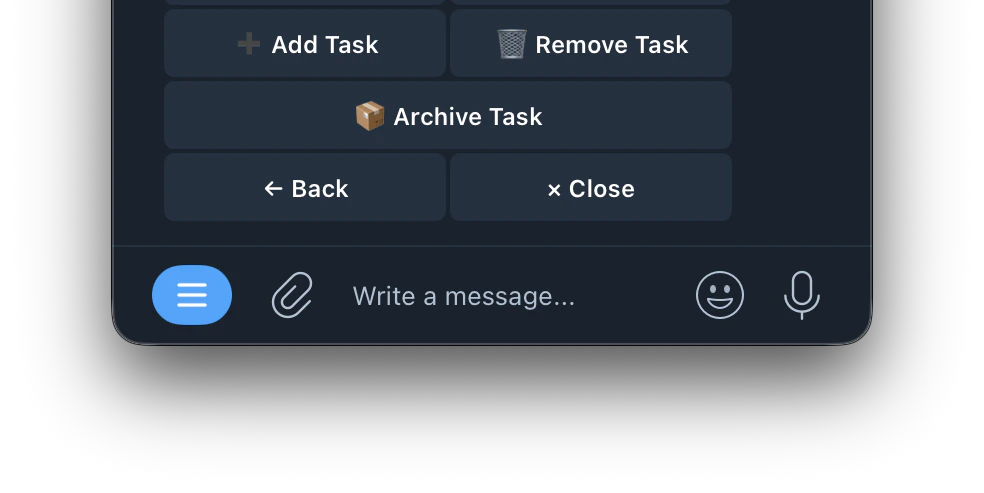
Tap Add Task
3
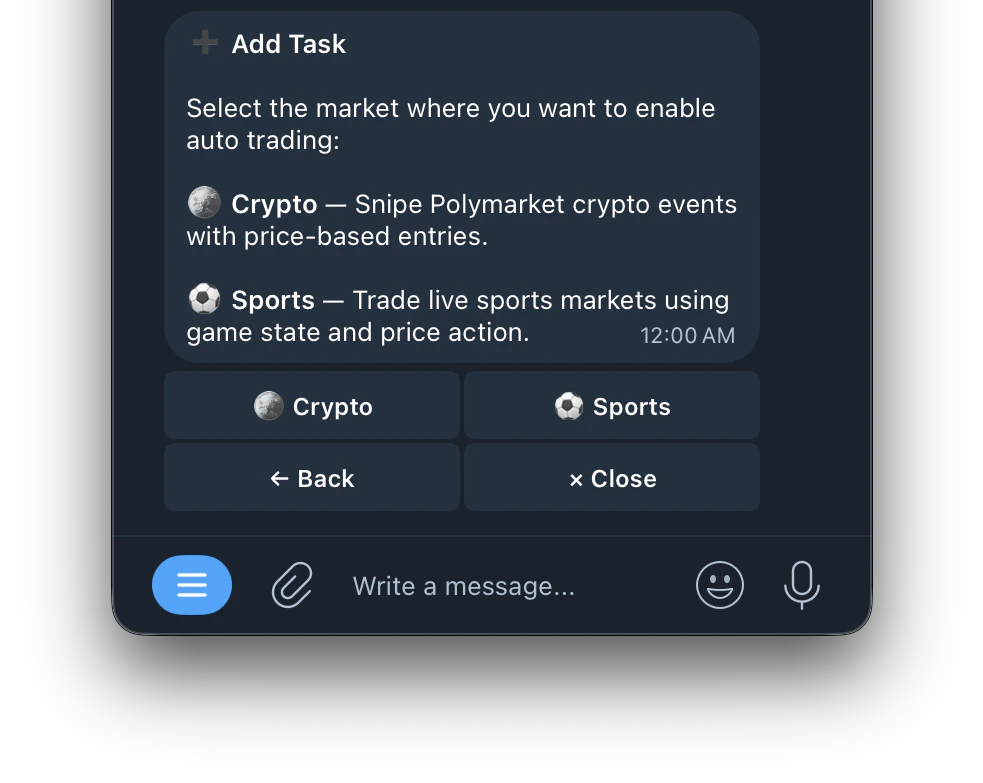
Select Crypto
4
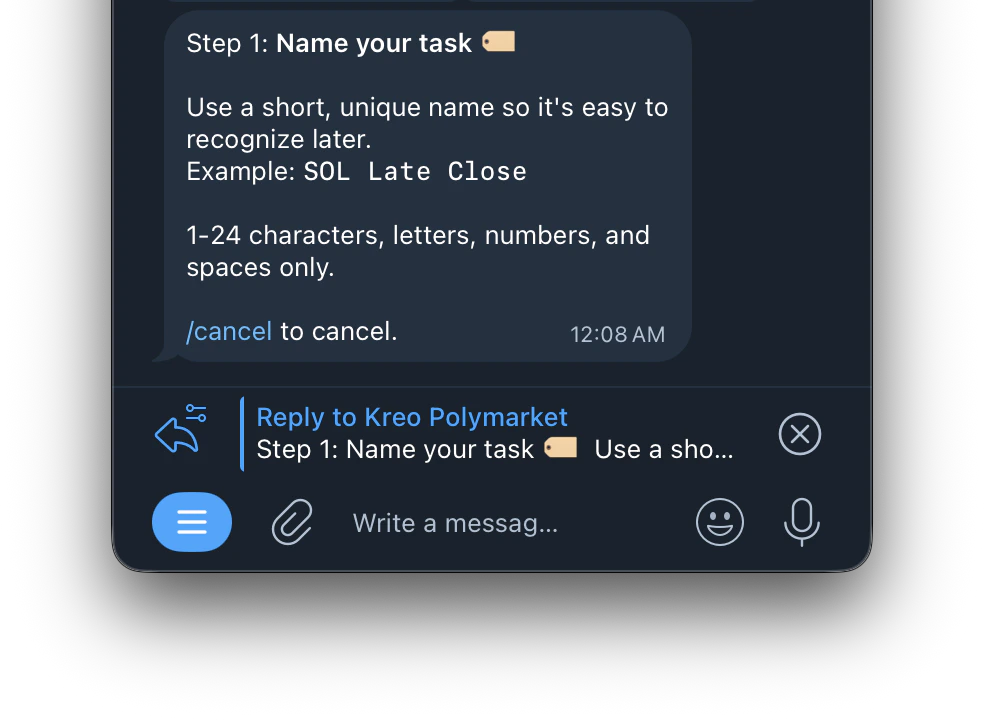
Name your task
5
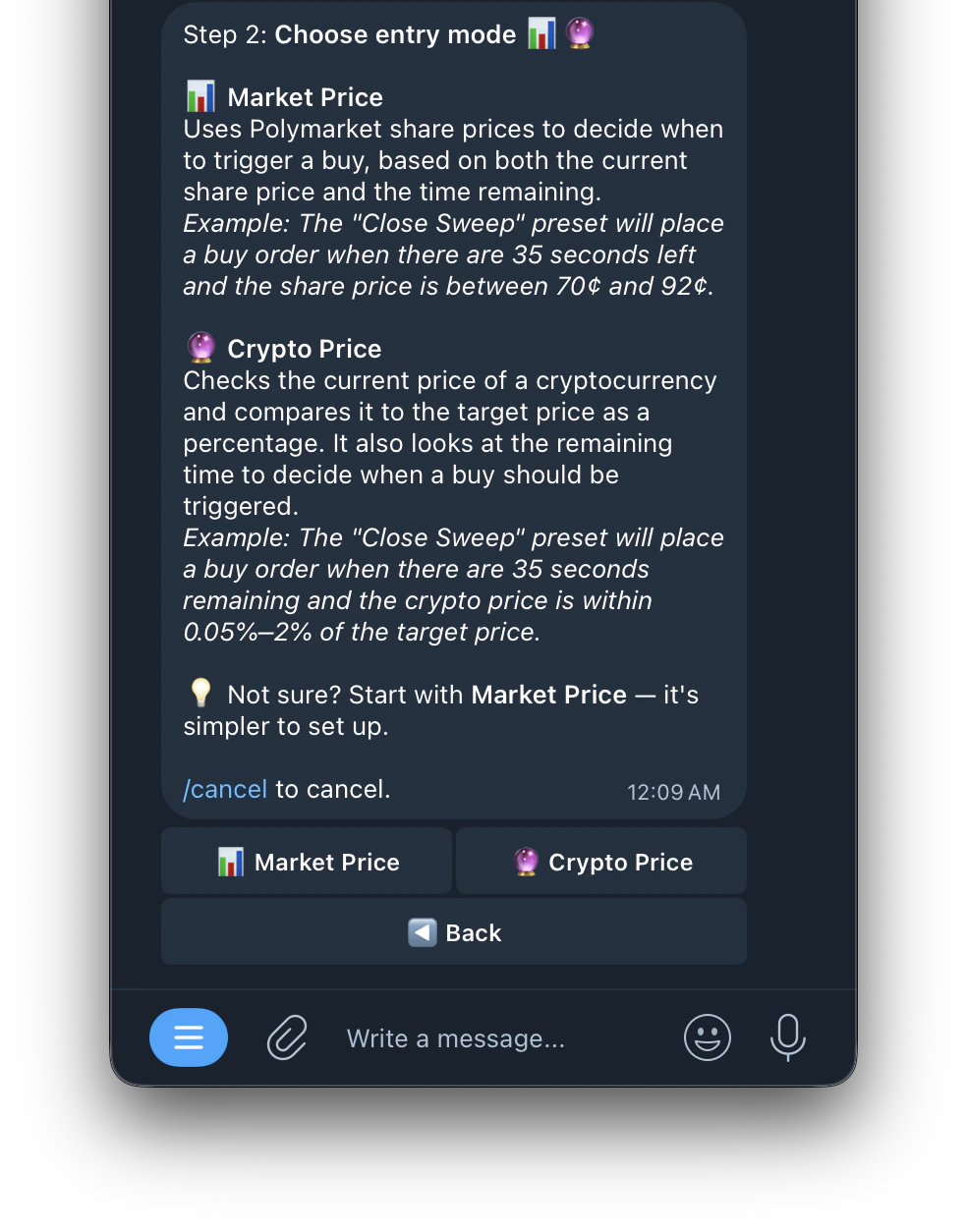
Choose an entry mode
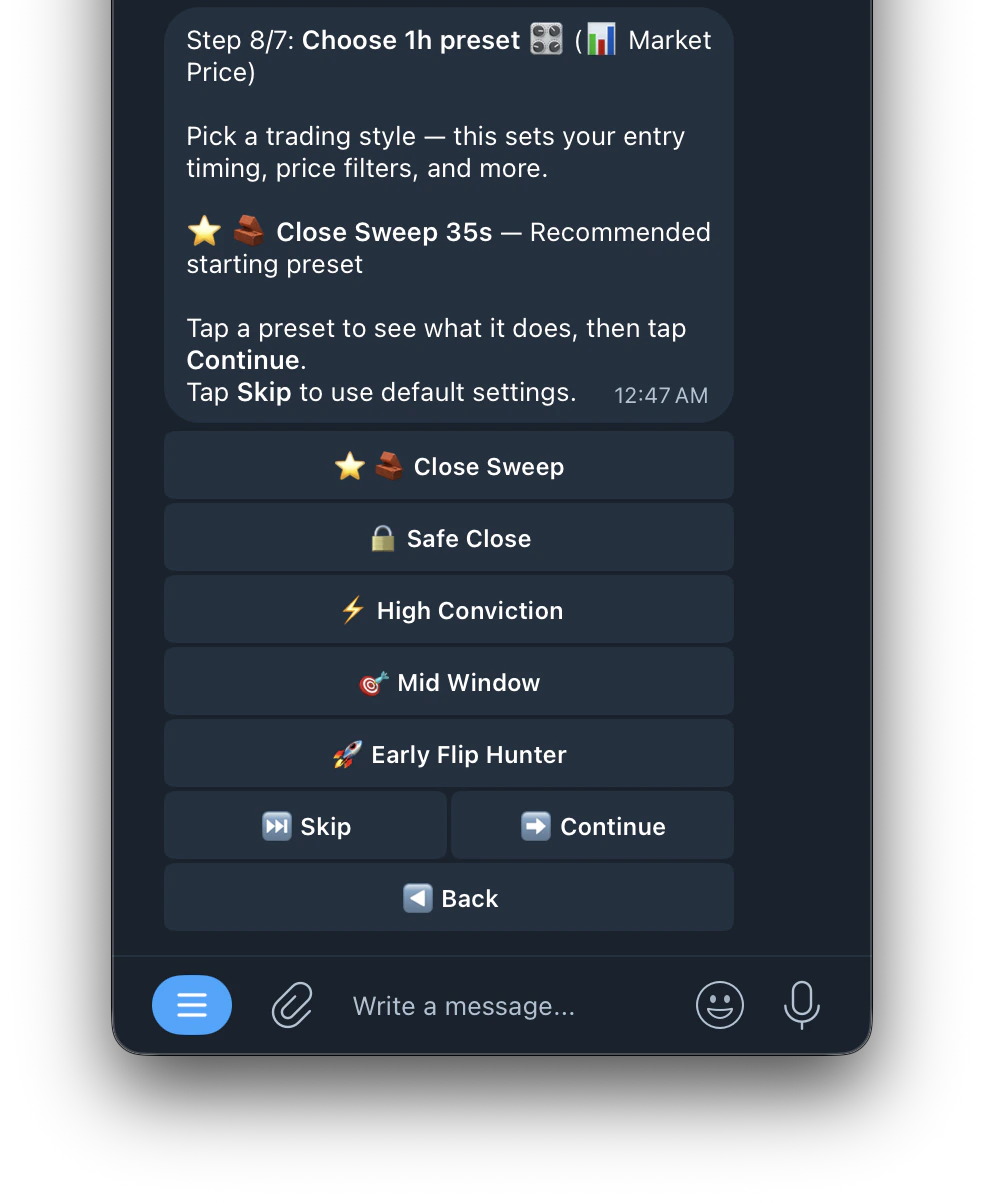
📊 Market Price Mode
📊 Market Price Mode
Uses Polymarket share prices to decide when to trigger a buy, based on both the current share price and the time remaining.
Example: The “Close Sweep” preset will place a buy order when there are 35 seconds left and the share price is between 70¢ and 92¢._🔮 Crypto Price Mode
Example: The “Close Sweep” preset will place a buy order when there are 35 seconds left and the share price is between 70¢ and 92¢._🔮 Crypto Price Mode
🔮 Crypto Price Mode
🔮 Crypto Price Mode
Checks the current price of a cryptocurrency and compares it to the target price as a percentage. It also looks at the remaining time to decide when a buy should be triggered.
Example: The “Close Sweep” preset will place a buy order when there are 35 seconds remaining and the crypto price is within 0.05%–2% of the target price.
Example: The “Close Sweep” preset will place a buy order when there are 35 seconds remaining and the crypto price is within 0.05%–2% of the target price.
6
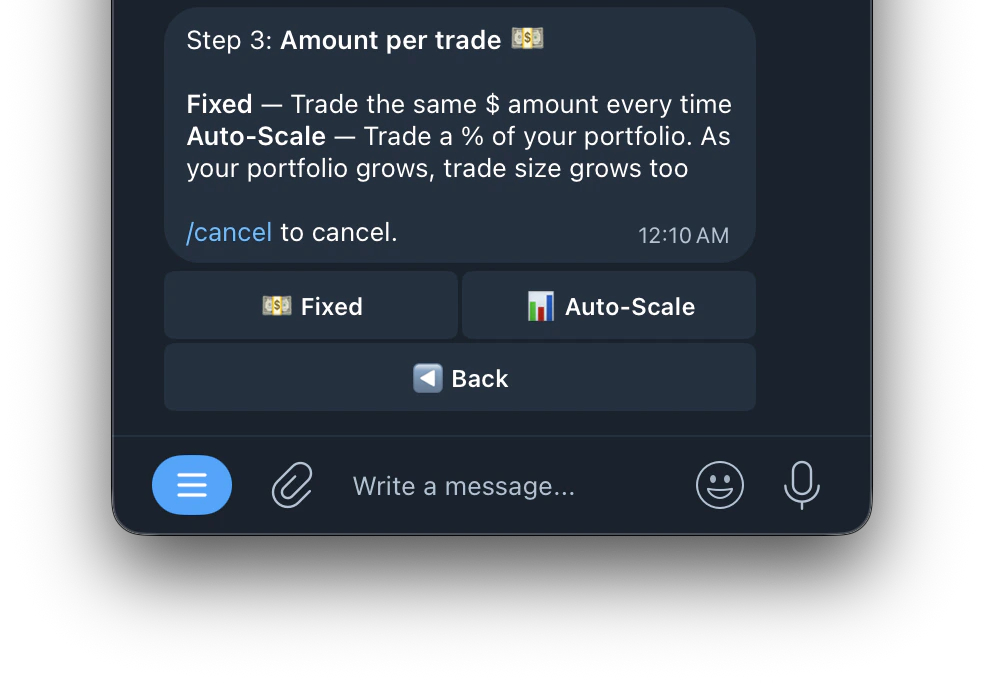
Amount Per Trade
💵 Fixed
💵 Fixed
Trades the same dollar amount every time regardless of your portfolio size. For example if you set $10, every trade will always be $10.
📊 Auto-Scale
📊 Auto-Scale
Trades a percentage of your portfolio. As your portfolio grows, your trade size grows with it. This means your position sizes automatically adjust based on how much you have in your wallet.
7
Choose Assets
When you select an asset like BTC, the bot monitors Bitcoin’s price movement and uses it as the signal to trade on Polymarket’s corresponding Bitcoin Up/Down markets. Select multiple assets to monitor and trade all of them simultaneously.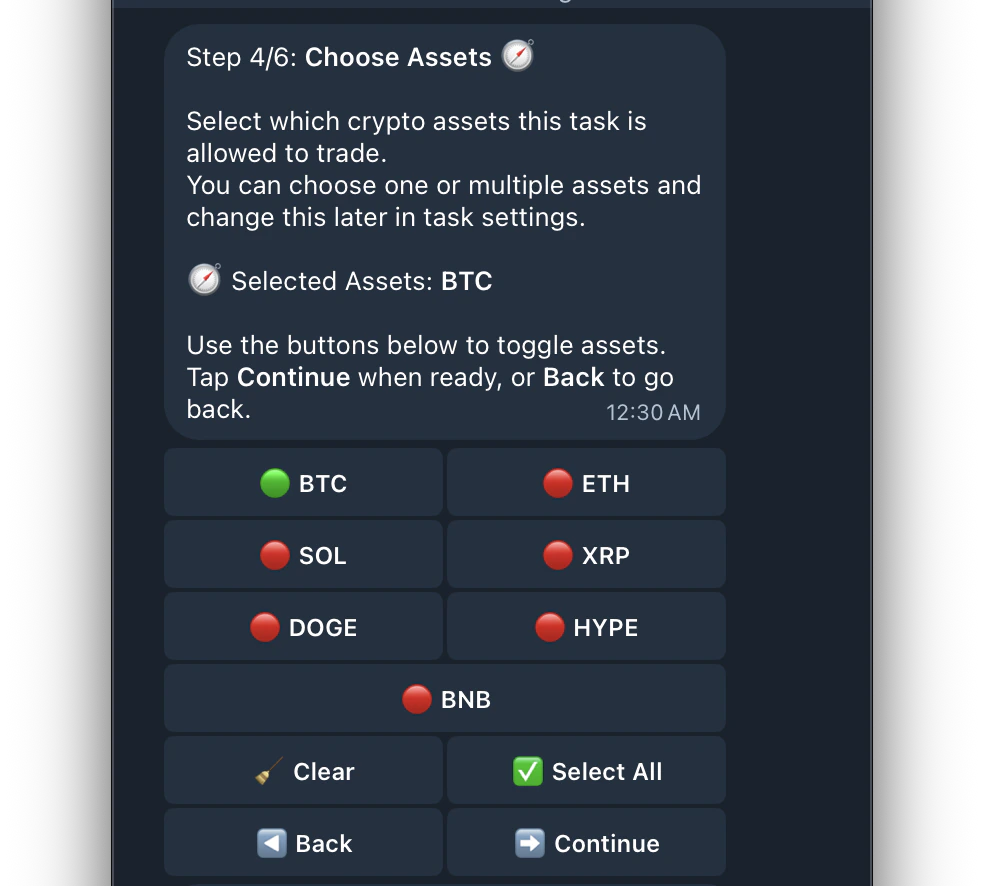
8
Choose Durations
Each timeframe represents a Polymarket market window. For example selecting 1h means the bot will look for and trade Bitcoin Up/Down 1 Hour markets. Selecting multiple timeframes means the bot trades across all selected windows simultaneously.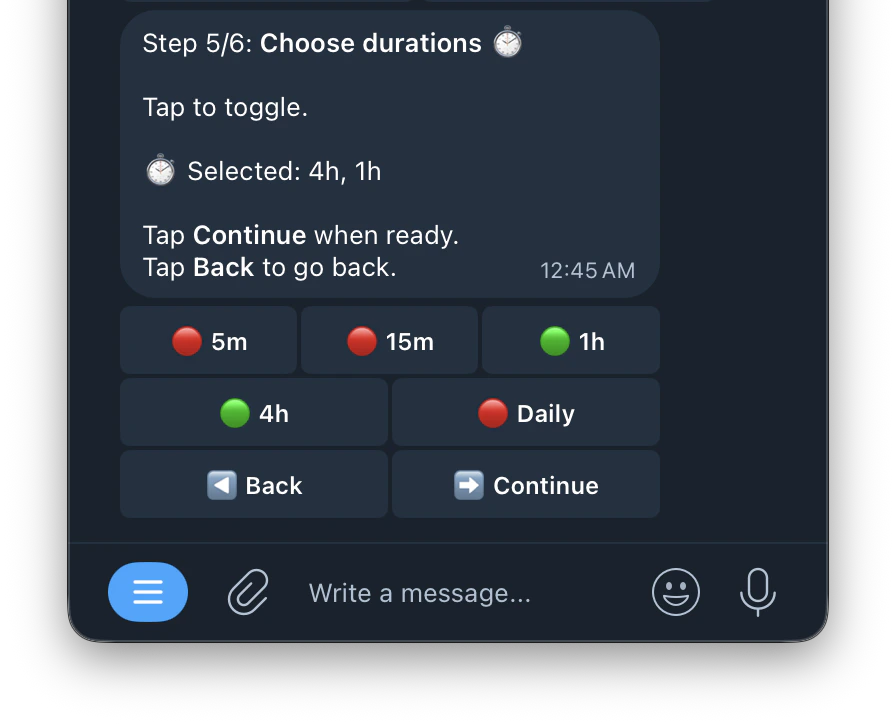
9
Choose a preset
This sets your entry timing, price filters, and more