
Set filters and sizing, and let Kreo trade on the go for you! ⚙️
What is Auto Trade?
Auto Trade is where users are able to create their own strategies on 5m/15m up and down markets on Crypto to scalp profits. Wise strategies on these markets can end up making profit, however, this mode is riskier and recommended only to experienced traders.For Auto Trade Mode, you will need at least $5 USDC.e in your port to begin trading.We recommend only putting in funds you are comfortable losing.
Creating a Auto Trade Task
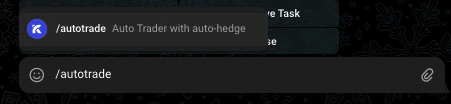
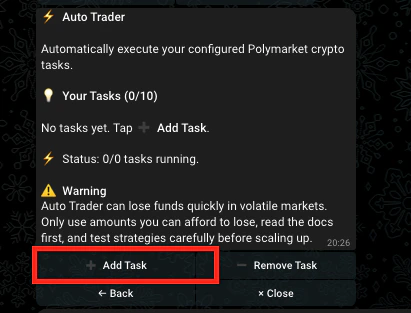
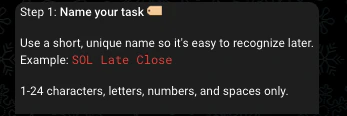
Choose an entry mode
There are two entry modes, choose carefully at this stage. Below is a brief explanation of each entry mode.
Market Price Entry Mode
Market Price Entry Mode
This mode watches the odds of a prediction market outcome. When the odds hit your target range with enough time left on the clock, it places a buy.Example: You think “Yes” is about to win but want to buy in at the last moment at a good price. The Close Sweep preset waits until there are 35 seconds left and the odds are between 70¢ and 92¢ — meaning the market thinks it’s 70–92% likely to happen — then buys automatically.
Crypto Price Entry Mode
Crypto Price Entry Mode
This mode watches the live price of a cryptocurrency. Instead of targeting an exact price, you set how close the current price needs to be to your target (as a percentage). When it’s close enough and there’s time left, it buys.Example: You think ETH is about to hit $3,000. The Close Sweep preset waits until there are 35 seconds left and ETH is within 0.05%–2% of that target price — so anywhere between $2,940 and $3,001.50 — then buys automatically.
If you chose Market Price -
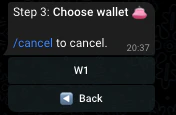
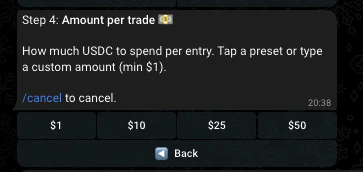
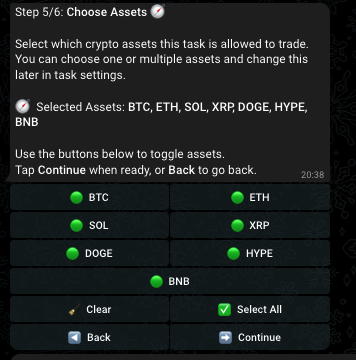
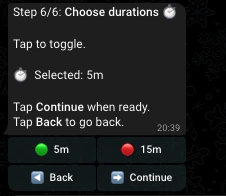
If you chose Crypto Price -
Choose a preset for 5m and 15m
You can choose various presets here to determine how positions are entered, and different trading styles.
⭐ 🧱 Close Sweep 35s
⭐ 🧱 Close Sweep 35s
Recommended Default FilterEnters in the last 35s and the crypto price is within 0.05%–2.00% of the target price.
🔒 Safe Close
🔒 Safe Close
Enters in the last 60s and the crypto price is within 0.03%–1.00% of the target price.
⚡ High Conviction 20-30s
⚡ High Conviction 20-30s
Enters in the last 30s and the crypto price is within 0.02%–0.50% of the target price.
🎯 Mid Window
🎯 Mid Window
Enters in the last 180s and the crypto price is within 0.08%–3.00% of the target price.
🚀 Early Flip Hunter
🚀 Early Flip Hunter
Enters in the last 300s and the crypto price is within 0.05%–5.00% of the target price.