We will never call you, DM you first, or ask for Private Keys / money. Report anyone that does so.
Use the guide below to stop scammers!
Stop Spam Calls on Telegram
These steps apply to Telegram on iOS, Android, and Desktop. Screenshots may vary slightly by platform, but the menu structure is identical.
Why You’re Receiving Spam Calls
Spam calls on Telegram typically happen for one of these reasons:
- Your phone number appeared in a data breach and was identified as a Telegram user
- Your profile is public, making you discoverable by username search
- You previously allowed everyone to call you (the default setting)
- You were added to a spam group that harvested your contact info
The good news: a few privacy changes will stop almost all of it.
Step 1 — Restrict Who Can Call You
This is the most direct fix for spam calls.
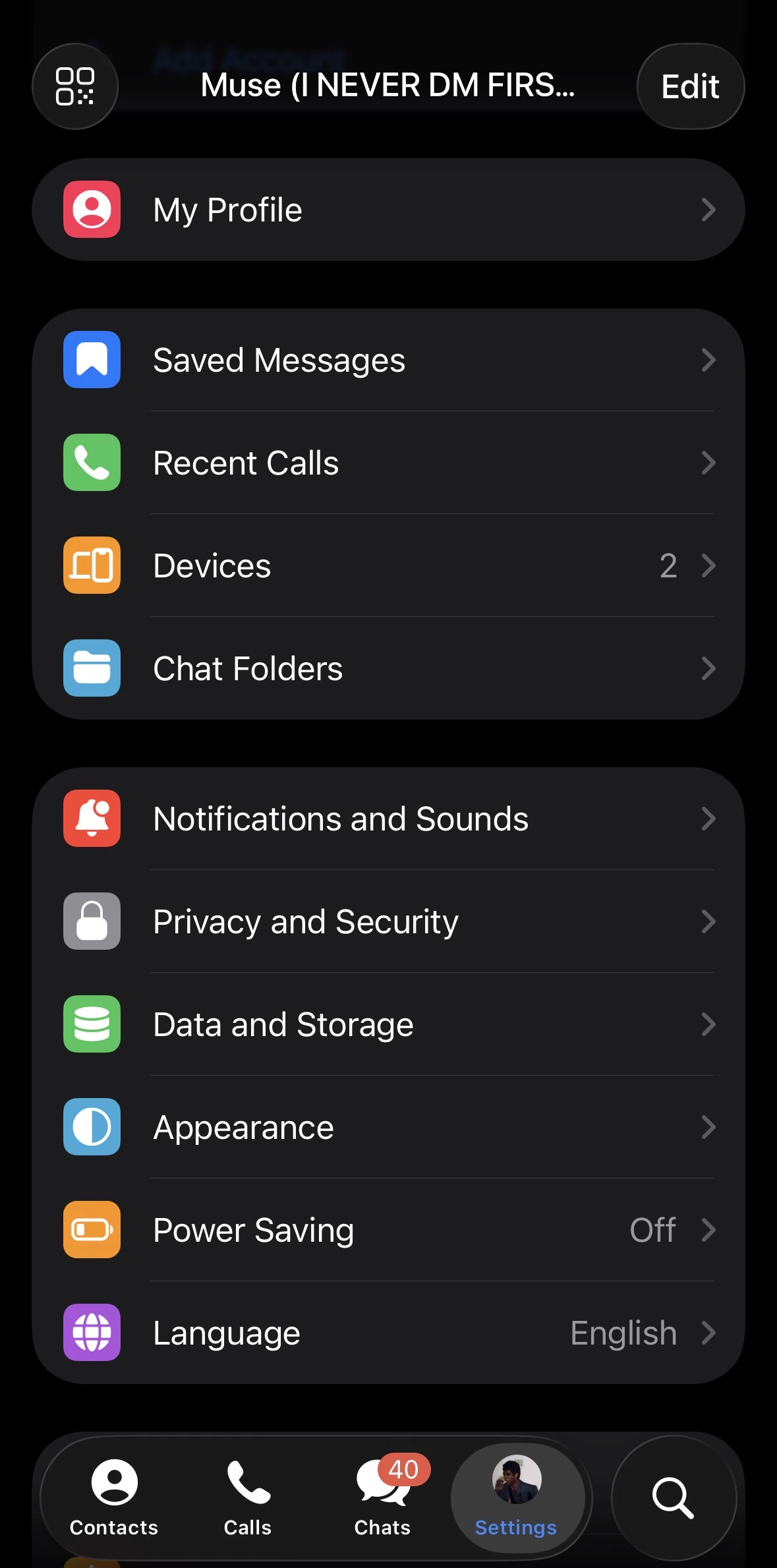
Open Settings
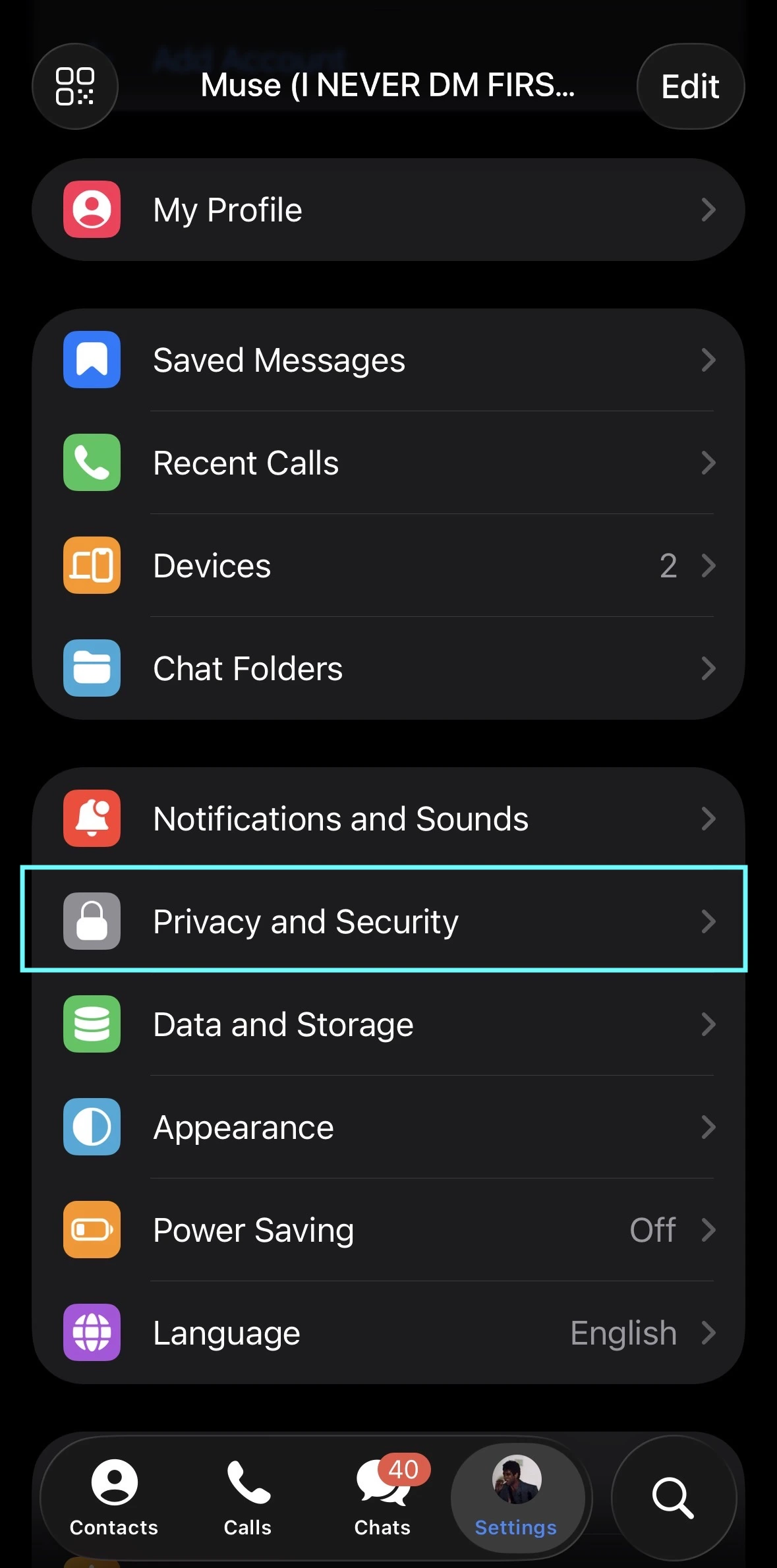
Launch Telegram and tap the ☰ menu (top-left on Android/Desktop) or go to Settings (bottom-right on iOS).On iOS, the Settings tab is the gear icon in the bottom navigation bar.
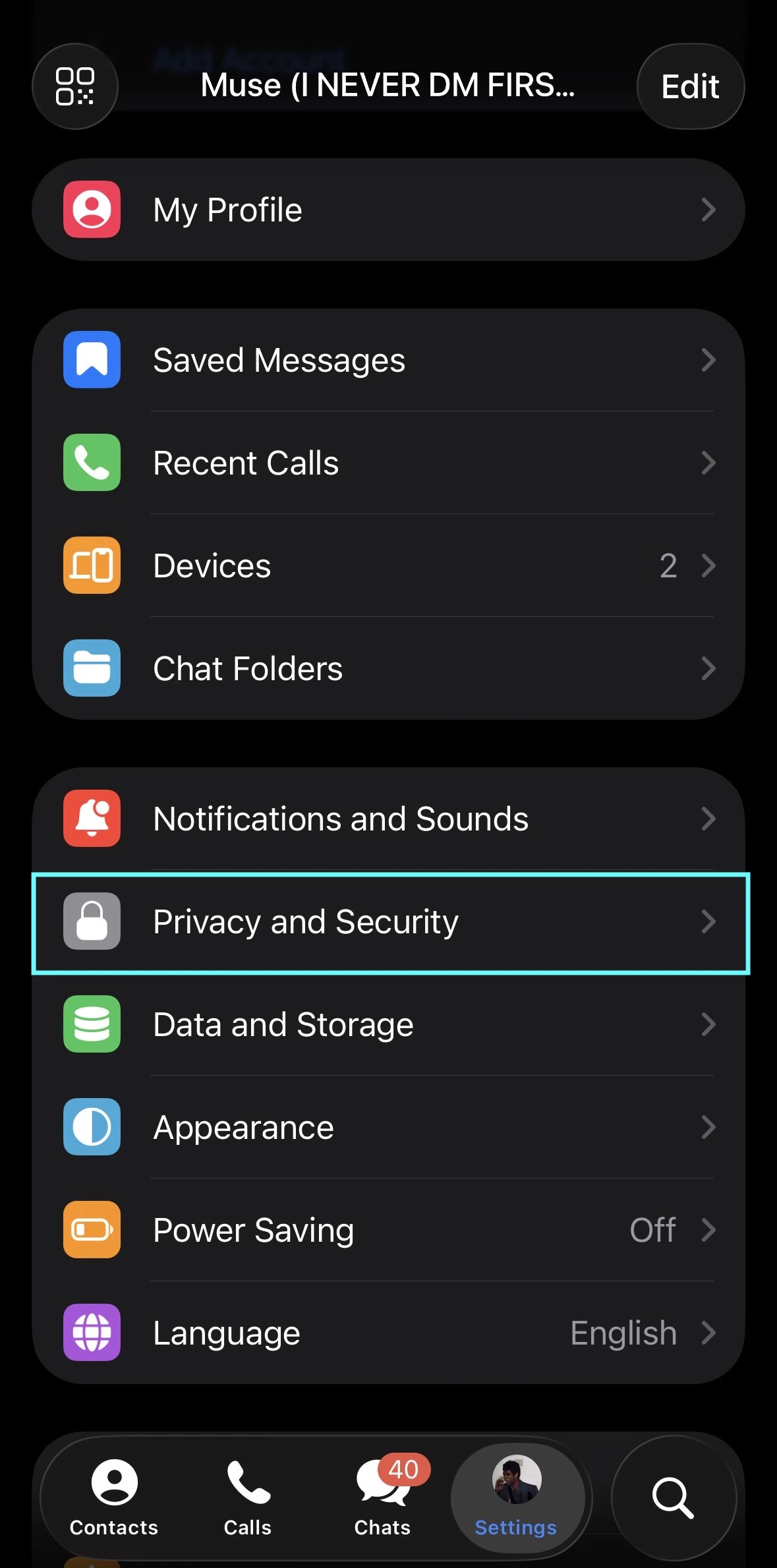
Go to Privacy and Security
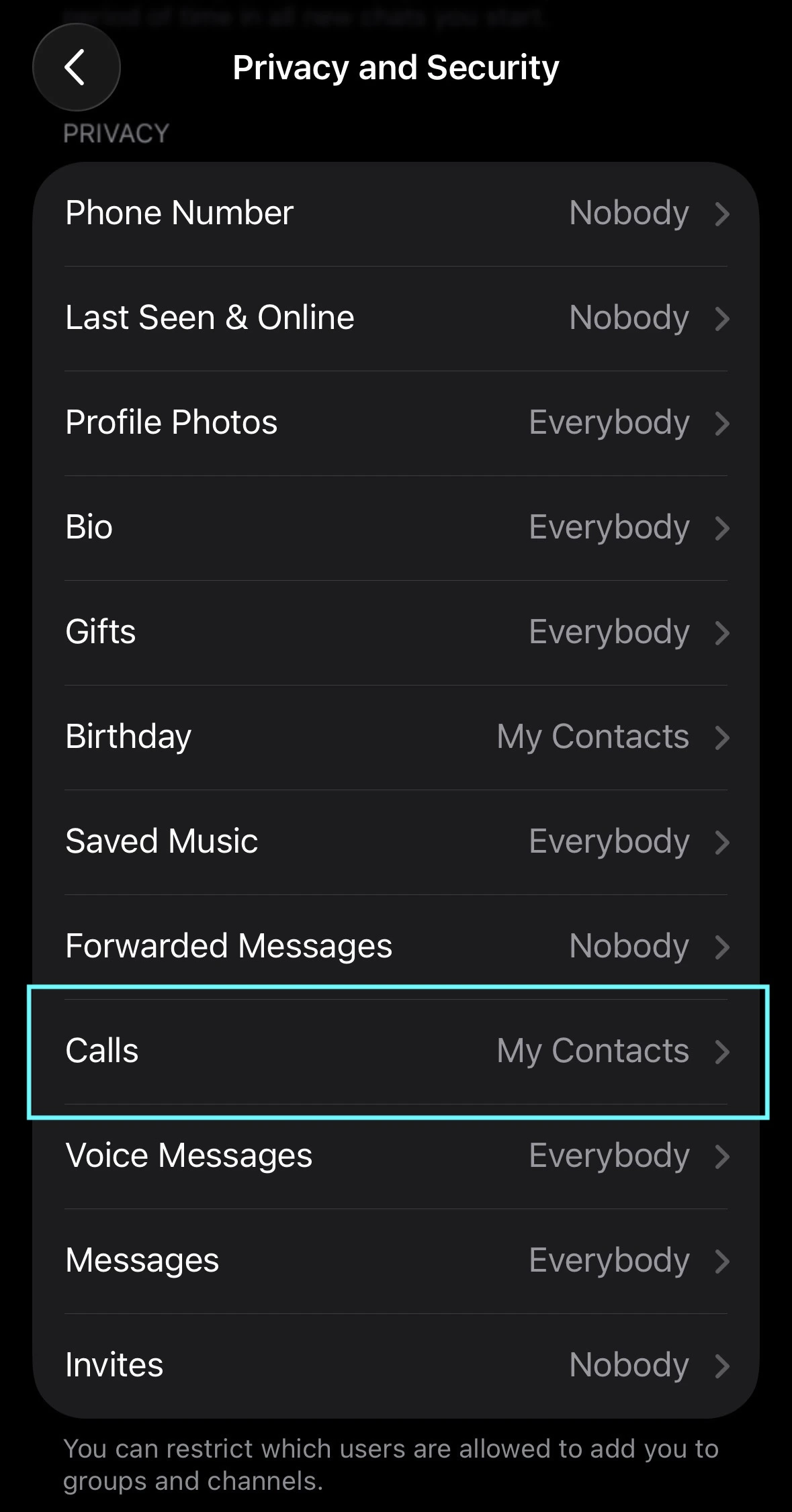
Scroll down and tap Privacy and Security. Tap 'Calls'
Under the Privacy section, tap Calls.
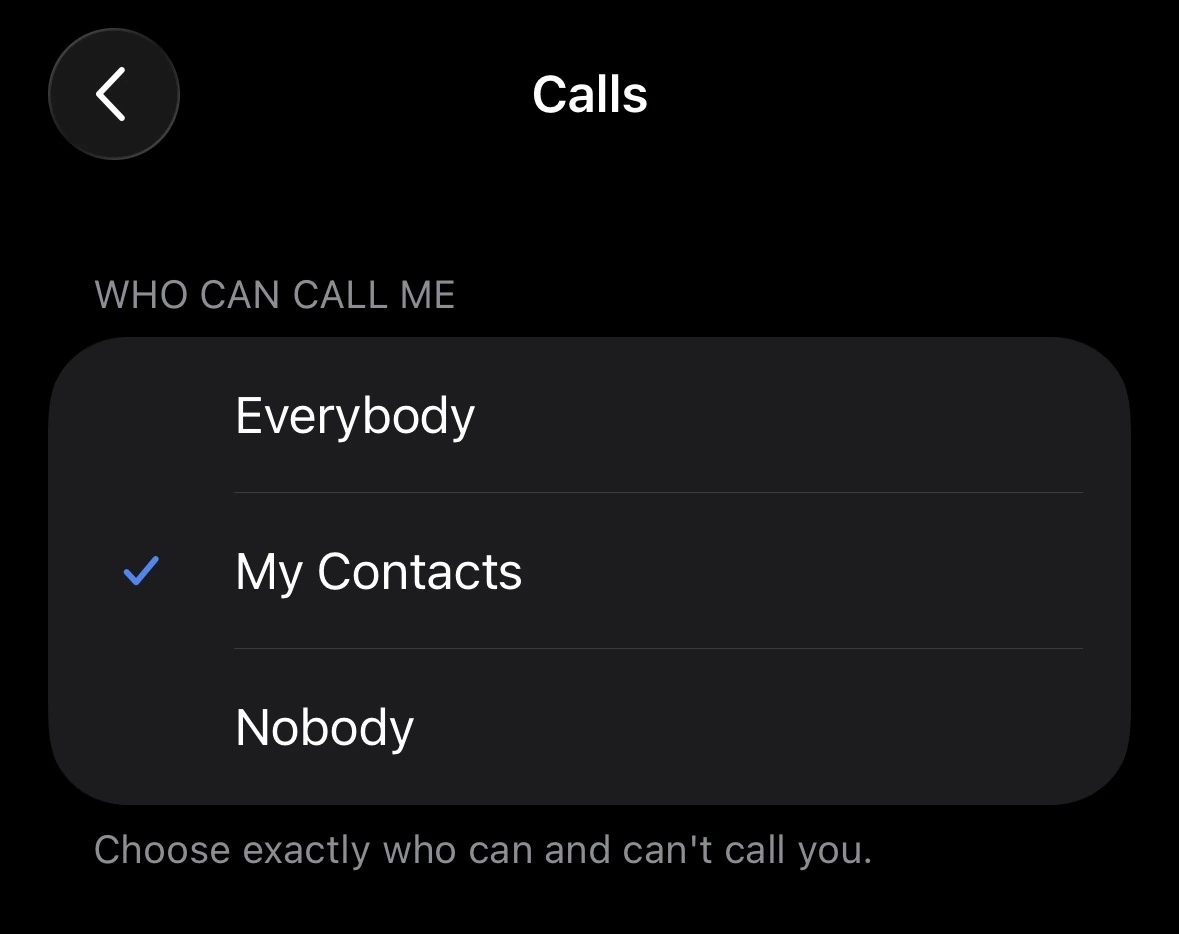
Set 'Who Can Call Me' to My Contacts
Change the setting from Everybody to My Contacts.This blocks all calls from anyone not saved in your phone contacts. Set Peer-to-Peer to 'Nobody'
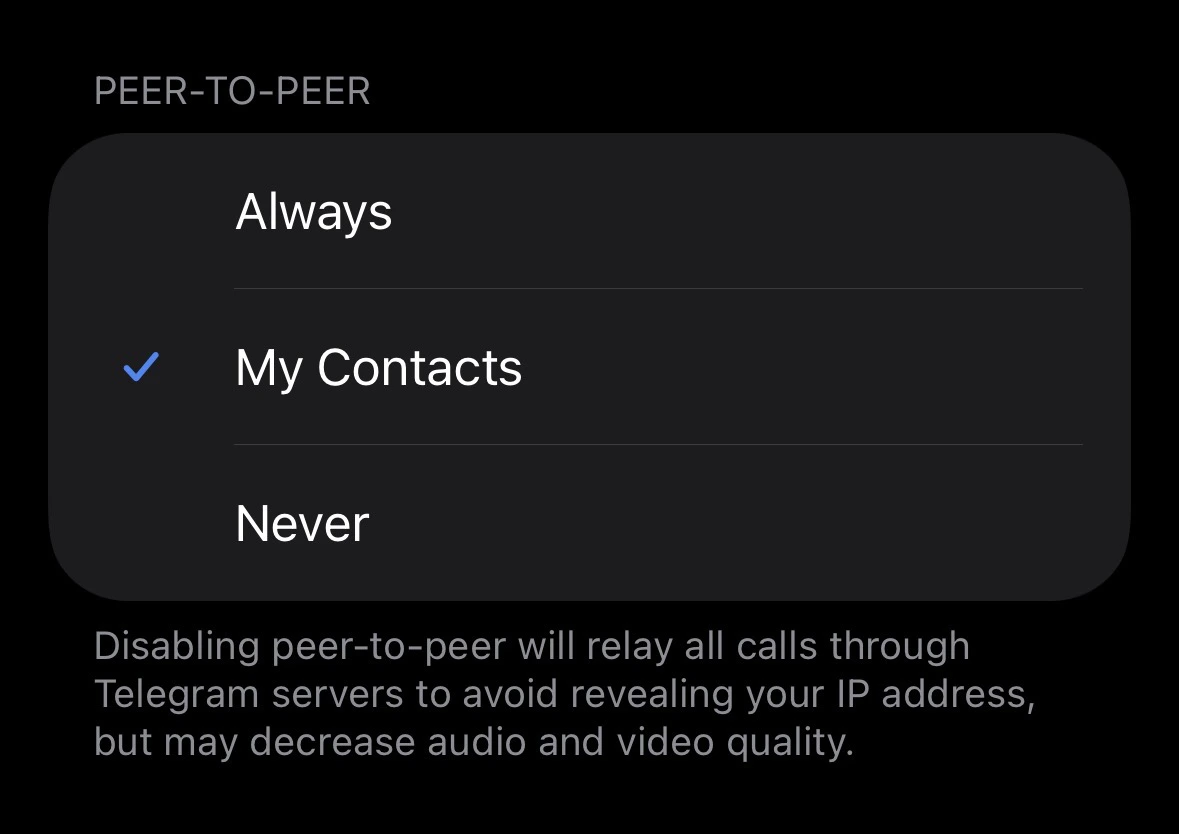
Still inside Calls, find the Peer-to-Peer option and set it to Nobody.Peer-to-Peer (P2P) routes calls directly between devices, which exposes your IP address to the caller. Setting this to Nobody forces all calls through Telegram’s servers, hiding your IP — at a slight cost to call quality.
Step 2 — Hide Your Phone Number
Spammers find Telegram users by running phone numbers from data breaches through Telegram’s API. Hiding your number cuts off this discovery method.
Open Privacy and Security
Navigate back to Settings → Privacy and Security.
Tap 'Phone Number'
Tap Phone Number under the Privacy section.
Update Both Visibility Settings
Set the following:Setting “Who can find me by my number?” to Nobody means even people who have your number saved cannot find you on Telegram. Use My Contacts if you want friends to be able to reach you.
Step 3 — Block Unknown Messages
Navigate to Privacy and Security
Go to Settings → Privacy and Security.
Tap 'Messages'
Scroll down to find Messages (also listed as Who can send me messages on some versions).
Set to 'My Contacts'
Change the option to My Contacts.This prevents unknown accounts and bots from sending you unsolicited messages or call requests.Telegram Premium users get an additional option: Nobody — which allows only contacts to message you while still letting you initiate conversations with anyone.
Step 4 — Prevent Being Added to Spam Groups
Many spam calls originate after your account is bulk-added to a spam group or channel.
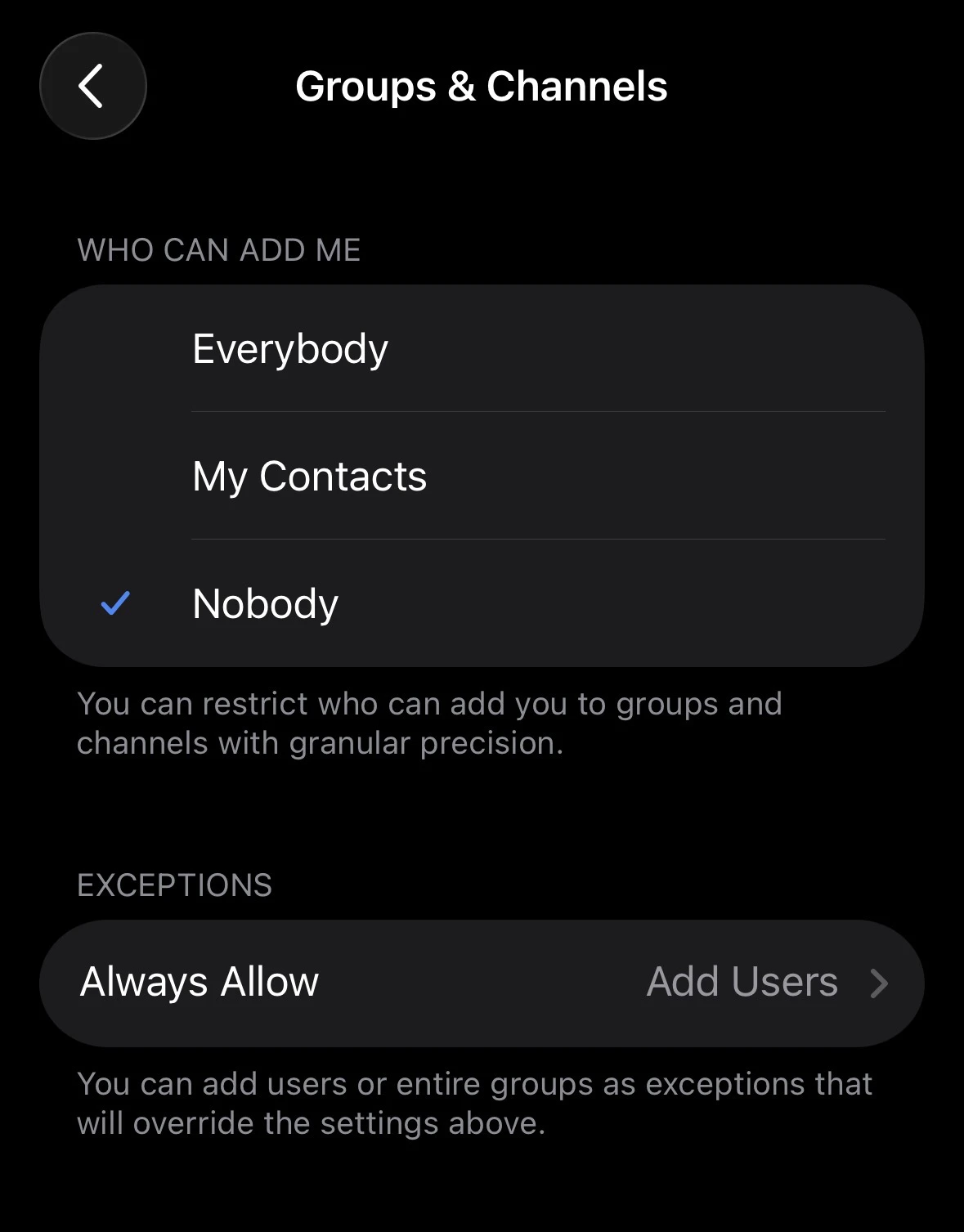
Go to Groups & Channels
In Privacy and Security, tap Groups & Channels. Restrict Group Adds
Set Who can add me to groups and channels? to My Contacts. Add Known Spammers to 'Never Allow'
If specific accounts keep trying to add you, tap Never Allow and add them. This acts as a permanent block even if they change accounts.
Step 5 — Block & Report a Spam Caller
If you’ve already received a spam call or message:
Open the Chat or Call Log
Tap the conversation or missed call notification from the spammer.
Open Their Profile
Tap their name or avatar to open their profile.
Tap the Three-Dot Menu
Tap ⋮ (three dots) in the top-right corner.
Select 'Block User' and 'Report'
Choose Block User to stop all contact. Choose Report → Spam to flag the account to Telegram’s moderation team.Blocked users are not notified that you blocked them. They simply can no longer reach you, see your last seen status, or view your profile photo.
Step 6 — Enable Two-Step Verification
Spam callers sometimes impersonate legitimate contacts after hijacking an account. Two-step verification (2FA) protects your account from being taken over.
Go to Two-Step Verification
Navigate to Settings → Privacy and Security → Two-Step Verification.
Set a Password
Create a strong, unique password. This is required in addition to your SMS code on new logins.
Add a Recovery Email
Provide an email address for account recovery in case you forget the password.Use an email address you actively monitor. Without recovery access, a forgotten 2FA password can permanently lock you out of your account.
Quick Reference Checklist
Use this checklist to confirm your anti-spam setup is complete:
Calls → Who can call me → My Contacts
Calls → Peer-to-Peer → Nobody
Phone Number → Who can see my phone number → Nobody
Phone Number → Who can find me by my number → My Contacts
Messages → Who can message me → My Contacts
Groups & Channels → Who can add me → My Contacts
Two-Step Verification → Enabled with a strong password
Frequently Asked Questions
Will blocking someone notify them?
No. Telegram does not send any notification when you block a user. They will simply be unable to call or message you, and your profile will no longer be visible to them.
Can spammers still find me if my number is hidden?
If your number is set to Nobody and your username is removed or set to private, you become effectively undiscoverable to strangers. Spammers rely on either phone number lookups or public usernames to find targets.
Does setting calls to 'My Contacts' affect calls from known contacts?
No. Anyone saved in your phone contacts can still call you normally. The setting only blocks calls from people who are not in your contacts list.
What is the Peer-to-Peer setting and why does it matter?
By default, Telegram calls can connect directly between devices (P2P), which exposes both parties’ IP addresses. Setting P2P to Nobody routes all calls through Telegram’s relay servers, hiding your IP at the cost of slightly higher latency.
I still receive spam after changing these settings. What else can I do?
- Remove your public username temporarily (Settings → Edit Profile → Username → clear it)
- Check Active Sessions (Settings → Privacy and Security → Active Sessions) and revoke any unrecognized devices
- Report the spam account to @SpamBot
- Consider enabling Telegram Premium for the Nobody message restriction option
Will Kreo ever ask me to enter my private key anywhere?
No. We will never ask for money, we will never ask for your keys. Nobody from the team.