> ## Documentation Index
> Fetch the complete documentation index at: https://docs.kreo.app/llms.txt
> Use this file to discover all available pages before exploring further.
# Web
> Connect your Telegram account to the Kreo web app for a full browser trading experience.
**How to Connect**
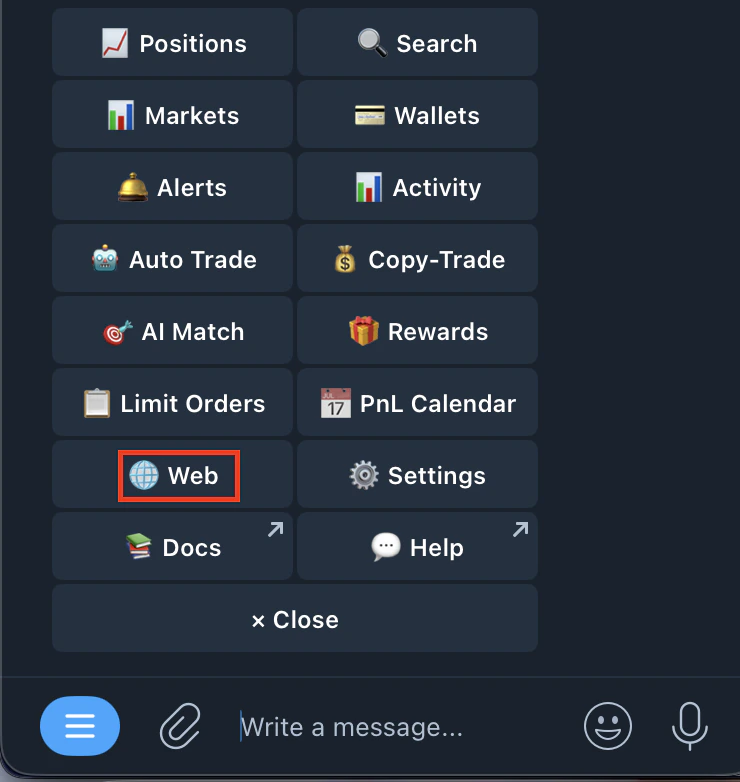
1. Type /start and tap the Web button
 2. You'll see: Status: Not Connected
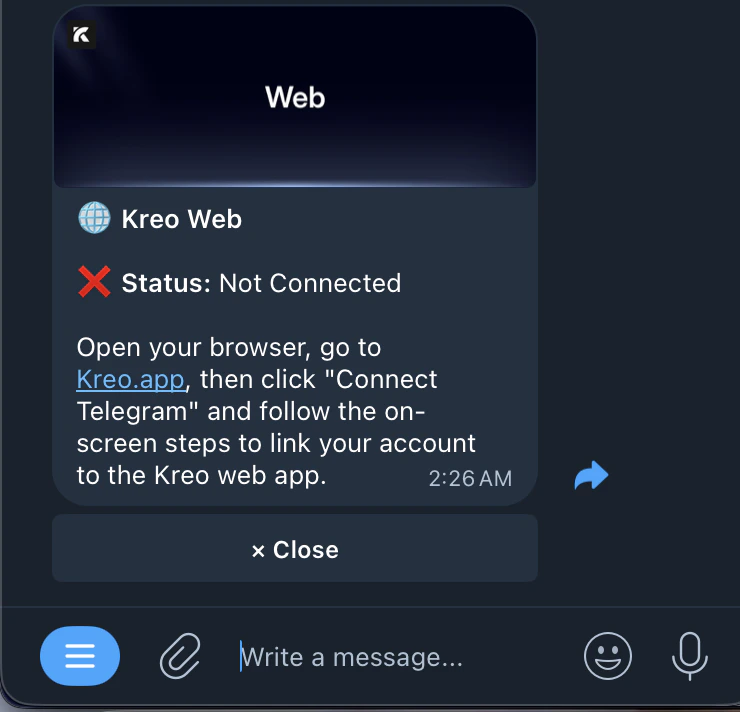 3. Open your browser and go to [kreo.app](http://kreo.app)
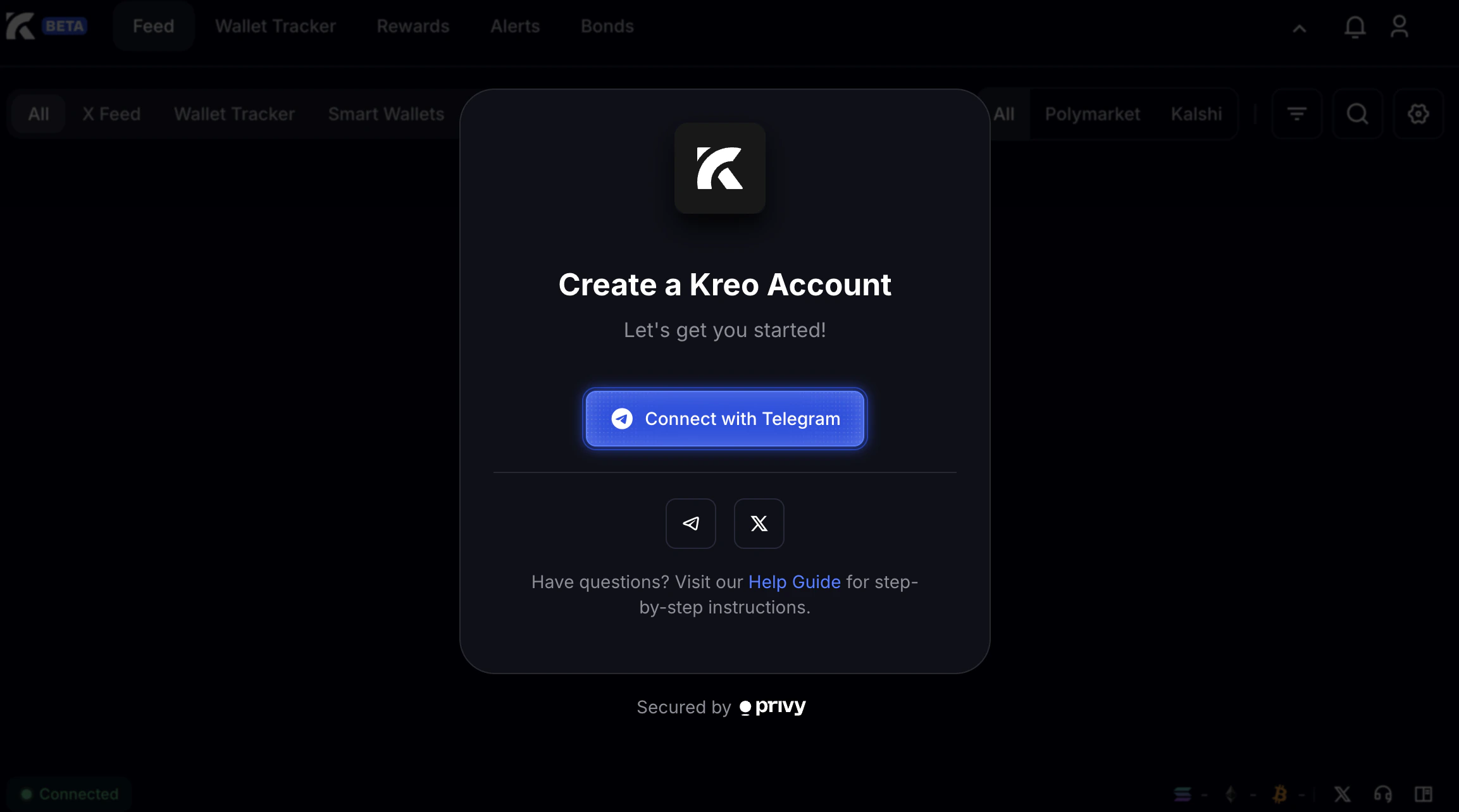 4. Click **Connect with Telegram**
5. The bot will send you a connection request: **A web browser is trying to connect to your Kreo account. Do you want to allow this connection?**
4. Click **Connect with Telegram**
5. The bot will send you a connection request: **A web browser is trying to connect to your Kreo account. Do you want to allow this connection?**
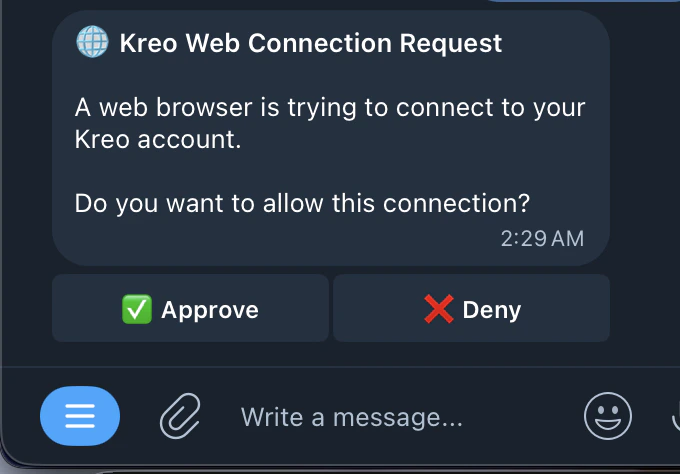 6. Tap **Approve** to connect, or **Deny** to reject
**Once Connected**
6. Tap **Approve** to connect, or **Deny** to reject
**Once Connected**
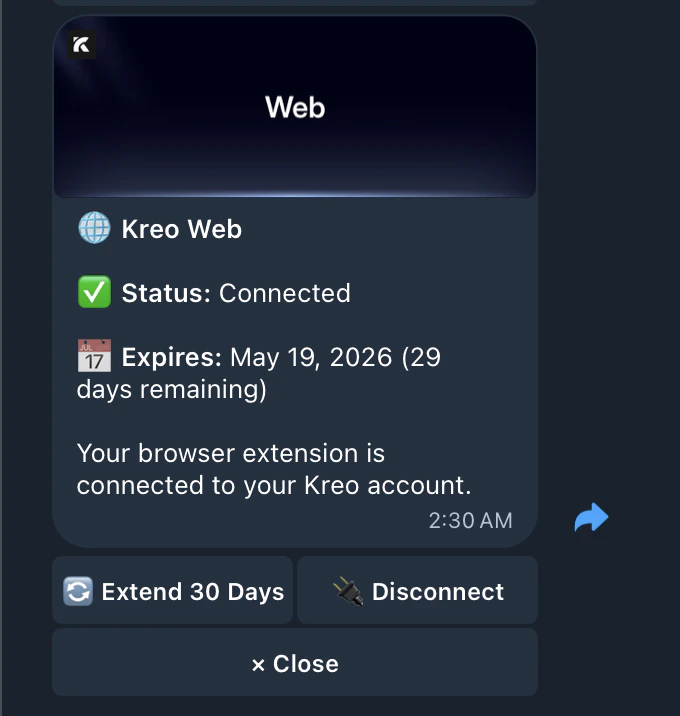 * Status will show: ✅ Connected
- Your connection has an expiry date (e.g. 29 days remaining)
- You can manage your trading from both Telegram and the web app
- When the connection expires, repeat the steps above to reconnect
* Status will show: ✅ Connected
- Your connection has an expiry date (e.g. 29 days remaining)
- You can manage your trading from both Telegram and the web app
- When the connection expires, repeat the steps above to reconnect