> ## Documentation Index
> Fetch the complete documentation index at: https://docs.kreo.app/llms.txt
> Use this file to discover all available pages before exploring further.

# Edit Name 

> Rename your task for easy identification.

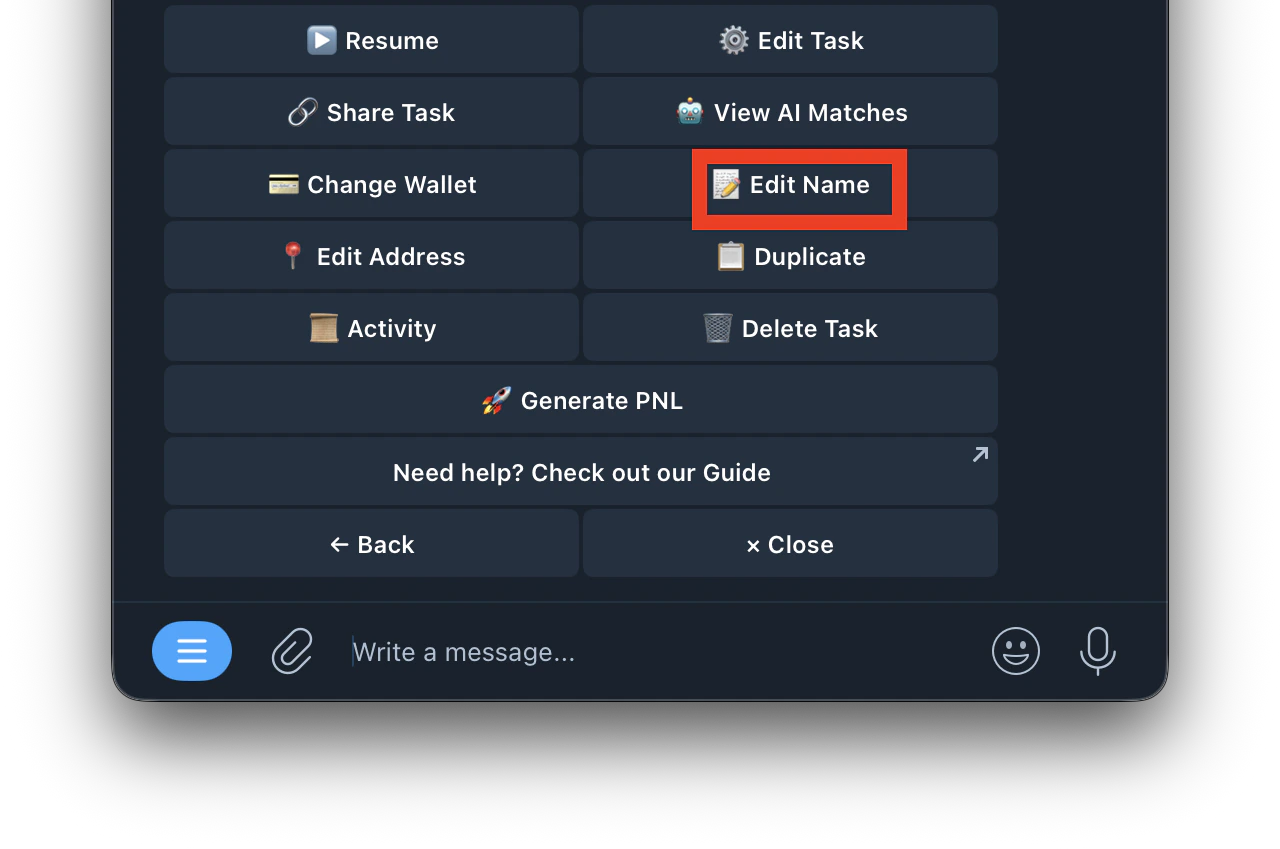
1. Go to your copytrade task
2. Click on Edit Name
   <Frame>
     <img src="https://mintcdn.com/kreo/rzYw621CJL-As0dM/images/Screenshot-2026-04-23-at-5.00.35-AM.png?fit=max&auto=format&n=rzYw621CJL-As0dM&q=85&s=1c89d637c8a631a4e675ddea234b88a5" alt="Screenshot 2026 04 23 At 5 00 35 AM" title="Screenshot 2026 04 23 At 5 00 35 AM" className="mx-auto" style={{ width:"66%" }} width="1280" height="849" data-path="images/Screenshot-2026-04-23-at-5.00.35-AM.png" />
   </Frame>
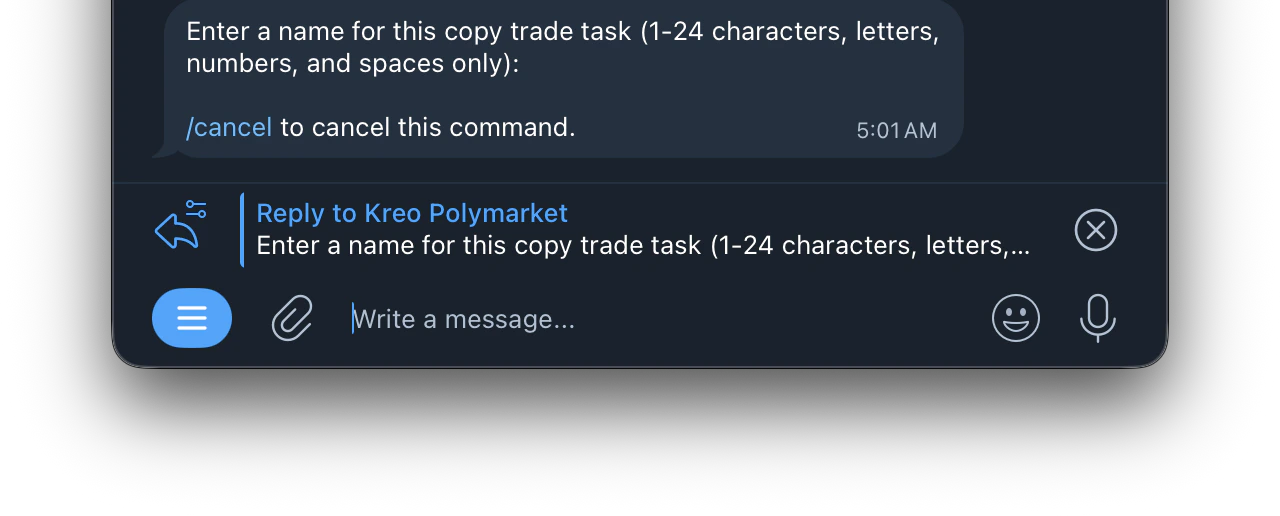
3. Enter a name for the copy trade task
   <Frame>
     <img src="https://mintcdn.com/kreo/rzYw621CJL-As0dM/images/Screenshot-2026-04-23-at-5.01.49-AM.png?fit=max&auto=format&n=rzYw621CJL-As0dM&q=85&s=ca441e4e2505a3cb53546397c50bcae9" alt="Screenshot 2026 04 23 At 5 01 49 AM" title="Screenshot 2026 04 23 At 5 01 49 AM" className="mx-auto" style={{ width:"71%" }} width="1280" height="516" data-path="images/Screenshot-2026-04-23-at-5.01.49-AM.png" />
   </Frame>
4. Done
