> ## Documentation Index
> Fetch the complete documentation index at: https://docs.kreo.app/llms.txt
> Use this file to discover all available pages before exploring further.

# Transfer

> Move funds from one of your Kreo wallets to another instantly.

**How to Transfer**

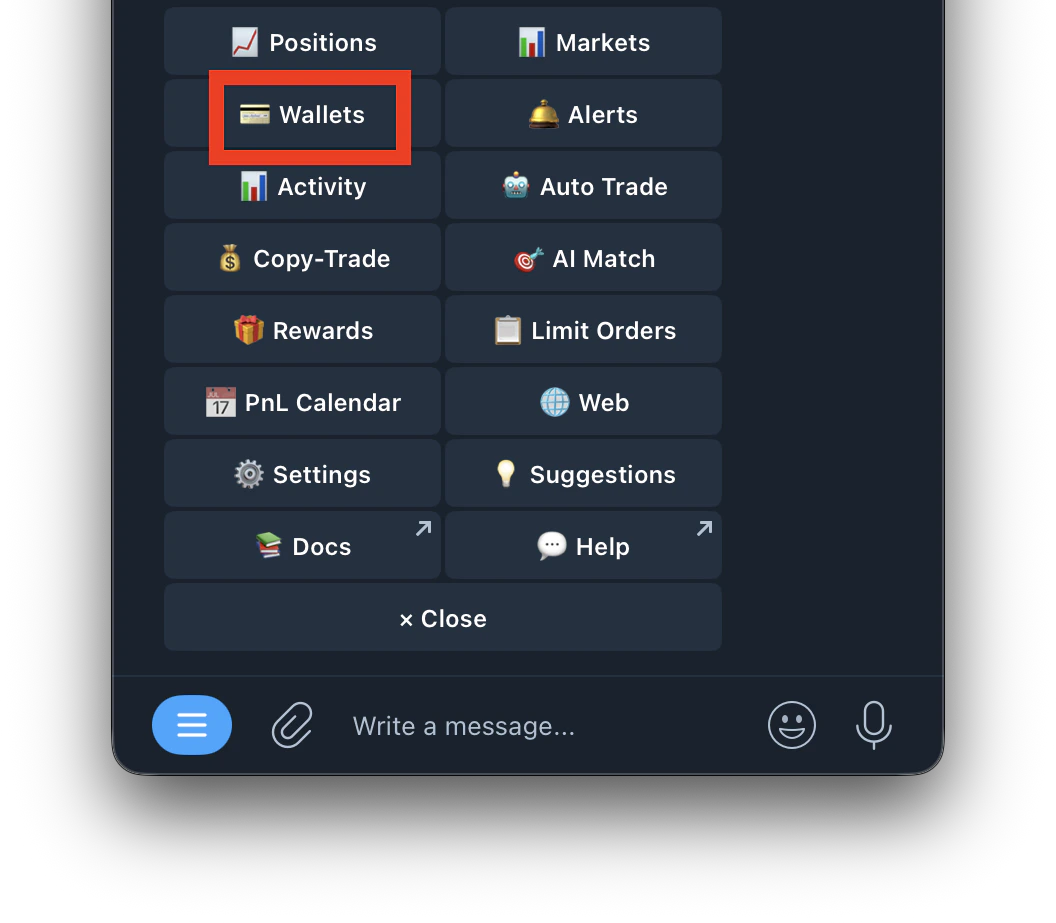
1. Go to /wallets or /start and click on Wallets
   <Frame>
     <img src="https://mintcdn.com/kreo/zR95gVz2c5eNSVyj/images/Screenshot-2026-04-30-at-2.00.40-PM-1.png?fit=max&auto=format&n=zR95gVz2c5eNSVyj&q=85&s=2f849c0a72fcc3ef2d27b383dc0b0977" alt="Screenshot 2026 04 30 At 2 00 40 PM 1" title="Screenshot 2026 04 30 At 2 00 40 PM 1" className="mx-auto" style={{ width:"53%" }} width="1056" height="923" data-path="images/Screenshot-2026-04-30-at-2.00.40-PM-1.png" />
   </Frame>
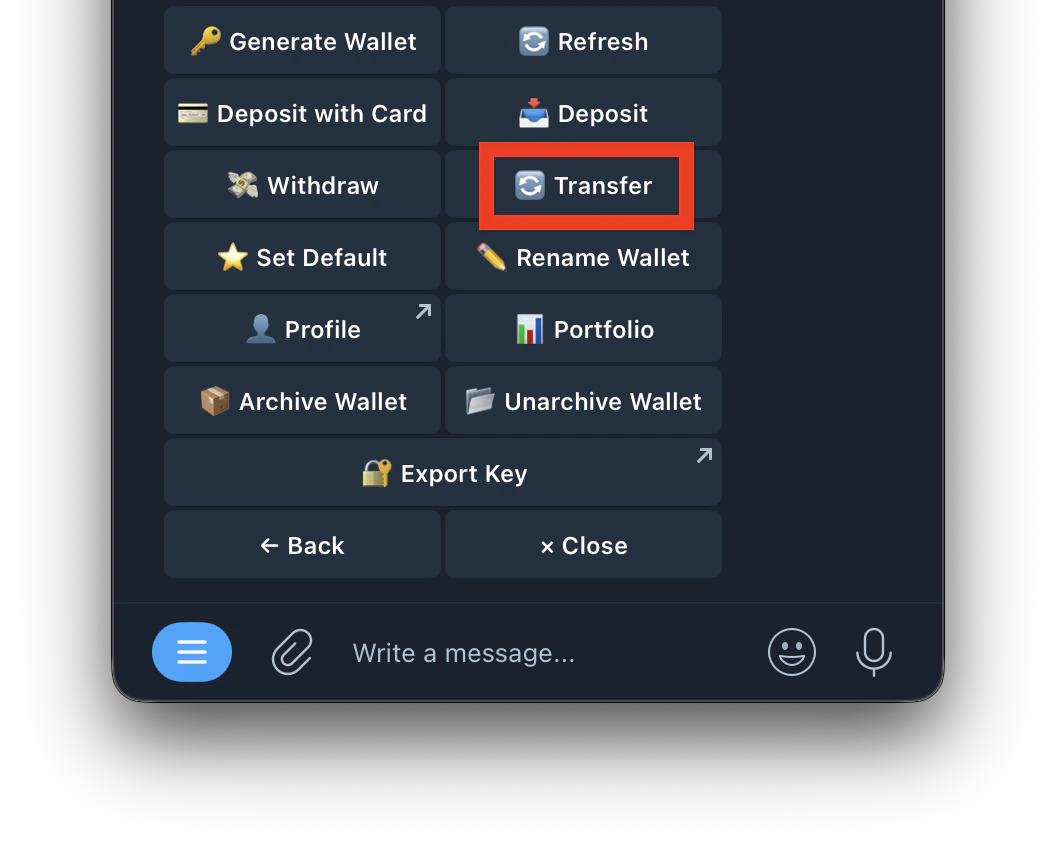
2. Tap **Transfer**
   <Frame>
     <img src="https://mintcdn.com/kreo/yWrXdDvJb6c4jPiY/images/Screenshot-2026-04-30-at-2.05.59-PM.png?fit=max&auto=format&n=yWrXdDvJb6c4jPiY&q=85&s=154c5079f85ae7277e214a35902cc815" alt="Screenshot 2026 04 30 At 2 05 59 PM" title="Screenshot 2026 04 30 At 2 05 59 PM" className="mx-auto" style={{ width:"57%" }} width="1056" height="850" data-path="images/Screenshot-2026-04-30-at-2.05.59-PM.png" />
   </Frame>
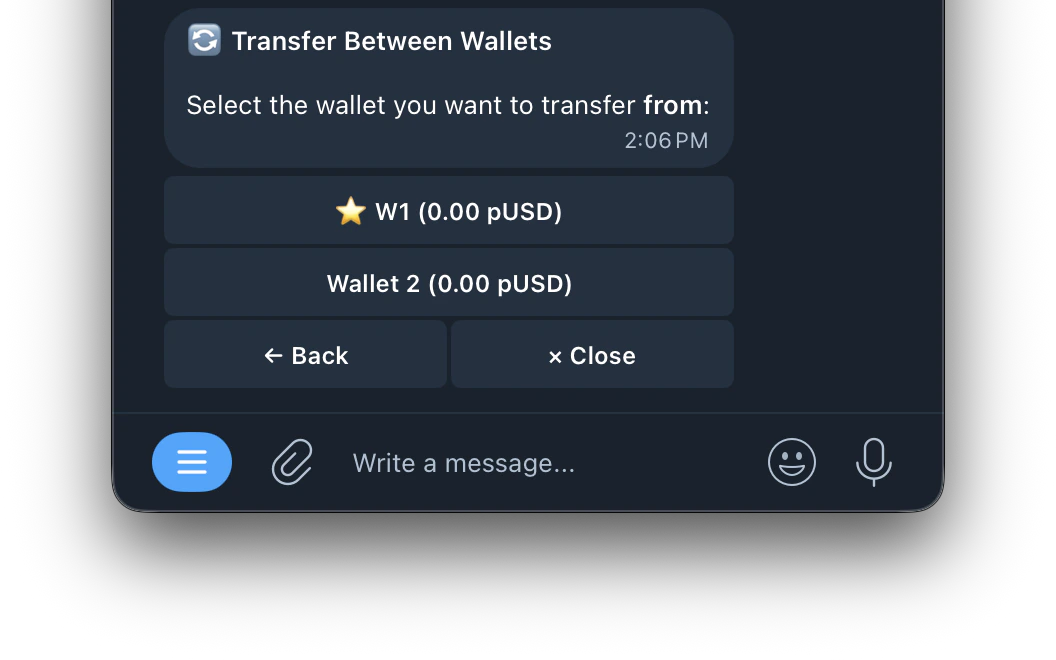
3. Select the wallet you want to transfer **from**
   <Frame>
     <img src="https://mintcdn.com/kreo/yWrXdDvJb6c4jPiY/images/Screenshot-2026-04-30-at-2.06.51-PM.png?fit=max&auto=format&n=yWrXdDvJb6c4jPiY&q=85&s=cae935473d79689896b3e559c475f3a8" alt="Screenshot 2026 04 30 At 2 06 51 PM" title="Screenshot 2026 04 30 At 2 06 51 PM" className="mx-auto" style={{ width:"60%" }} width="1056" height="660" data-path="images/Screenshot-2026-04-30-at-2.06.51-PM.png" />
   </Frame>
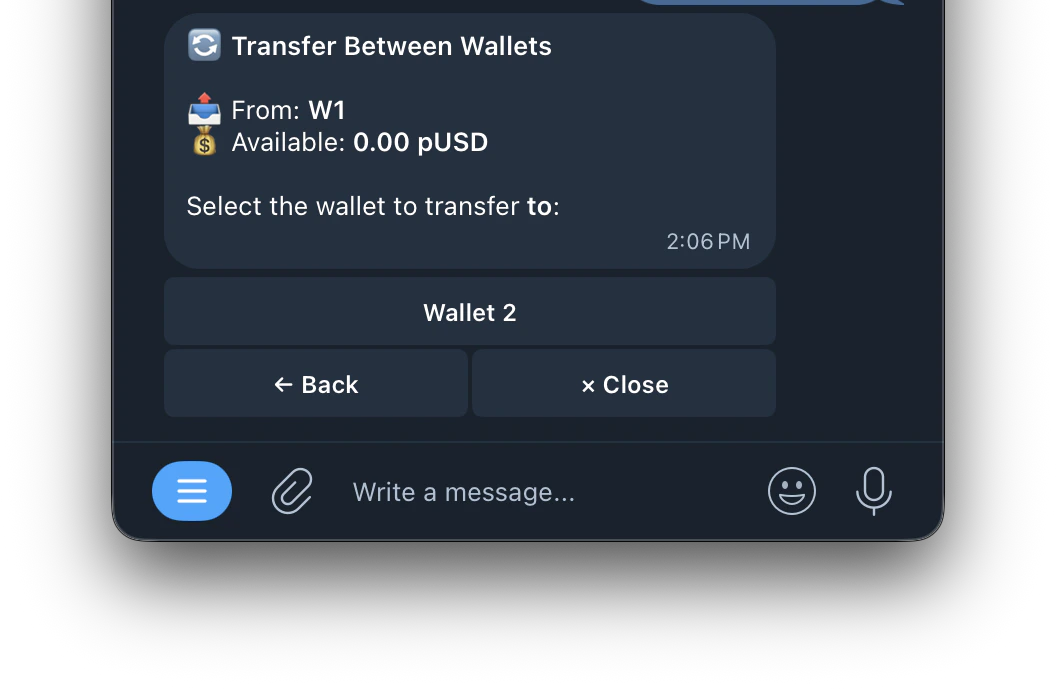
4. Select the wallet you want to transfer **to**
   <Frame>
     <img src="https://mintcdn.com/kreo/yWrXdDvJb6c4jPiY/images/Screenshot-2026-04-30-at-2.07.38-PM.png?fit=max&auto=format&n=yWrXdDvJb6c4jPiY&q=85&s=b7260d21073db1cebb826b08aba8b7c7" alt="Screenshot 2026 04 30 At 2 07 38 PM" title="Screenshot 2026 04 30 At 2 07 38 PM" className="mx-auto" style={{ width:"53%" }} width="1056" height="689" data-path="images/Screenshot-2026-04-30-at-2.07.38-PM.png" />
   </Frame>
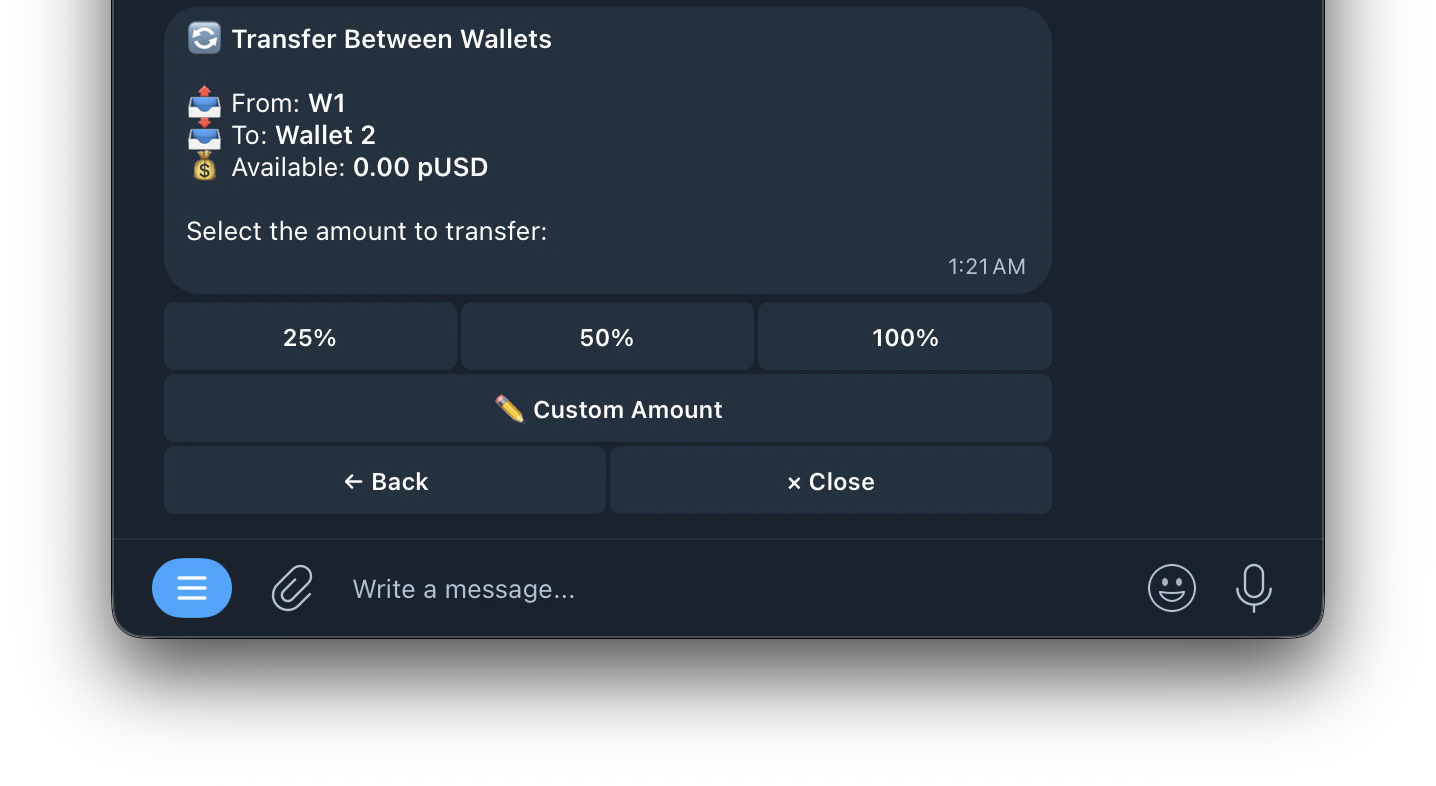
5. Enter the amount to transfer
   <Frame>
     <img src="https://mintcdn.com/kreo/tNaEtiRo6ry8_MT_/images/Screenshot-2026-05-08-at-1.21.27-AM.png?fit=max&auto=format&n=tNaEtiRo6ry8_MT_&q=85&s=9fd720ea72f5b43b4d26e272827def07" alt="Screenshot 2026 05 08 At 1 21 27 AM" title="Screenshot 2026 05 08 At 1 21 27 AM" className="mx-auto" style={{ width:"62%" }} width="1436" height="786" data-path="images/Screenshot-2026-05-08-at-1.21.27-AM.png" />
   </Frame>
6. Confirm

<Warning>
  After the Polymarket V2 update, funds may show as USDC.e after a transfer. Use **/wrap** and select the wallet to convert to pUSD if needed.
</Warning>