> ## Documentation Index
> Fetch the complete documentation index at: https://docs.kreo.app/llms.txt
> Use this file to discover all available pages before exploring further.
# Task Manager
> Manage all your copy trade tasks in one seamless mini-app inside Telegram.
**How to Access**
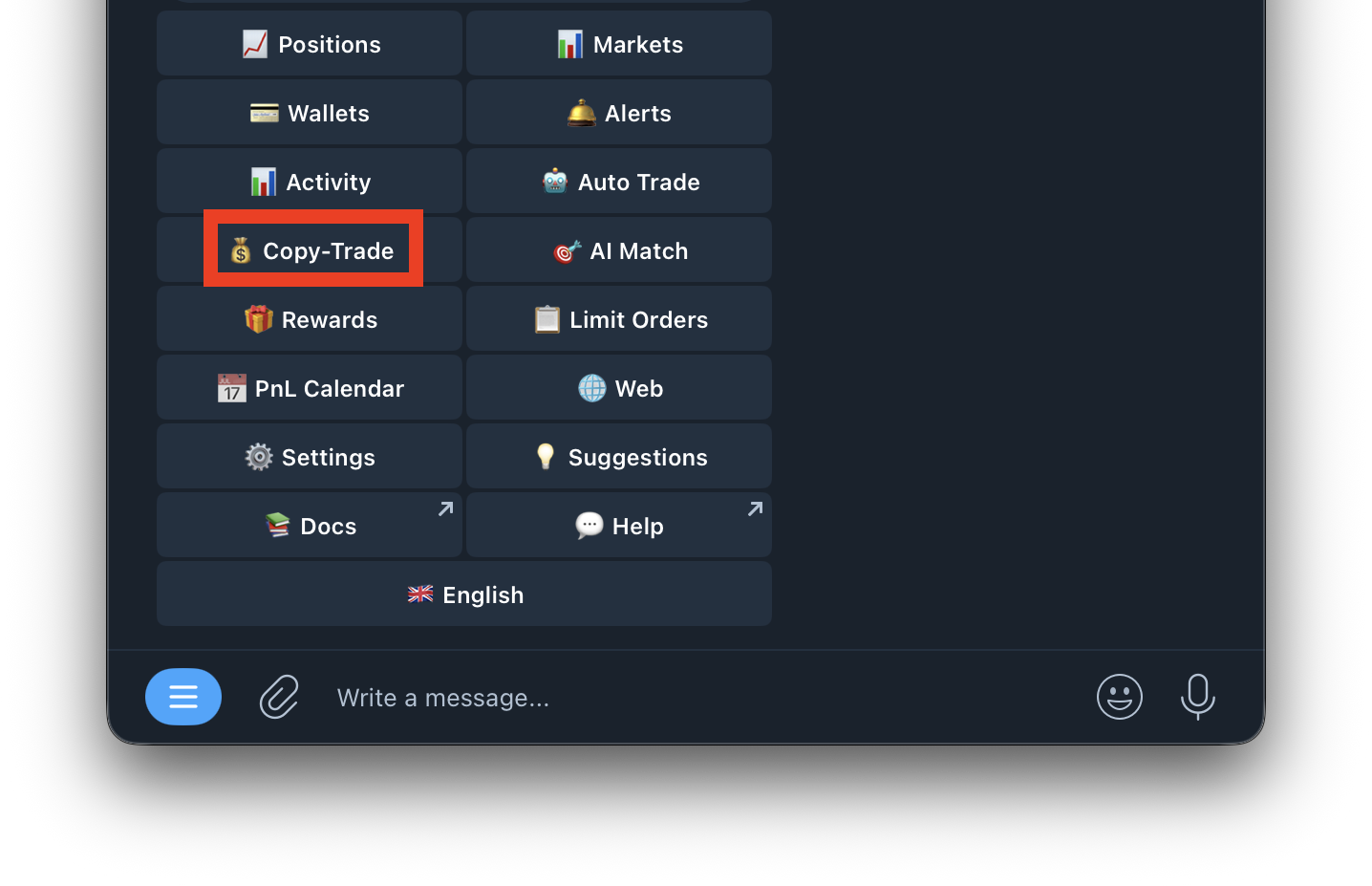
1. Type /copytrade or tap Copy Trade from /start
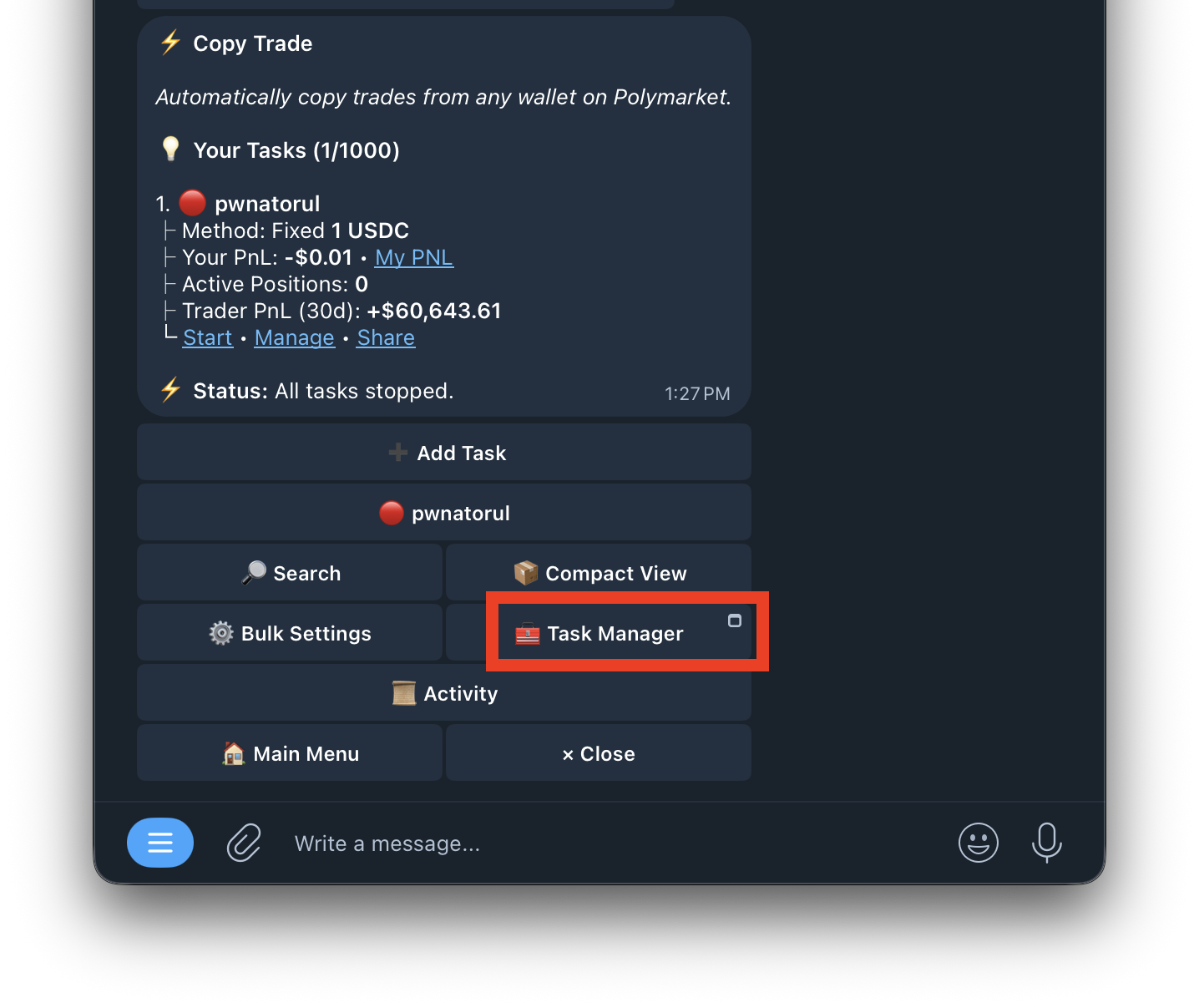
 2. Tap **Task Manager**
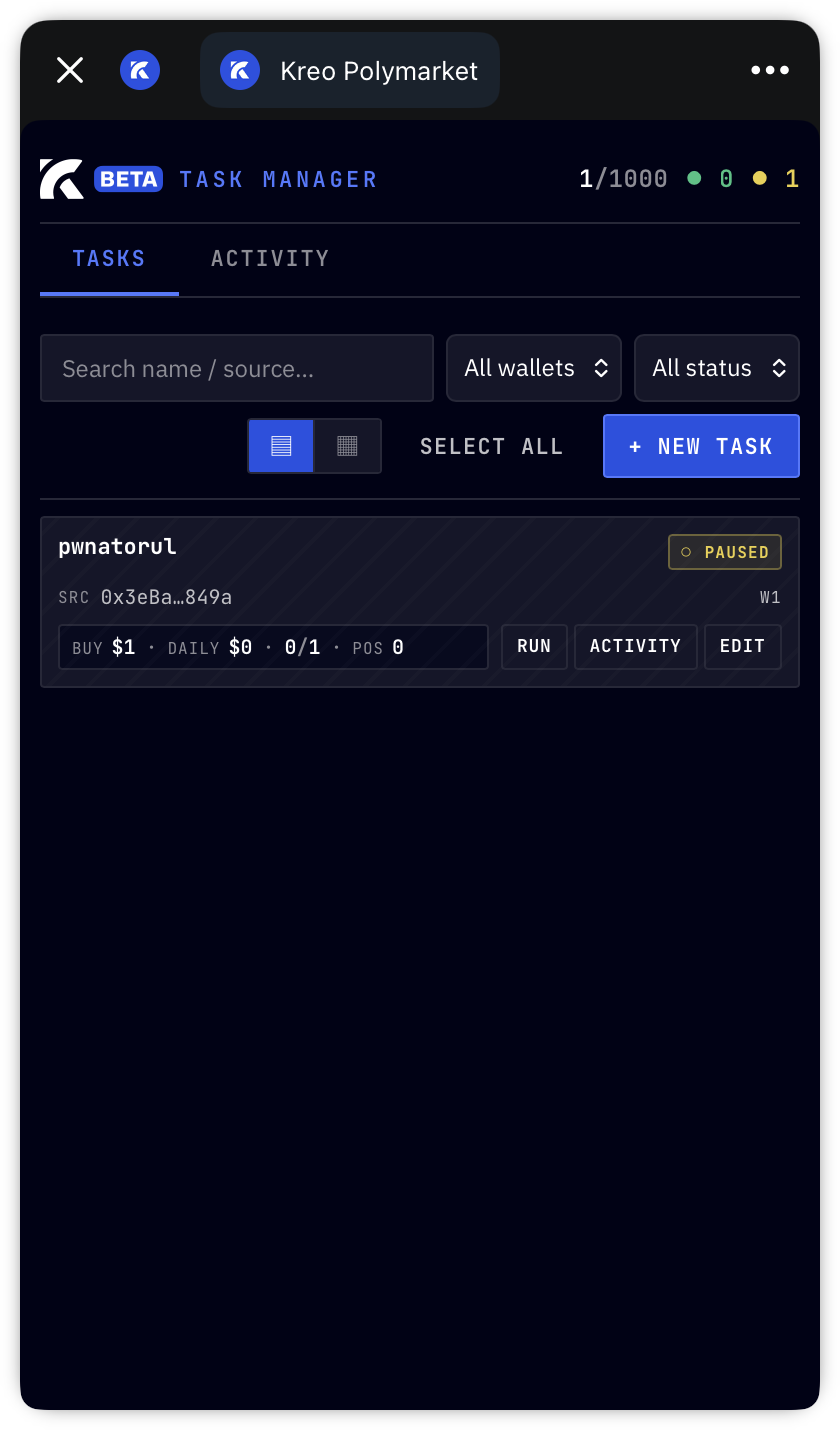
 3. The mini-app opens inside Telegram
 ***
**Task Manager UI**
At the top you'll see a summary:
| Element | What it shows |
| :--------- | :-------------------------------------------------- |
| **1/1000** | Number of active tasks out of your 1,000 task limit |
| **🟢 0** | Number of currently running tasks |
| **🟡 1** | Number of paused tasks |
***
**Navigation Tabs**
| Tab | What it shows |
| :----------- | :------------------------------------------ |
| **Tasks** | View and manage all your copy trade tasks |
| **Activity** | View global trade activity across all tasks |
***
**Filter Options**
| Filter | What it does |
| :------------------------------- | :------------------------------------------------ |
| **All Wallets / W1 / Wallet 2** | Filter tasks by which wallet they're using |
| **All Status / Active / Paused** | Filter tasks by whether they're running or paused |
***
**View Options**
| Button | What it does |
| :----------------- | :--------------------------------------- |
| ▤ **List View** | Display tasks in a detailed list format |
| ▦ **Compact View** | Display tasks in a condensed grid format |
***
**Task Actions**
| Button | What it does |
| :------------- | :--------------------------------------------- |
| **Select All** | Select all tasks for bulk actions |
| **+ New Task** | Create a new copy trade task from the mini-app |
***
**Individual Task Card**
Each task shows:
| Field | What it shows |
| :------------ | :--------------------------------------- |
| **Task Name** | Name of the task (e.g. pwnatorul) |
| **Status** | Running or Paused |
| **SRC** | Source wallet being copied (abbreviated) |
| **W1** | Which Kreo wallet the task is using |
| **BUY \$1** | Buy amount per trade |
| **DAILY \$0** | Amount spent today |
| **0/1** | Trades executed / total trades |
| **POS 0** | Number of open positions from this task |
**Task Buttons**
| Button | What it does |
| :----------- | :---------------------------------------- |
| **RUN** | Start the task if it's paused |
| **ACTIVITY** | View trade history for this specific task |
| **EDIT** | Open the full task settings to edit |
***
***
**Task Manager UI**
At the top you'll see a summary:
| Element | What it shows |
| :--------- | :-------------------------------------------------- |
| **1/1000** | Number of active tasks out of your 1,000 task limit |
| **🟢 0** | Number of currently running tasks |
| **🟡 1** | Number of paused tasks |
***
**Navigation Tabs**
| Tab | What it shows |
| :----------- | :------------------------------------------ |
| **Tasks** | View and manage all your copy trade tasks |
| **Activity** | View global trade activity across all tasks |
***
**Filter Options**
| Filter | What it does |
| :------------------------------- | :------------------------------------------------ |
| **All Wallets / W1 / Wallet 2** | Filter tasks by which wallet they're using |
| **All Status / Active / Paused** | Filter tasks by whether they're running or paused |
***
**View Options**
| Button | What it does |
| :----------------- | :--------------------------------------- |
| ▤ **List View** | Display tasks in a detailed list format |
| ▦ **Compact View** | Display tasks in a condensed grid format |
***
**Task Actions**
| Button | What it does |
| :------------- | :--------------------------------------------- |
| **Select All** | Select all tasks for bulk actions |
| **+ New Task** | Create a new copy trade task from the mini-app |
***
**Individual Task Card**
Each task shows:
| Field | What it shows |
| :------------ | :--------------------------------------- |
| **Task Name** | Name of the task (e.g. pwnatorul) |
| **Status** | Running or Paused |
| **SRC** | Source wallet being copied (abbreviated) |
| **W1** | Which Kreo wallet the task is using |
| **BUY \$1** | Buy amount per trade |
| **DAILY \$0** | Amount spent today |
| **0/1** | Trades executed / total trades |
| **POS 0** | Number of open positions from this task |
**Task Buttons**
| Button | What it does |
| :----------- | :---------------------------------------- |
| **RUN** | Start the task if it's paused |
| **ACTIVITY** | View trade history for this specific task |
| **EDIT** | Open the full task settings to edit |
***