> ## Documentation Index
> Fetch the complete documentation index at: https://docs.kreo.app/llms.txt
> Use this file to discover all available pages before exploring further.

# Sport Auto Trade

> Setting up and managing Sport auto trade tasks.

<Steps>
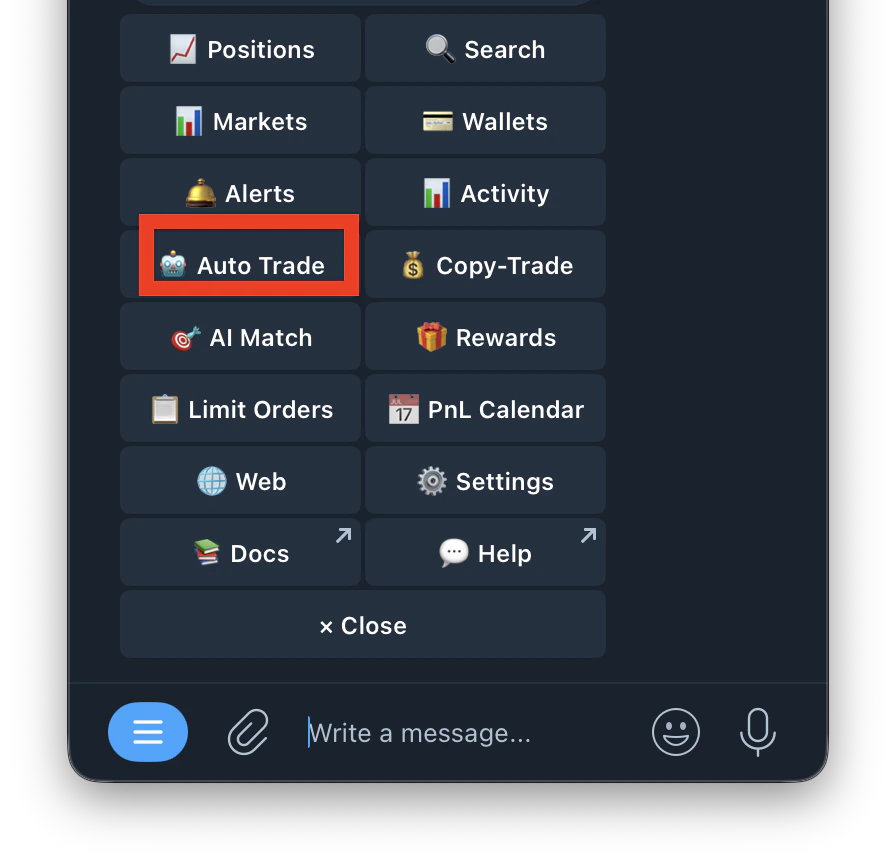
  <Step title="Navigate to /autotrade">
    Type /Autotrade or /start and click on Auto Trade
    <Frame>
      <img src="https://mintcdn.com/kreo/BMPwDUBdqhqqmD0m/images/Screenshot-2026-04-22-at-11.53.32-PM-1.png?fit=max&auto=format&n=BMPwDUBdqhqqmD0m&q=85&s=2dcd07a448e511d6dedabb3b34de4dbb" alt="Screenshot 2026 04 22 At 11 53 32 PM 1" title="Screenshot 2026 04 22 At 11 53 32 PM 1" className="mx-auto" style={{ width:"54%" }} width="896" height="866" data-path="images/Screenshot-2026-04-22-at-11.53.32-PM-1.png" />
    </Frame>
  </Step>

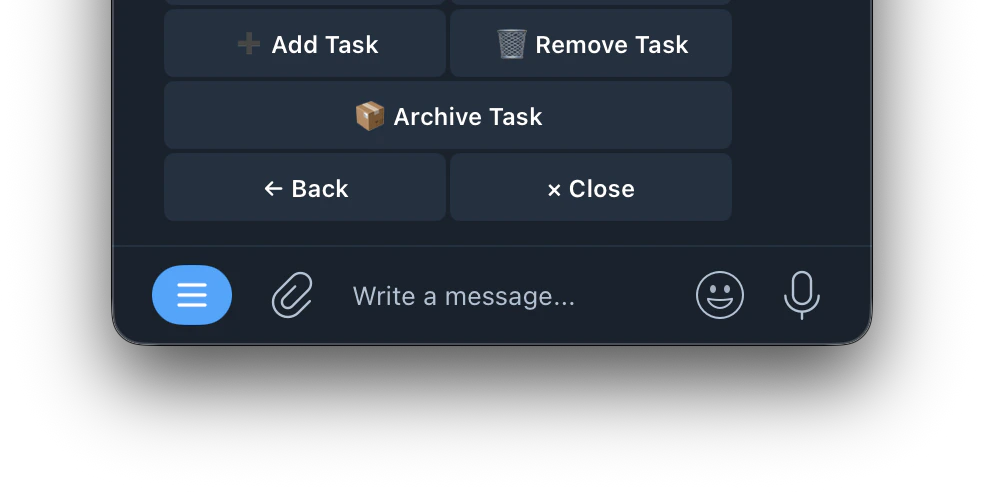
  <Step title="Tap Add Task ">
    <Frame>
      <img src="https://mintcdn.com/kreo/tPC0FphvgqSZc360/images/Screenshot-2026-04-23-at-12.02.05-AM-1.png?fit=max&auto=format&n=tPC0FphvgqSZc360&q=85&s=8491492b34874a9097f2525acecfdb67" alt="Screenshot 2026 04 23 At 12 02 05 AM 1" title="Screenshot 2026 04 23 At 12 02 05 AM 1" className="mx-auto" style={{ width:"62%" }} width="984" height="493" data-path="images/Screenshot-2026-04-23-at-12.02.05-AM-1.png" />
    </Frame>
  </Step>

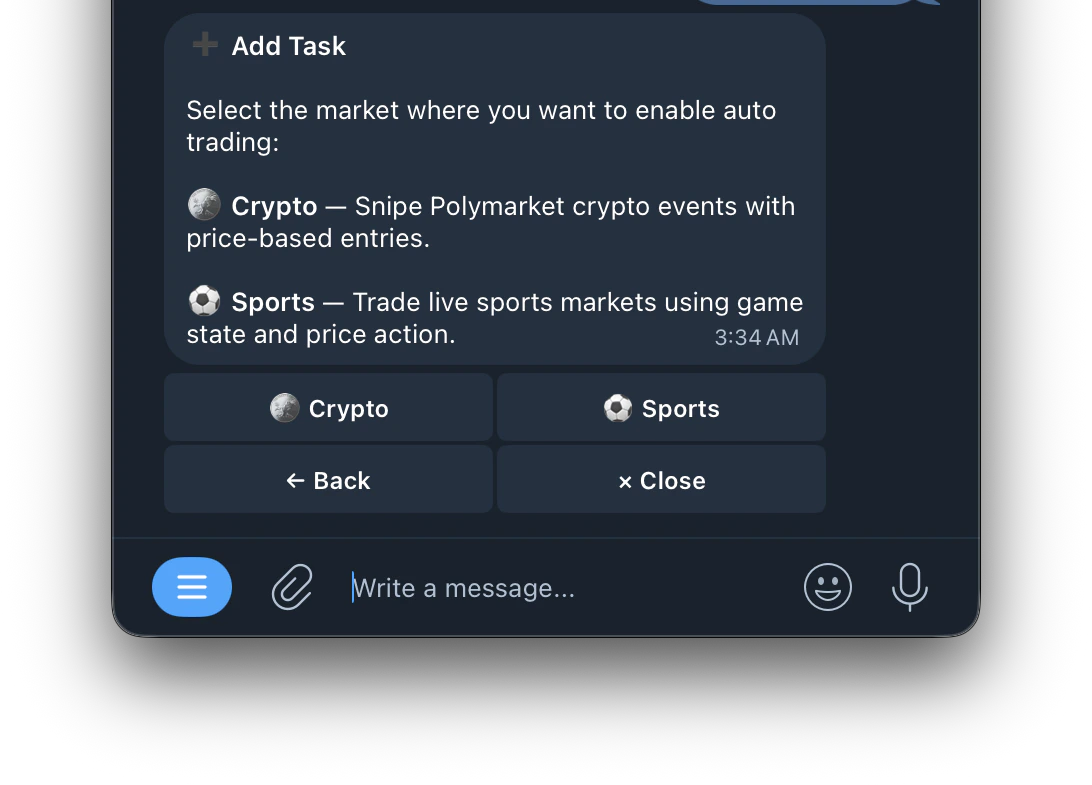
  <Step title="Select Sport">
    <Frame>
      <img src="https://mintcdn.com/kreo/tPC0FphvgqSZc360/images/Screenshot-2026-04-23-at-3.35.13-AM.png?fit=max&auto=format&n=tPC0FphvgqSZc360&q=85&s=c0bbe197d72f18cd461e12818fdb1abb" alt="Screenshot 2026 04 23 At 3 35 13 AM" title="Screenshot 2026 04 23 At 3 35 13 AM" className="mx-auto" style={{ width:"61%" }} width="1092" height="785" data-path="images/Screenshot-2026-04-23-at-3.35.13-AM.png" />
    </Frame>
  </Step>

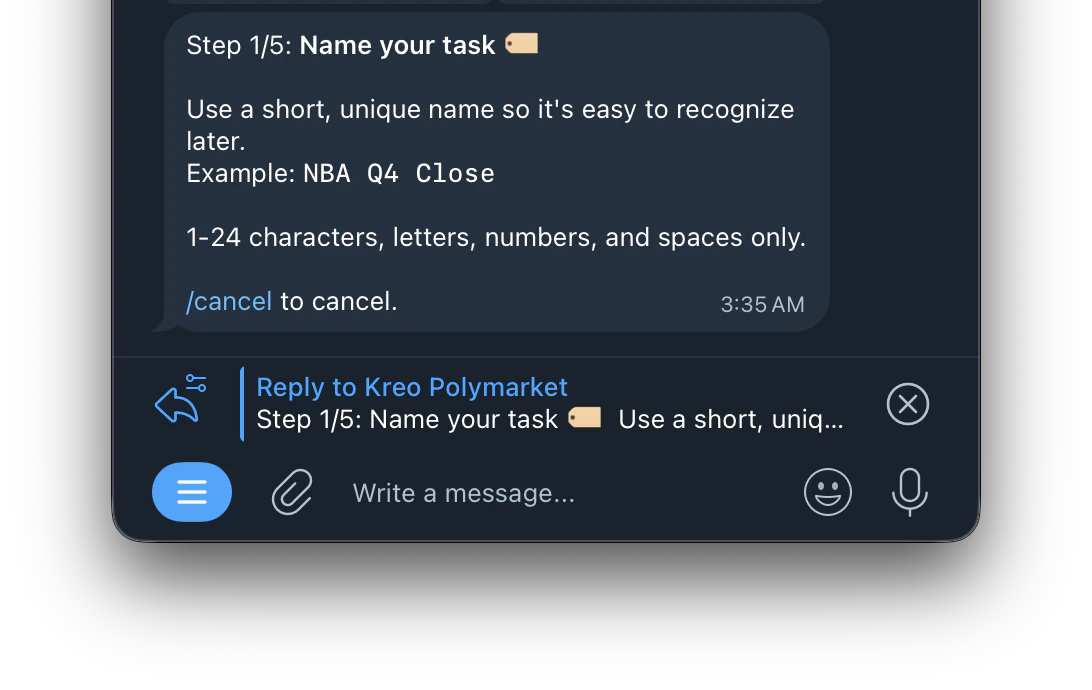
  <Step title="Name your task">
    <Frame>
      <img src="https://mintcdn.com/kreo/tPC0FphvgqSZc360/images/Screenshot-2026-04-23-at-3.36.06-AM.png?fit=max&auto=format&n=tPC0FphvgqSZc360&q=85&s=254af37556b6c89c5b5fbafed5a620de" alt="Screenshot 2026 04 23 At 3 36 06 AM" title="Screenshot 2026 04 23 At 3 36 06 AM" className="mx-auto" style={{ width:"69%" }} width="1092" height="690" data-path="images/Screenshot-2026-04-23-at-3.36.06-AM.png" />
    </Frame>
  </Step>

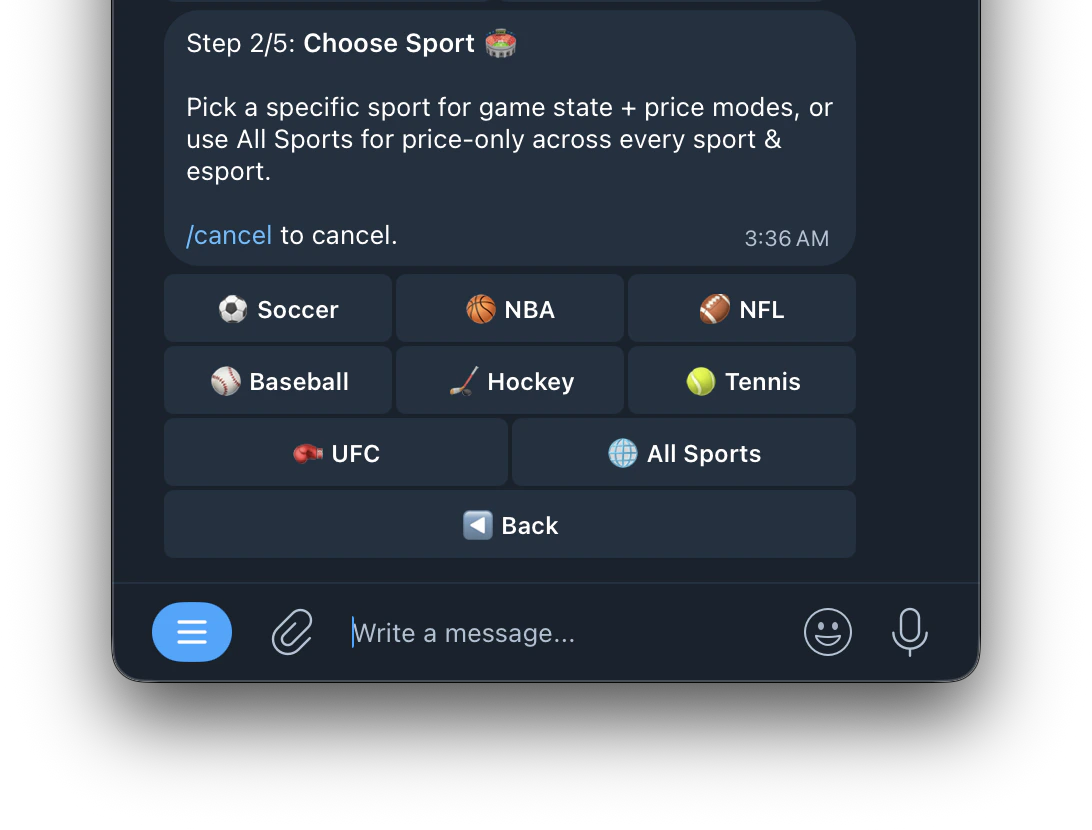
  <Step title="Choose Sport 🏟️">
    <Frame>
      <img src="https://mintcdn.com/kreo/tPC0FphvgqSZc360/images/Screenshot-2026-04-23-at-3.37.05-AM.png?fit=max&auto=format&n=tPC0FphvgqSZc360&q=85&s=44b68c9da9b32acb3f987c911cd19910" alt="Screenshot 2026 04 23 At 3 37 05 AM" title="Screenshot 2026 04 23 At 3 37 05 AM" className="mx-auto" style={{ width:"61%" }} width="1092" height="830" data-path="images/Screenshot-2026-04-23-at-3.37.05-AM.png" />
    </Frame>
  </Step>

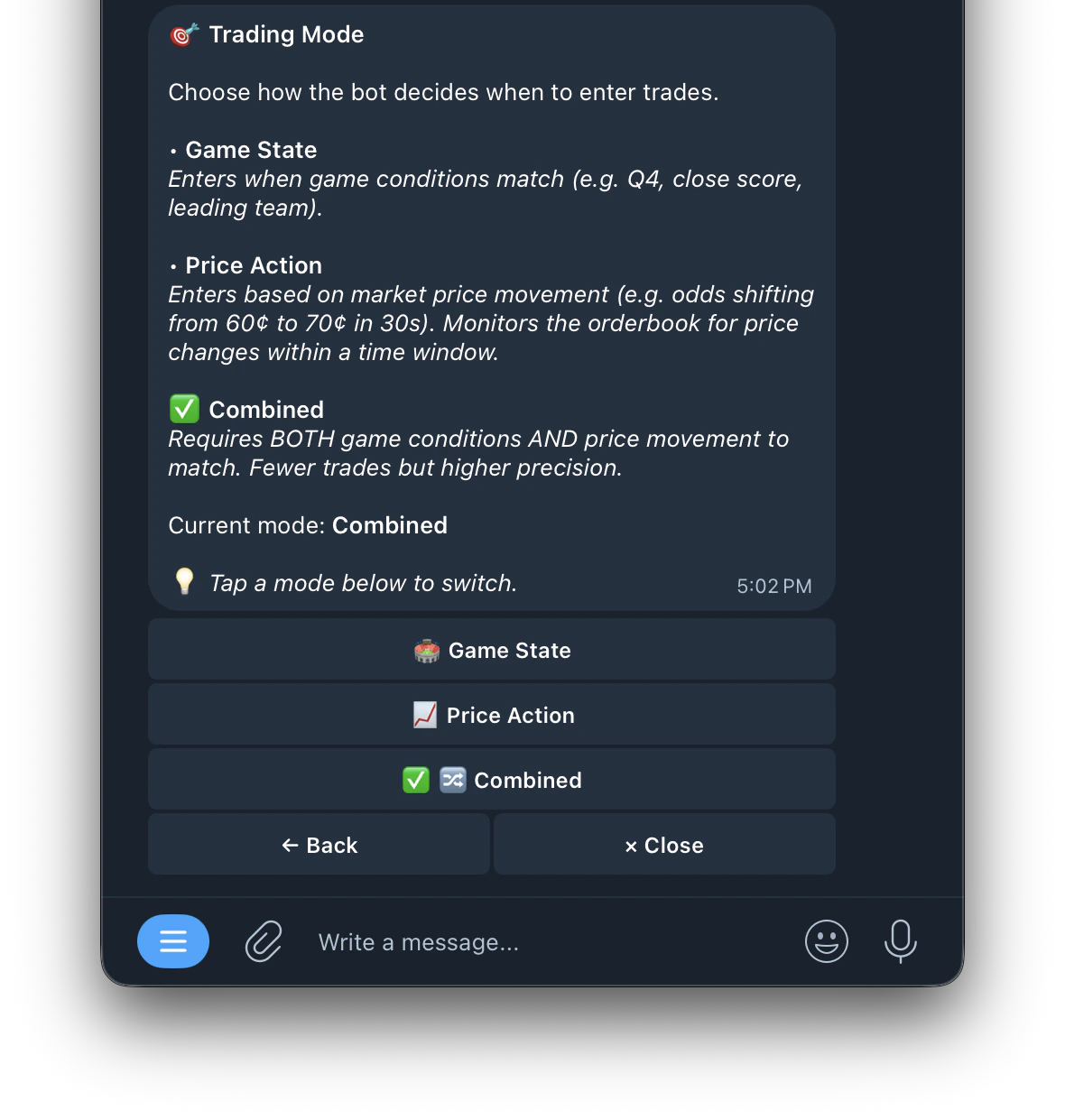
  <Step title="Choose Mode 🎯 ">
    \
    [<kbd>Click here to read more about the Modes</kbd>](https://docs.kreo.app/sport-mode#trading-mode)
    <Frame>
      <img src="https://mintcdn.com/kreo/jc8uZslHIlSbptR2/images/Screenshot-2026-04-25-at-5.03.00-PM.png?fit=max&auto=format&n=jc8uZslHIlSbptR2&q=85&s=2b1adfa83c30de2a836447417bc7c348" alt="Screenshot 2026 04 25 At 5 03 00 PM" title="Screenshot 2026 04 25 At 5 03 00 PM" className="mx-auto" style={{ width:"59%" }} width="1180" height="1241" data-path="images/Screenshot-2026-04-25-at-5.03.00-PM.png" />
    </Frame>
  </Step>

  <Step title="Amount per trade">
    <AccordionGroup>
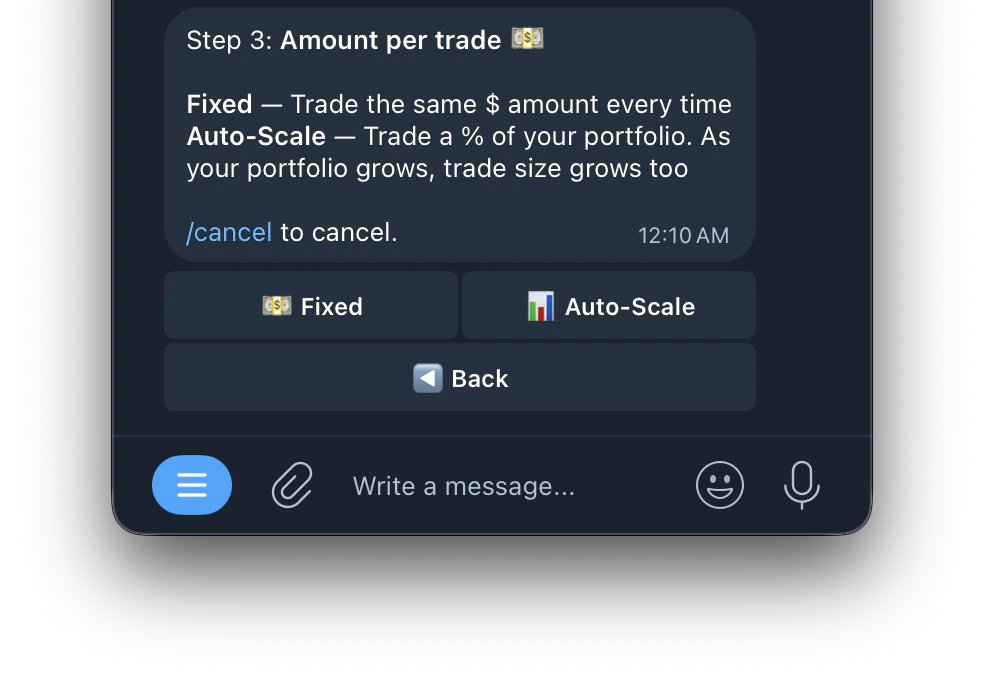
      <Accordion title="💵 Fixed">
        Trades the same dollar amount every time regardless of your portfolio size. For example if you set \$10, every trade will always be \$10.
      </Accordion>

      <Accordion title="📊 Auto-Scale">
        Trades a percentage of your portfolio. As your portfolio grows, your trade size grows with it. This means your position sizes automatically adjust based on how much you have in your wallet.
      </Accordion>
    </AccordionGroup>

    <Frame>
      <img src="https://mintcdn.com/kreo/tPC0FphvgqSZc360/images/Screenshot-2026-04-23-at-12.13.08-AM-2.png?fit=max&auto=format&n=tPC0FphvgqSZc360&q=85&s=811300a4b608fdf45547da4e4620c6a9" alt="Screenshot 2026 04 23 At 12 13 08 AM 2" title="Screenshot 2026 04 23 At 12 13 08 AM 2" className="mx-auto" style={{ width:"60%" }} width="984" height="683" data-path="images/Screenshot-2026-04-23-at-12.13.08-AM-2.png" />
    </Frame>
  </Step>

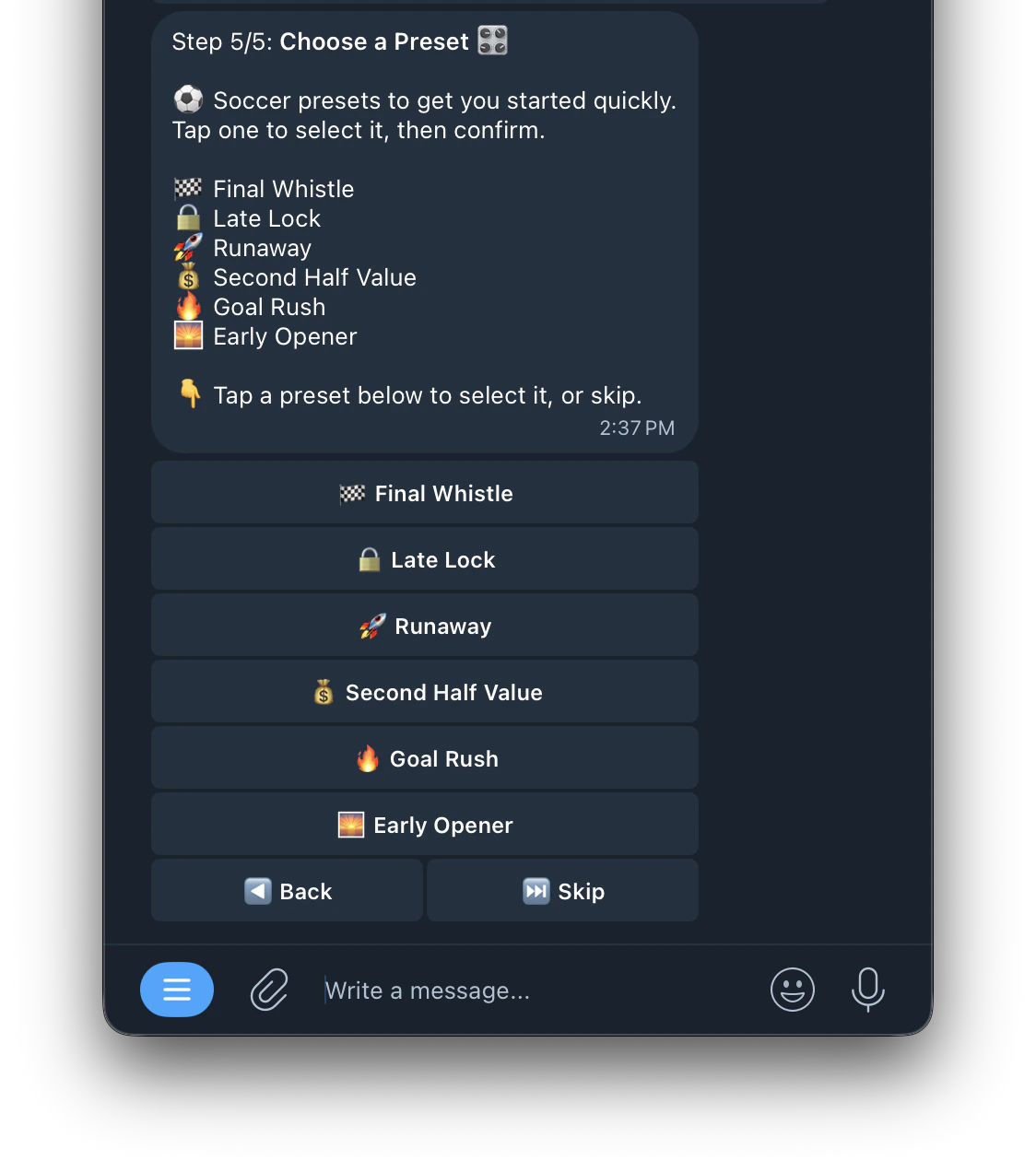
  <Step title="Choose a Preset 🎛️">
    Here's what the preset selection looks like:
    <Frame>
      <img src="https://mintcdn.com/kreo/KoBWwjXLTFRU58BM/images/Screenshot-2026-04-30-at-2.40.17-PM.png?fit=max&auto=format&n=KoBWwjXLTFRU58BM&q=85&s=9b241ce8bfde86f85f03098cd7bd0d0d" alt="Screenshot 2026 04 30 At 2 40 17 PM" title="Screenshot 2026 04 30 At 2 40 17 PM" className="mx-auto" style={{ width:"55%" }} width="1124" height="1272" data-path="images/Screenshot-2026-04-30-at-2.40.17-PM.png" />
    </Frame>

    [**<kbd>Click here to see the preset</kbd>**](https://docs.kreo.app/sport-presets)
  </Step>
</Steps>

<Tip>
  Pick a specific sport for game state + price modes, or use All Sports for price-only across every sport and esport. You can also filter by specific leagues within each sport.
</Tip>