> ## Documentation Index
> Fetch the complete documentation index at: https://docs.kreo.app/llms.txt
> Use this file to discover all available pages before exploring further.
# Setting Up
> Get started with Kreo in just a few minutes.
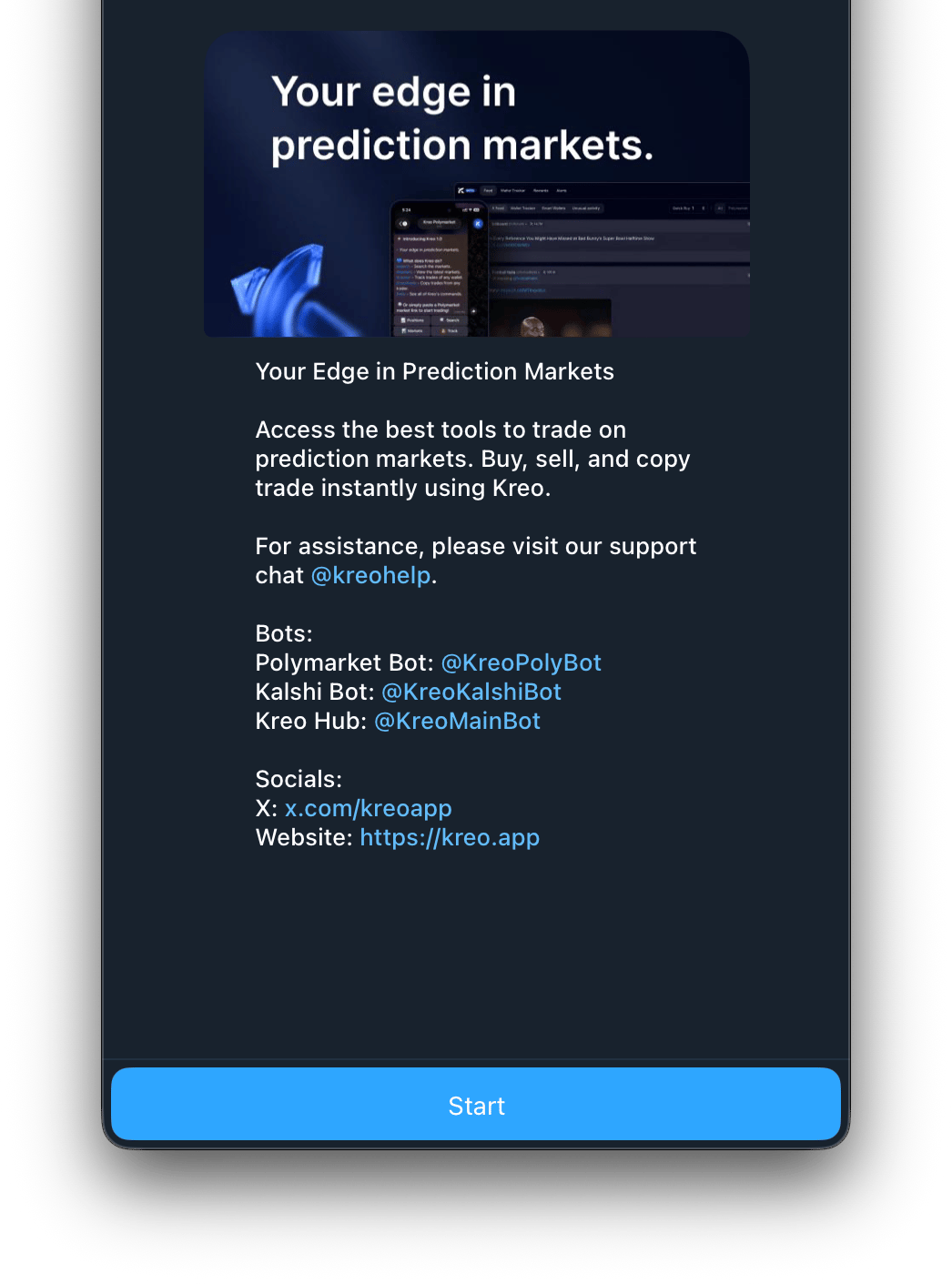
**Step 1: Open the Bot**
Search for **@KreoPolyBot** on Telegram and tap Start, or click this link: [t.me/KreoPolyBot](https://t.me/KreoPolyBot)
 **Step 2: Create Your Wallet**
Kreo automatically generates a secure wallet for you powered by Privy (backed by Stripe). Your wallet is ready to use immediately.
**Step 3: Fund Your Wallet**
Go to /wallets and tap Deposit to add funds. You can deposit with:
* 💳 Card via Coinbase (easiest for beginners)
* 📥 USDC.e/pUSD on Polygon (direct)
* 🌉 Bridge from another chain (ETH, SOL, BTC, and more)
Minimum deposit: \$2
**Step 4: Start Trading**
Choose how you want to trade:
* [💰 Copy Trade](https://docs.kreo.app/copy-trade): follow experienced traders automatically
* [🤖 Auto Trade](https://docs.kreo.app/auto-trade-intro): set your own strategy and let the bot trade for you
* **Manual Trade**: browse markets and trade yourself
***
**The /start Menu**
Type /start at any time to access the main menu.
**Step 2: Create Your Wallet**
Kreo automatically generates a secure wallet for you powered by Privy (backed by Stripe). Your wallet is ready to use immediately.
**Step 3: Fund Your Wallet**
Go to /wallets and tap Deposit to add funds. You can deposit with:
* 💳 Card via Coinbase (easiest for beginners)
* 📥 USDC.e/pUSD on Polygon (direct)
* 🌉 Bridge from another chain (ETH, SOL, BTC, and more)
Minimum deposit: \$2
**Step 4: Start Trading**
Choose how you want to trade:
* [💰 Copy Trade](https://docs.kreo.app/copy-trade): follow experienced traders automatically
* [🤖 Auto Trade](https://docs.kreo.app/auto-trade-intro): set your own strategy and let the bot trade for you
* **Manual Trade**: browse markets and trade yourself
***
**The /start Menu**
Type /start at any time to access the main menu.
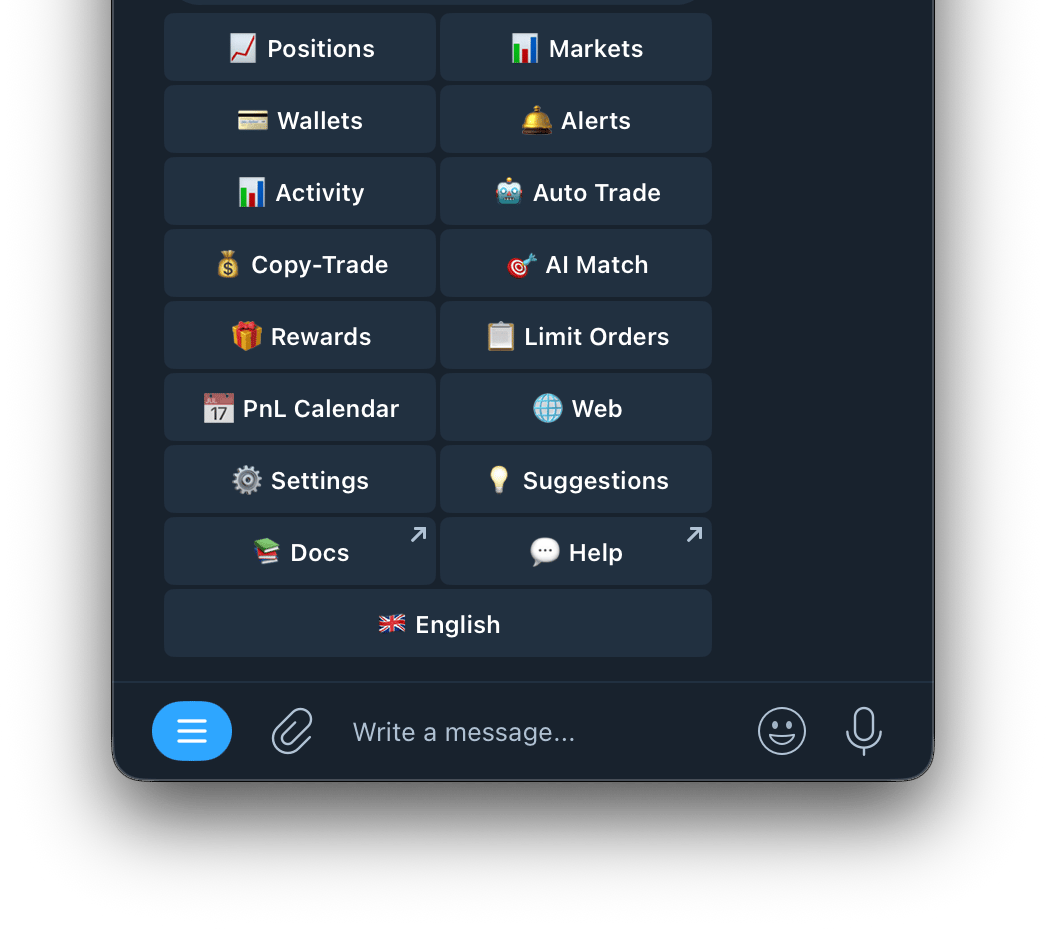 | Button | What it does |
| :-------------------------------------------------------------------- | :-------------------------------------------------------------------------- |
| [📈 Positions](https://docs.kreo.app/positions) | View all your open and closed positions |
| [📊 Markets](https://docs.kreo.app/how-to-find-markets) | Browse markets by category or search by keyword |
| [💳 Wallets](https://docs.kreo.app/wallet-management) | Manage your wallets — deposit, withdraw, transfer, generate new wallets |
| [🔔 Alerts](https://docs.kreo.app/set-up-alerts) | Set price alerts and new market notifications |
| [📊 Activity](https://docs.kreo.app/activity) | View your full trade history across all tasks |
| [🤖 Auto Trade](https://docs.kreo.app/auto-trade-intro) | Set up and manage auto trade tasks |
| [💰Copy Trade](https://docs.kreo.app/copy-trade) | Set up and manage copy trade tasks |
| [🎯 AI Match](https://docs.kreo.app/limit-orders-copied-1) | Find wallets to copy using AI matching |
| [🎁 Rewards](https://docs.kreo.app/rewards-overview) | View your cashback tier, referral link, and earnings |
| [📋 Limit Orders](https://docs.kreo.app/limit-orders) | View and manage your active limit orders |
| [📅 PnL Calendar](https://docs.kreo.app/PnL-calender) | See your daily PnL in calendar format |
| [🌐 Web](https://docs.kreo.app/web) | Connect your account to the Kreo web app |
| [⚙️ Settings](https://docs.kreo.app/settings) | Configure your trading preferences |
| [💡 Suggestions](https://docs.kreo.app/suggestions) | Send feature ideas directly to the Kreo team |
| 📚 **Docs** | Access the full Kreo documentation at [docs.kreo.app](http://docs.kreo.app) |
| 🌍 **Language** | Change the bot language (English, Chinese, Russian, Kazakh) |
***
| Button | What it does |
| :-------------------------------------------------------------------- | :-------------------------------------------------------------------------- |
| [📈 Positions](https://docs.kreo.app/positions) | View all your open and closed positions |
| [📊 Markets](https://docs.kreo.app/how-to-find-markets) | Browse markets by category or search by keyword |
| [💳 Wallets](https://docs.kreo.app/wallet-management) | Manage your wallets — deposit, withdraw, transfer, generate new wallets |
| [🔔 Alerts](https://docs.kreo.app/set-up-alerts) | Set price alerts and new market notifications |
| [📊 Activity](https://docs.kreo.app/activity) | View your full trade history across all tasks |
| [🤖 Auto Trade](https://docs.kreo.app/auto-trade-intro) | Set up and manage auto trade tasks |
| [💰Copy Trade](https://docs.kreo.app/copy-trade) | Set up and manage copy trade tasks |
| [🎯 AI Match](https://docs.kreo.app/limit-orders-copied-1) | Find wallets to copy using AI matching |
| [🎁 Rewards](https://docs.kreo.app/rewards-overview) | View your cashback tier, referral link, and earnings |
| [📋 Limit Orders](https://docs.kreo.app/limit-orders) | View and manage your active limit orders |
| [📅 PnL Calendar](https://docs.kreo.app/PnL-calender) | See your daily PnL in calendar format |
| [🌐 Web](https://docs.kreo.app/web) | Connect your account to the Kreo web app |
| [⚙️ Settings](https://docs.kreo.app/settings) | Configure your trading preferences |
| [💡 Suggestions](https://docs.kreo.app/suggestions) | Send feature ideas directly to the Kreo team |
| 📚 **Docs** | Access the full Kreo documentation at [docs.kreo.app](http://docs.kreo.app) |
| 🌍 **Language** | Change the bot language (English, Chinese, Russian, Kazakh) |
***