> ## Documentation Index
> Fetch the complete documentation index at: https://docs.kreo.app/llms.txt
> Use this file to discover all available pages before exploring further.

# Setting Up Alerts

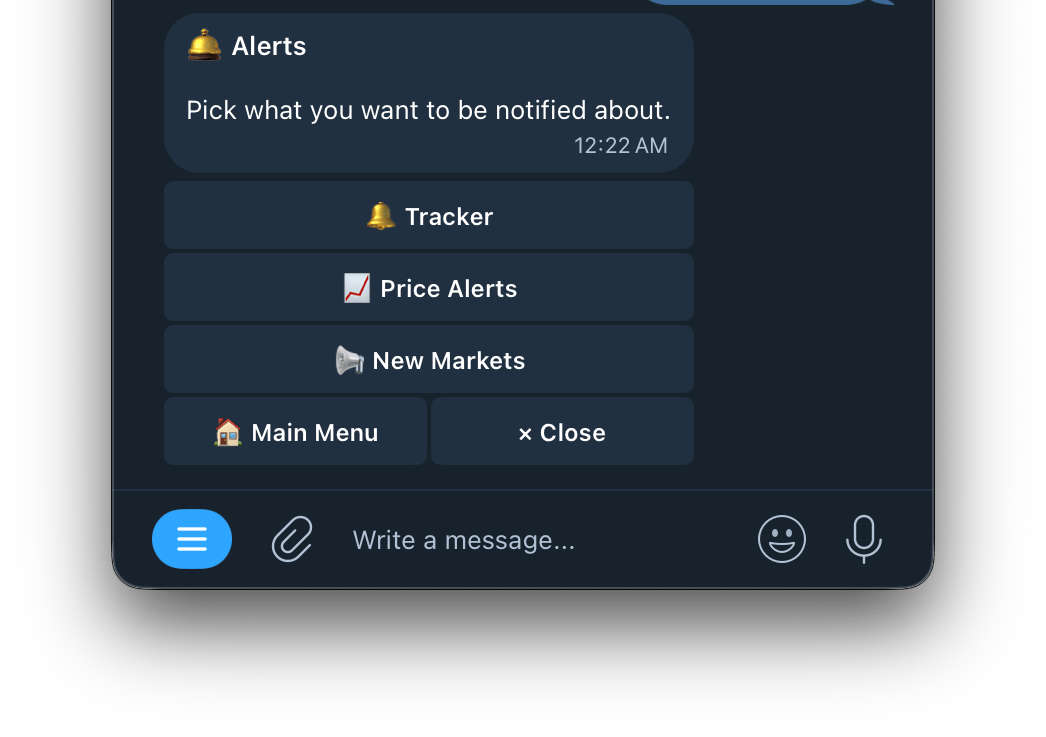
> Pick what you want to be notified about.

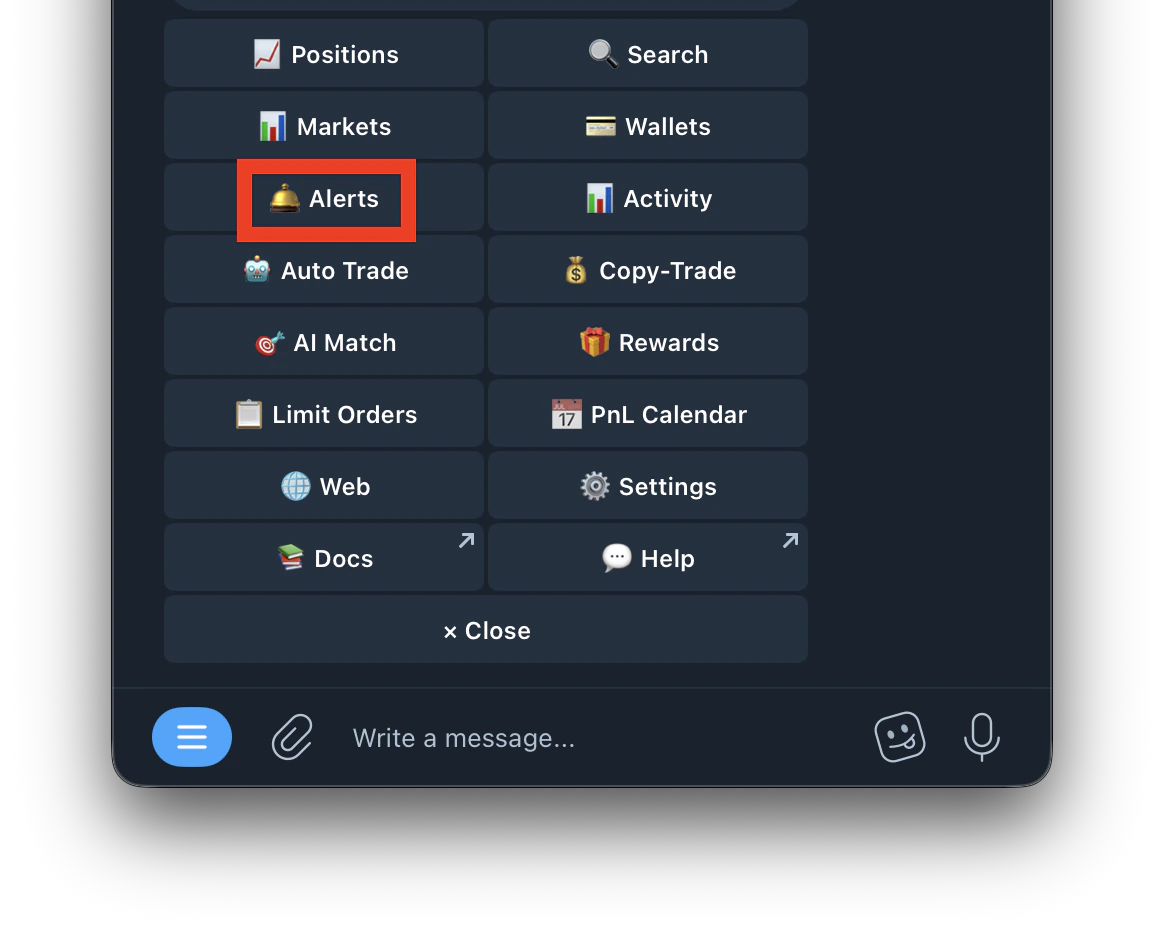
**Steps on how to access Alerts**
<Steps>
  <Step title="Type /Alerts or /start and click on Alerts">
    <Frame>
      <img src="https://mintcdn.com/kreo/1dgXzBp80E9ZVnvL/images/Screenshot-2026-04-22-at-6.03.22-PM.png?fit=max&auto=format&n=1dgXzBp80E9ZVnvL&q=85&s=5582de64108066c56c5e8c3834ba117e" alt="Screenshot 2026 04 22 At 6 03 22 PM" title="Screenshot 2026 04 22 At 6 03 22 PM" className="mx-auto" style={{ width:"55%" }} width="1164" height="935" data-path="images/Screenshot-2026-04-22-at-6.03.22-PM.png" />
    </Frame>
  </Step>

  <Step title="Select Alert ">
    <Frame>
      <img src="https://mintcdn.com/kreo/3ksNpdPC-C5GqmLZ/images/Screenshot-2026-05-19-at-12.22.16-AM.png?fit=max&auto=format&n=3ksNpdPC-C5GqmLZ&q=85&s=8a2d6b2abaa5285de698e80b9c35b56d" alt="Screenshot 2026 05 19 At 12 22 16 AM" title="Screenshot 2026 05 19 At 12 22 16 AM" className="mx-auto" style={{ width:"57%" }} width="1046" height="737" data-path="images/Screenshot-2026-05-19-at-12.22.16-AM.png" />
    </Frame>
  </Step>
</Steps>

[<kbd>🔔Tracker</kbd>](https://docs.kreo.app/tracker)

[<kbd>📈 Price Alerts</kbd>](https://docs.kreo.app/alerts)

[<kbd>📢 New Markets</kbd>](https://docs.kreo.app/new-markets)