> ## Documentation Index
> Fetch the complete documentation index at: https://docs.kreo.app/llms.txt
> Use this file to discover all available pages before exploring further.

# Remove Task

> Stop and remove a task from your list.

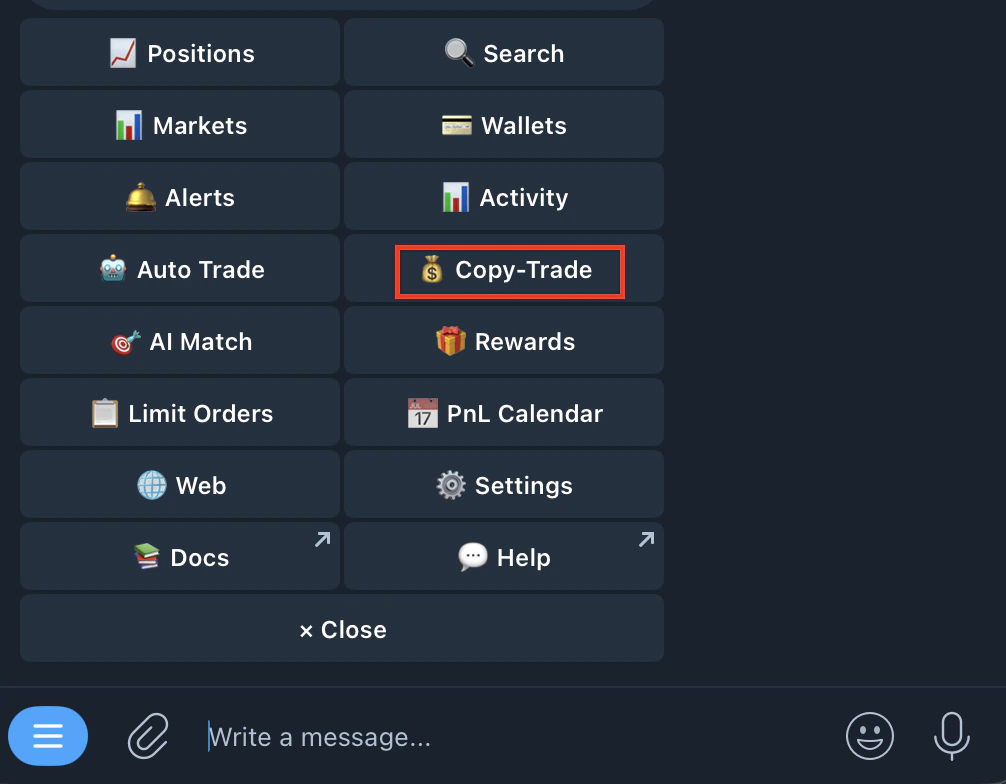
1. Go to /copytrade or /start and click on copy-trade
   <Frame>
     <img src="https://mintcdn.com/kreo/t7hdgv2igBPceacr/images/Screenshot-2026-04-18-at-7.03.06-AM.png?fit=max&auto=format&n=t7hdgv2igBPceacr&q=85&s=deb813338b33b1e60c19766b454269c4" alt="Screenshot 2026 04 18 At 7 03 06 AM" className="mx-auto" style={{ width:"49%" }} width="1006" height="784" data-path="images/Screenshot-2026-04-18-at-7.03.06-AM.png" />
   </Frame>
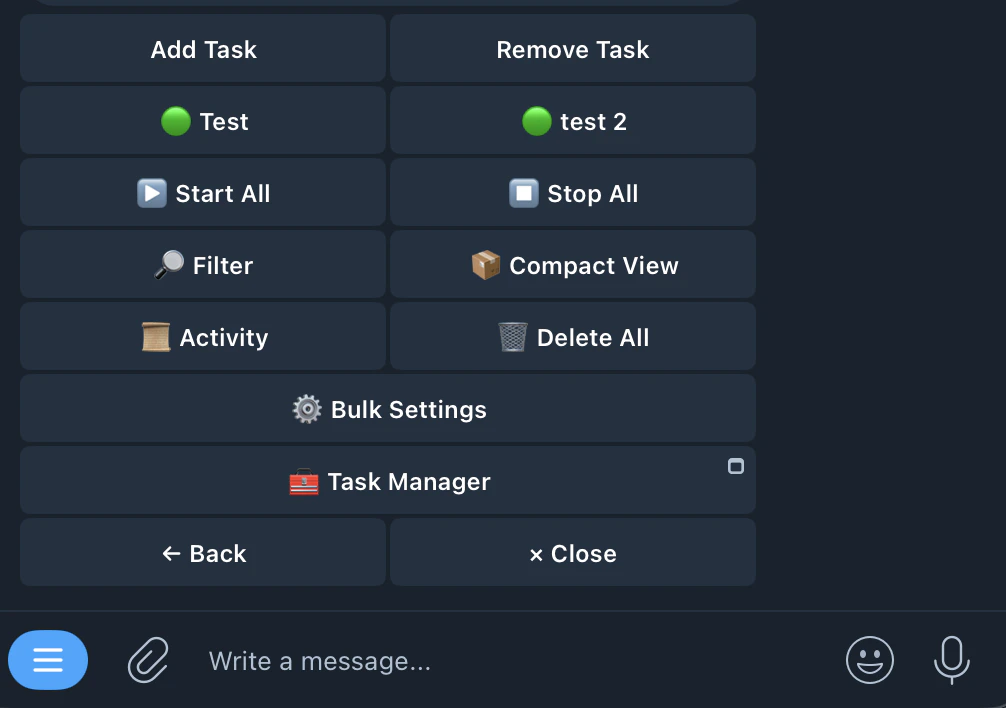
2. Select the task
   <Frame>
     <img src="https://mintcdn.com/kreo/t7hdgv2igBPceacr/images/Screenshot-2026-04-18-at-7.04.45-AM.png?fit=max&auto=format&n=t7hdgv2igBPceacr&q=85&s=8ed5a3b3bba7d7ab810ac125d041dba4" alt="Screenshot 2026 04 18 At 7 04 45 AM" className="mx-auto" style={{ width:"53%" }} width="1006" height="708" data-path="images/Screenshot-2026-04-18-at-7.04.45-AM.png" />
   </Frame>
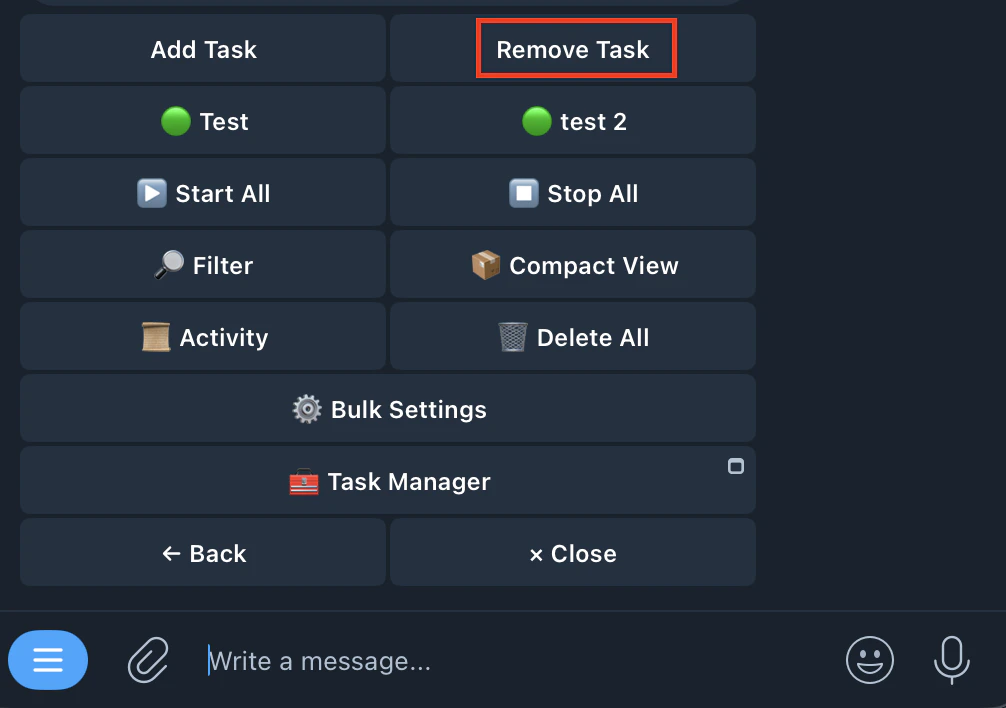
3. Tap Remove Task
   <Frame>
     <img src="https://mintcdn.com/kreo/t7hdgv2igBPceacr/images/Screenshot-2026-04-18-at-7.05.19-AM.png?fit=max&auto=format&n=t7hdgv2igBPceacr&q=85&s=4423f9ed8efce09a4e680e2f00a8cb3e" alt="Screenshot 2026 04 18 At 7 05 19 AM" className="mx-auto" style={{ width:"54%" }} width="1006" height="708" data-path="images/Screenshot-2026-04-18-at-7.05.19-AM.png" />
   </Frame>
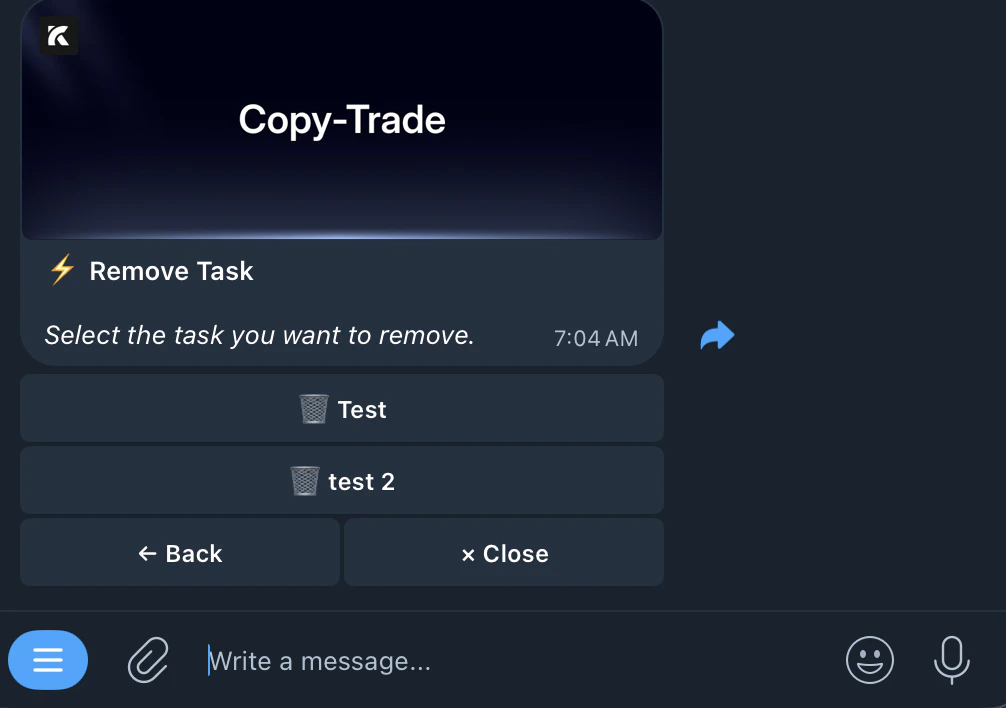
4. Select the task you want to remove
   <Frame>
     <img src="https://mintcdn.com/kreo/t7hdgv2igBPceacr/images/Screenshot-2026-04-18-at-7.06.28-AM.png?fit=max&auto=format&n=t7hdgv2igBPceacr&q=85&s=3d794fff62bd0fc9f189b45040ac73df" alt="Screenshot 2026 04 18 At 7 06 28 AM" className="mx-auto" style={{ width:"56%" }} width="1006" height="708" data-path="images/Screenshot-2026-04-18-at-7.06.28-AM.png" />
   </Frame>
5. Confirm and Delete

<Info>
  Deleting a task does not close your open positions. Manage those from /positions.
</Info>