> ## Documentation Index
> Fetch the complete documentation index at: https://docs.kreo.app/llms.txt
> Use this file to discover all available pages before exploring further.

# Recover POL on Polygon 

<Warning>
  If your wallet balance has not changed, you may have sent the wrong currency. \
  \
  Kreo only supports USDC.E (POS) on Polygon. \
  \
  Use the guide below to recover Native POL sent on Polygon.
</Warning>

<Steps>
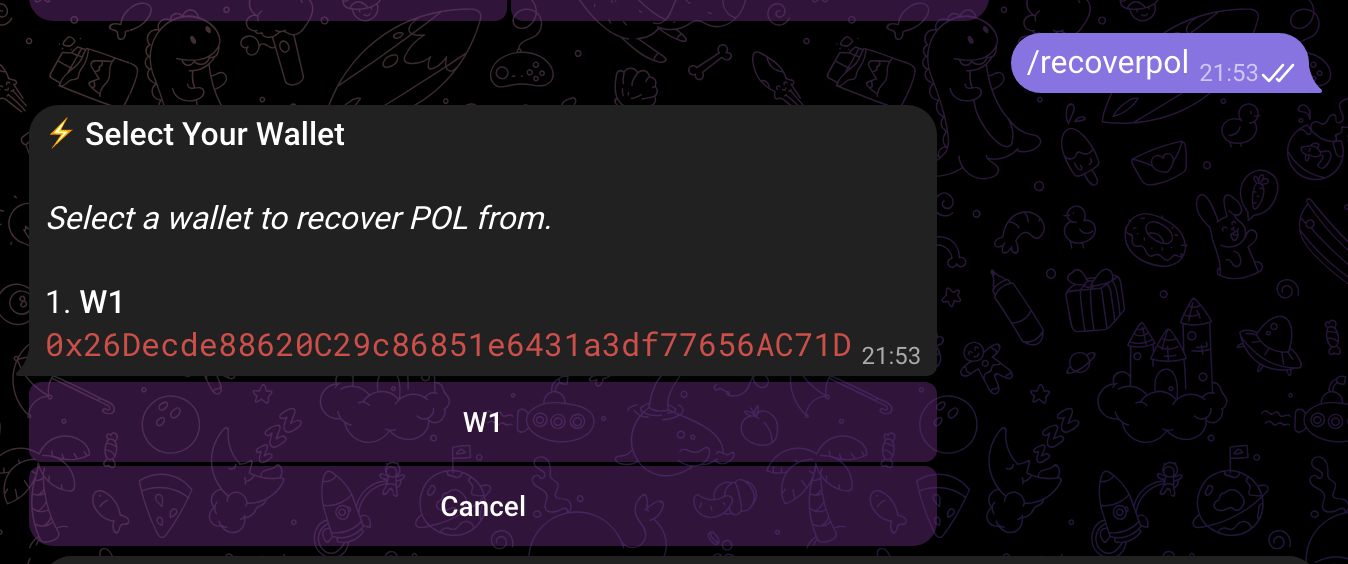
  <Step title="Type /recoverpol inside of the bot">
    <Frame>
      <img src="https://mintcdn.com/kreo/ebcMqviEMdZTYPPz/images/Screenshot2026-02-25at21.55.29.png?fit=max&auto=format&n=ebcMqviEMdZTYPPz&q=85&s=dc440002624906d14b4d99d878e8fb54" alt="Screenshot2026 02 25at21 55 29" width="1348" height="564" data-path="images/Screenshot2026-02-25at21.55.29.png" />
    </Frame>
  </Step>

  <Step title="Select the wallet you wish to recover from (Usually W1)" />

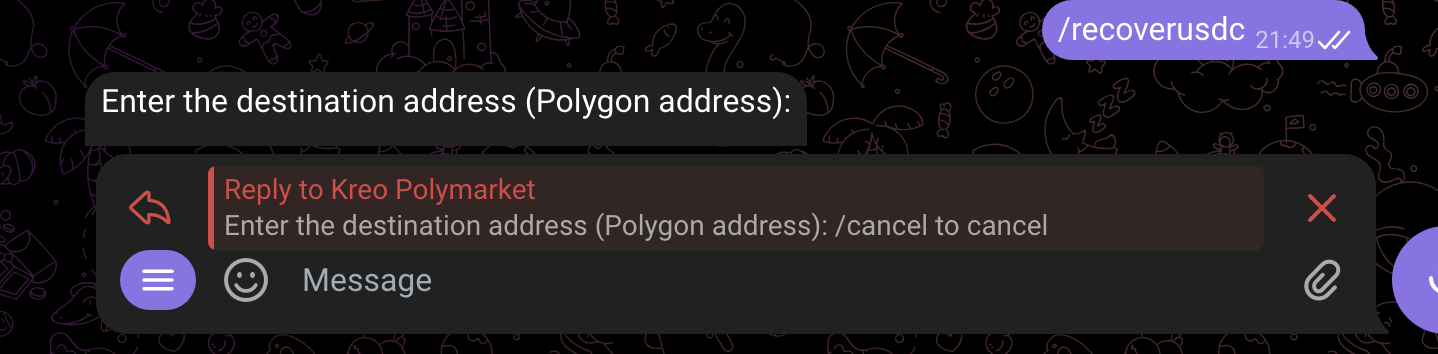
  <Step title="Enter the destination address you wish to recover funds to">
    <Frame>
      <img src="https://mintcdn.com/kreo/ebcMqviEMdZTYPPz/images/Screenshot2026-02-25at21.49.39.png?fit=max&auto=format&n=ebcMqviEMdZTYPPz&q=85&s=e7d5328a0c33aede68088f7862d6de0a" alt="Screenshot 2026 02 25 At 21 49 39" width="1438" height="354" data-path="images/Screenshot2026-02-25at21.49.39.png" />
    </Frame>
  </Step>

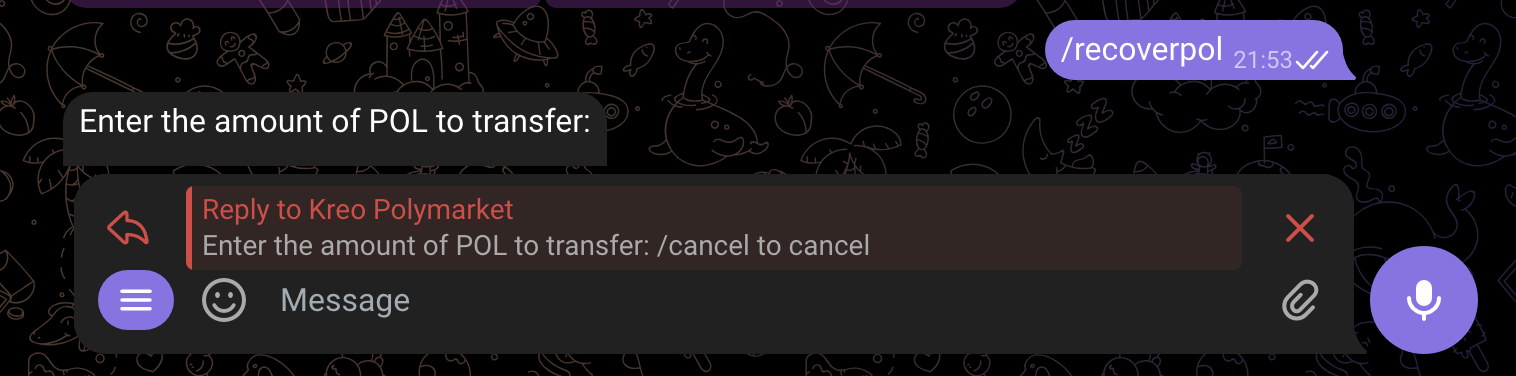
  <Step title="Enter the amount of POL you sent that needs to be recovered">
    <Frame>
      <img src="https://mintcdn.com/kreo/ebcMqviEMdZTYPPz/images/Screenshot2026-02-25at21.56.23.png?fit=max&auto=format&n=ebcMqviEMdZTYPPz&q=85&s=933976058d71bf749d6f0cee04a2878c" alt="Screenshot2026 02 25at21 56 23" width="1516" height="376" data-path="images/Screenshot2026-02-25at21.56.23.png" />
    </Frame>
  </Step>

  <Step title="You will receive your funds inside of the wallet provided.">
    You can now exchange funds to USDC.e using Phantom or navigate to /wallets and click `Deposit` and we can bridge it for you! 
  </Step>
</Steps>