> ## Documentation Index
> Fetch the complete documentation index at: https://docs.kreo.app/llms.txt
> Use this file to discover all available pages before exploring further.
# Portfolio
> View your complete trading overview in one place.
**How to Access**
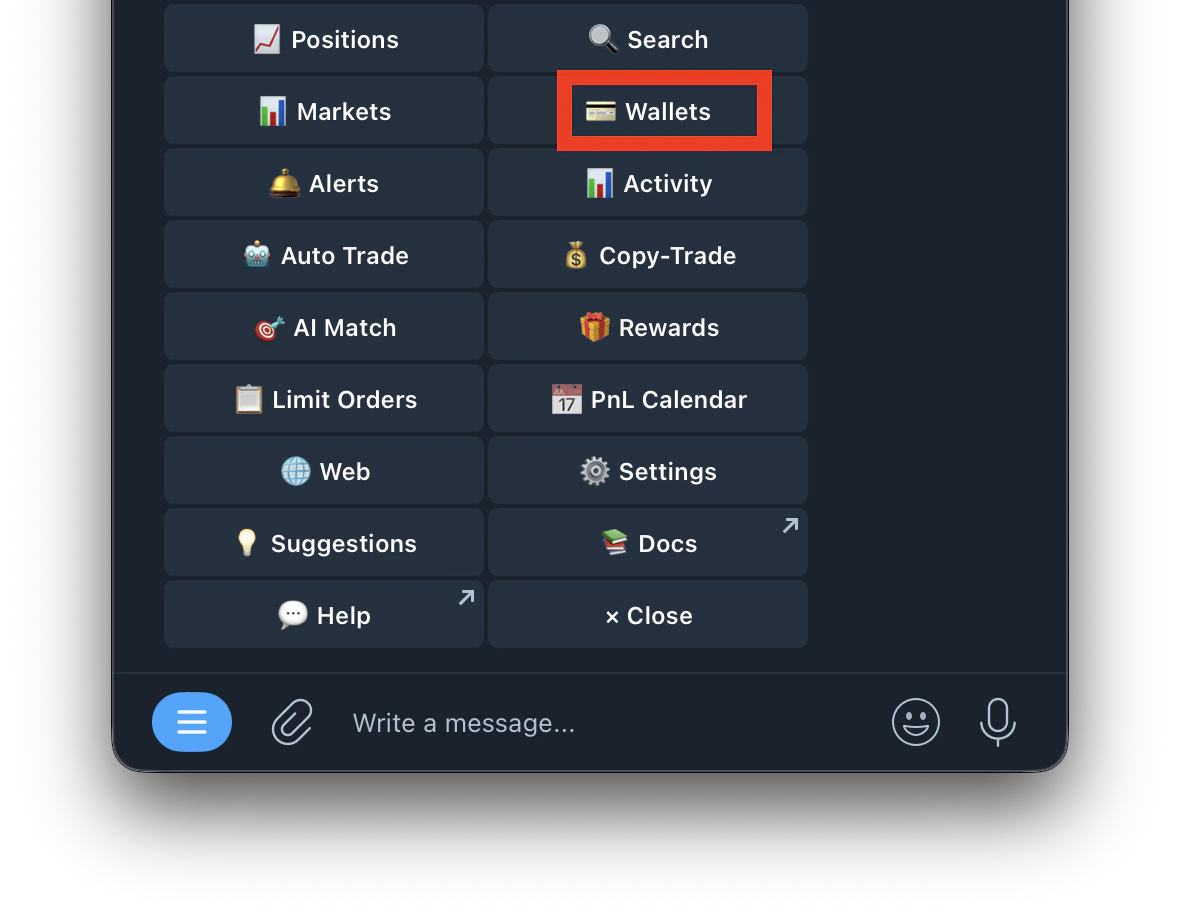
1. Type /start and tap **Wallet**
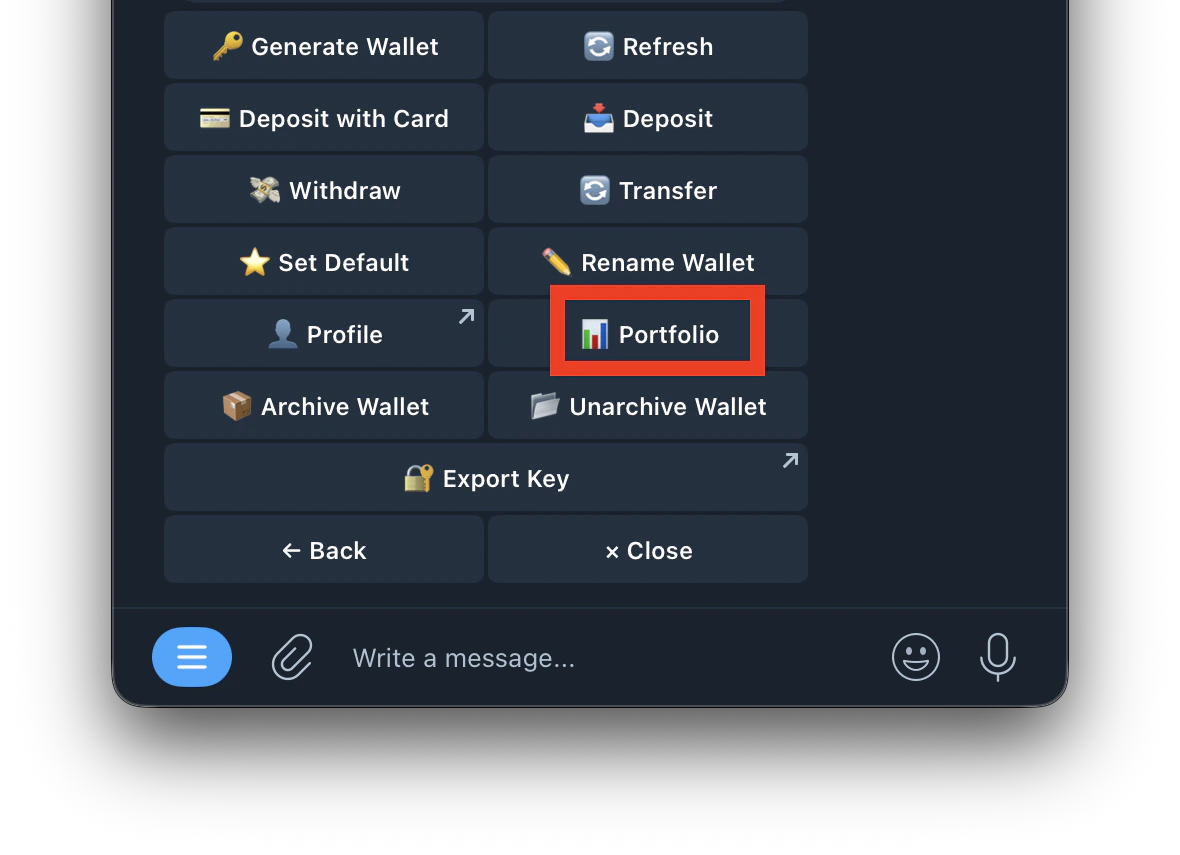
 2. Select **Portfolio**
 **Portfolio Overview**
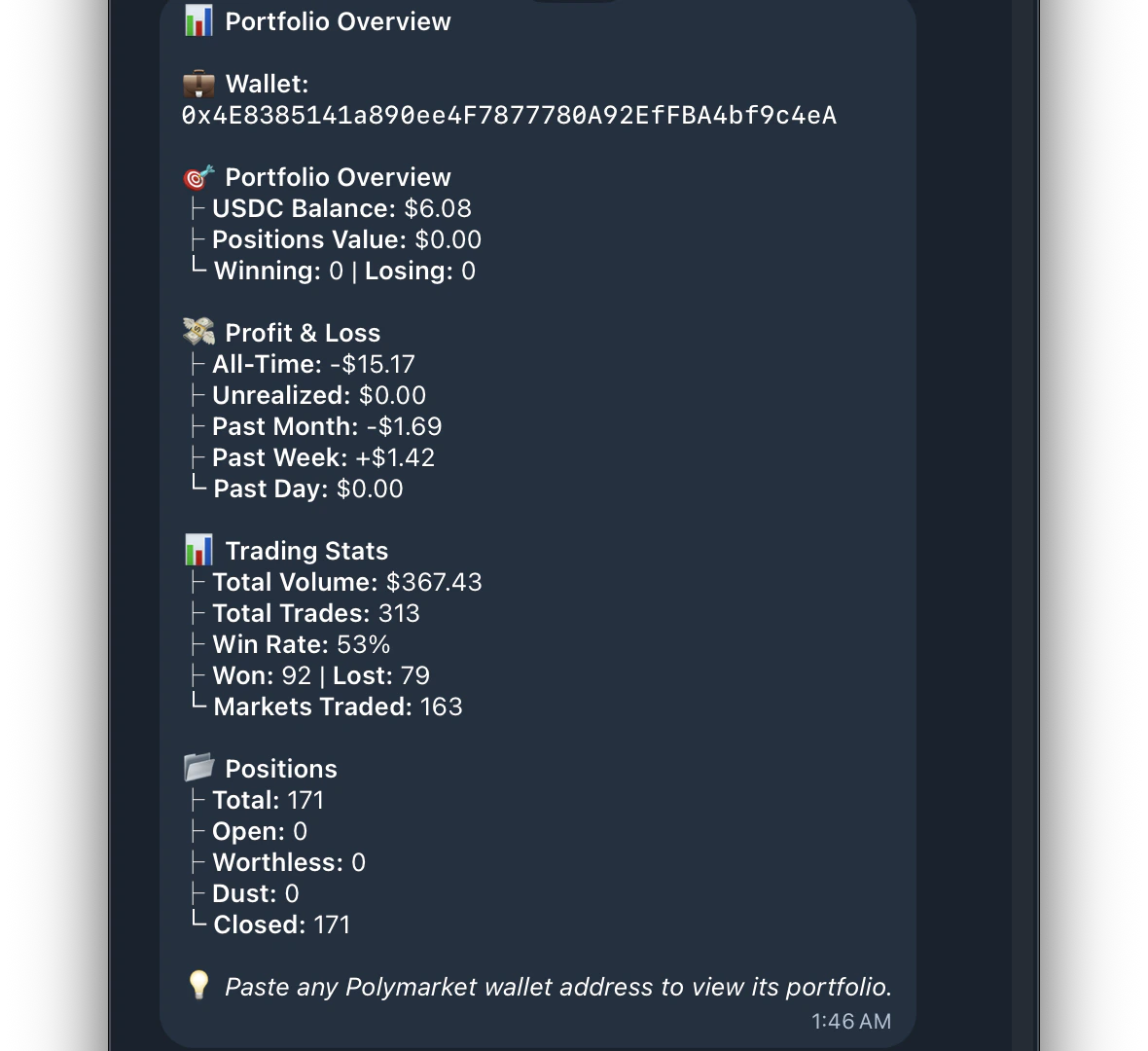 | Field | What it shows |
| :------------------- | :---------------------------------------------- |
| **Wallet Address** | Your Kreo wallet address |
| **USDC Balance** | Available balance ready to trade |
| **Positions Value** | Current value of all open positions combined |
| **Winning / Losing** | Number of positions currently in profit vs loss |
**Profit & Loss**
| Field | What it shows |
| :------------- | :---------------------------------- |
| **All-Time** | Total PnL since you started trading |
| **Unrealized** | PnL on positions still open |
| **Past Month** | PnL over the last 30 days |
| **Past Week** | PnL over the last 7 days |
| **Past Day** | PnL over the last 24 hours |
**Trading Stats**
| Field | What it shows |
| :----------------- | :------------------------------------------ |
| **Total Volume** | Total amount traded (buys + sells combined) |
| **Total Trades** | Number of trades placed |
| **Win Rate** | Percentage of trades that were profitable |
| **Won / Lost** | Number of winning vs losing trades |
| **Markets Traded** | Number of unique markets you've traded |
**Positions**
| Field | What it shows |
| :------------ | :------------------------------------------ |
| **Total** | All positions ever opened |
| **Open** | Currently active positions |
| **Worthless** | Positions that resolved at \$0 |
| **Dust** | Positions with a very small remaining value |
| **Closed** | Fully closed or resolved positions |
You can also paste any Polymarket wallet address to view their portfolio.
**PnL Calendar**
> See your past PnL displayed in a calendar format. Track your daily wins and losses at a glance.
**How to Access**\
Type /start and tap **PnL Calendar**
\
[Read more about PnL Calendar here ](https://docs.kreo.app/PnL-calender)
| Field | What it shows |
| :------------------- | :---------------------------------------------- |
| **Wallet Address** | Your Kreo wallet address |
| **USDC Balance** | Available balance ready to trade |
| **Positions Value** | Current value of all open positions combined |
| **Winning / Losing** | Number of positions currently in profit vs loss |
**Profit & Loss**
| Field | What it shows |
| :------------- | :---------------------------------- |
| **All-Time** | Total PnL since you started trading |
| **Unrealized** | PnL on positions still open |
| **Past Month** | PnL over the last 30 days |
| **Past Week** | PnL over the last 7 days |
| **Past Day** | PnL over the last 24 hours |
**Trading Stats**
| Field | What it shows |
| :----------------- | :------------------------------------------ |
| **Total Volume** | Total amount traded (buys + sells combined) |
| **Total Trades** | Number of trades placed |
| **Win Rate** | Percentage of trades that were profitable |
| **Won / Lost** | Number of winning vs losing trades |
| **Markets Traded** | Number of unique markets you've traded |
**Positions**
| Field | What it shows |
| :------------ | :------------------------------------------ |
| **Total** | All positions ever opened |
| **Open** | Currently active positions |
| **Worthless** | Positions that resolved at \$0 |
| **Dust** | Positions with a very small remaining value |
| **Closed** | Fully closed or resolved positions |
You can also paste any Polymarket wallet address to view their portfolio.
**PnL Calendar**
> See your past PnL displayed in a calendar format. Track your daily wins and losses at a glance.
**How to Access**\
Type /start and tap **PnL Calendar**
\
[Read more about PnL Calendar here ](https://docs.kreo.app/PnL-calender)
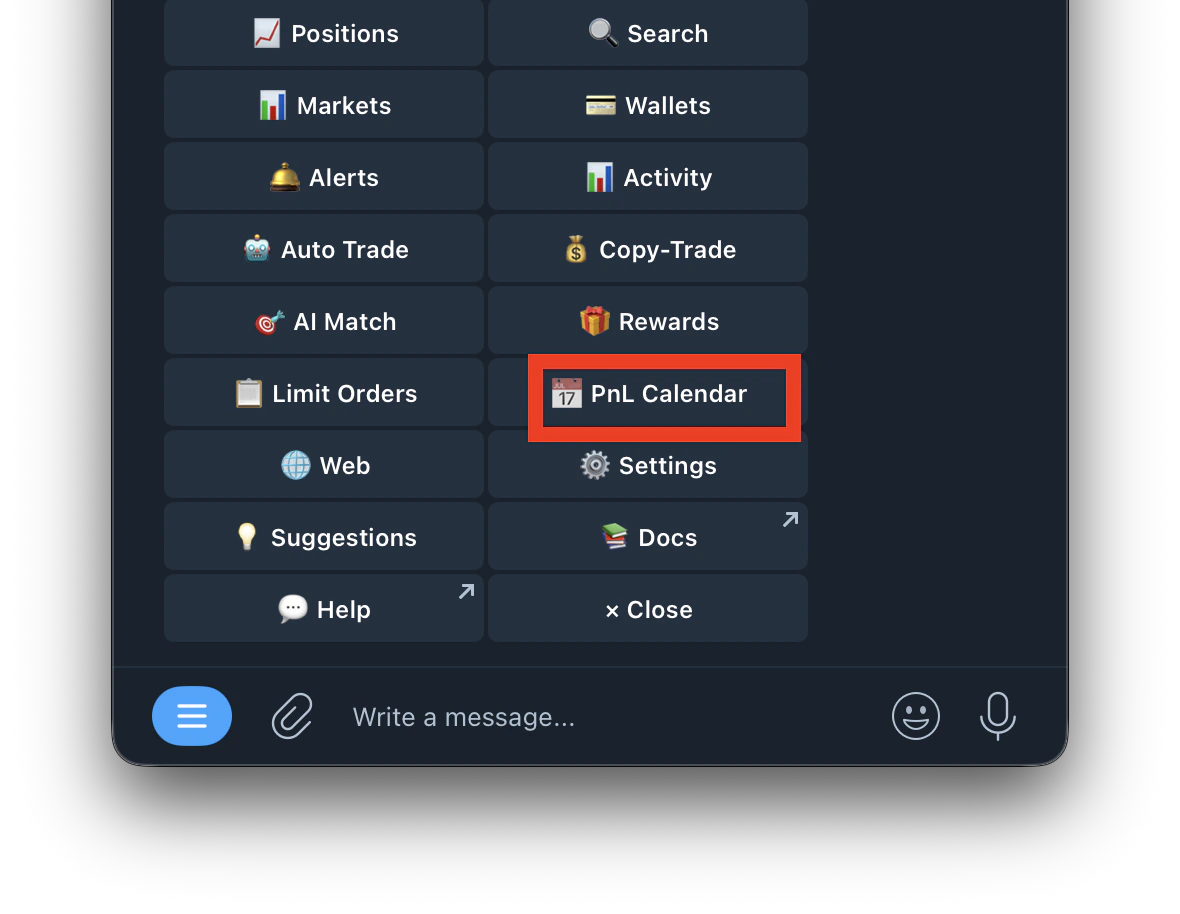 Each day shows your net profit or loss for that day. Green days = profit. Red days = loss. Use it to spot patterns in your trading performance over time.