> ## Documentation Index
> Fetch the complete documentation index at: https://docs.kreo.app/llms.txt
> Use this file to discover all available pages before exploring further.
# Notifications
> Choose which Polymarket alerts you want to receive. Fine-tune notifications by category.
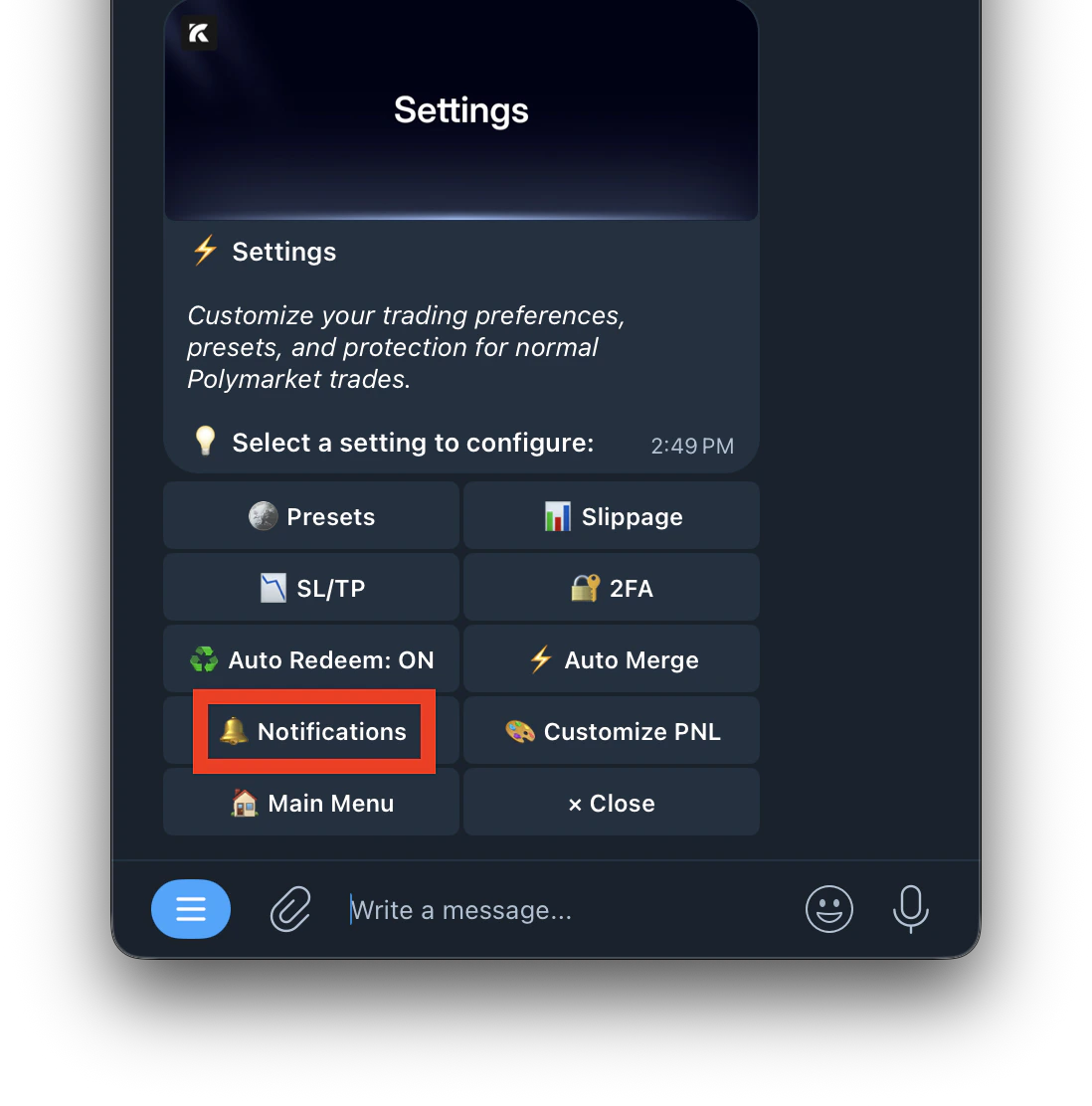
**Navigate to /settings and click on Notifications.**
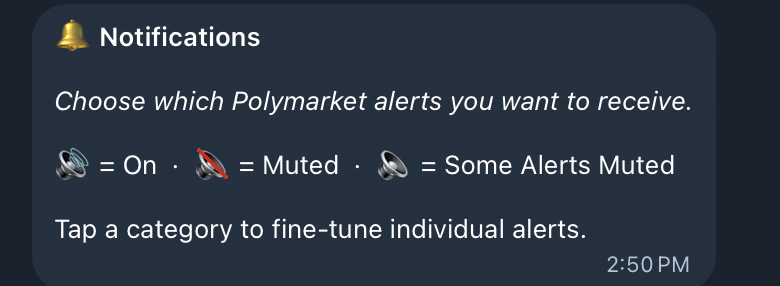
 **Notification Status Icons**
 | Icon | What it means |
| :--- | :-------------------------------------------- |
| 🔊 | All notifications in this category are on |
| 🔇 | All notifications in this category are muted |
| 🔈 | Some notifications in this category are muted |
***
**Notification Categories**
| Icon | What it means |
| :--- | :-------------------------------------------- |
| 🔊 | All notifications in this category are on |
| 🔇 | All notifications in this category are muted |
| 🔈 | Some notifications in this category are muted |
***
**Notification Categories**
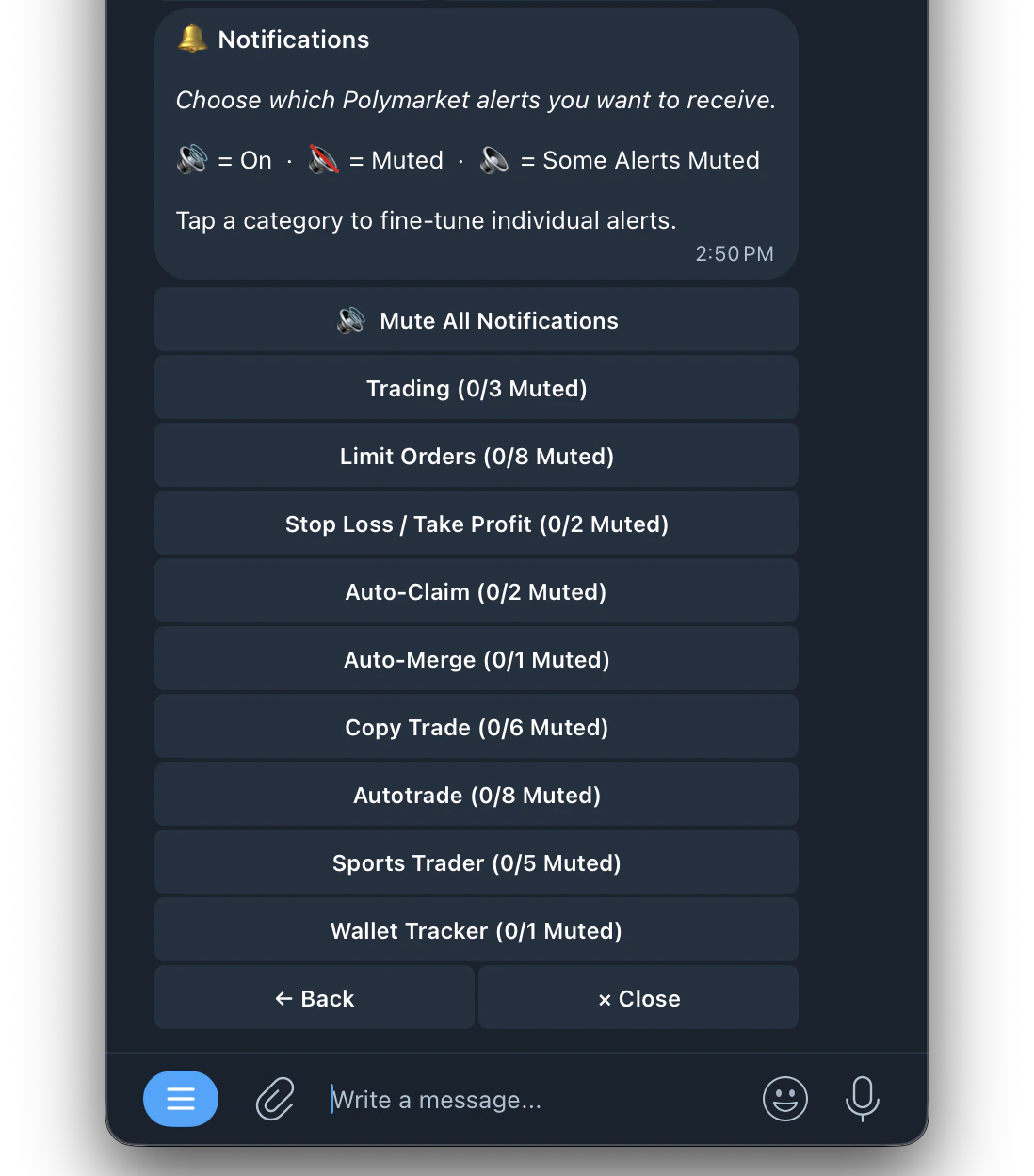 Tap any category to fine-tune which individual alerts you receive.
| Category | What it covers |
| :-------------------------- | :----------------------------------------------------------------------- |
| **Mute All Notifications** | Turns off all notifications across every category at once |
| **Trading** | Alerts for manual buy and sell orders |
| **Limit Orders** | Alerts for limit order placements, fills, cancellations, and expirations |
| **Stop Loss / Take Profit** | Alerts when a stop loss or take profit triggers |
| **Auto-Claim** | Alerts when positions are automatically claimed/redeemed |
| **Auto-Merge** | Alerts when YES+NO positions are automatically merged |
| **Copy Trade** | Alerts for copy trade buys, sells, skips, and failures |
| **Auto Trade** | Alerts for auto trade entries, exits, and smart actions |
| **Sports Trader** | Alerts specific to sports auto trade activity |
| **Wallet Tracker** | Alerts when a tracked wallet places a trade |
***
* Use **Mute All** if you want the bot to trade silently in the background
* Muting Copy Trade notifications helps avoid Telegram rate limits if you run many tasks
* You can always unmute specific categories while keeping others muted
Tap any category to fine-tune which individual alerts you receive.
| Category | What it covers |
| :-------------------------- | :----------------------------------------------------------------------- |
| **Mute All Notifications** | Turns off all notifications across every category at once |
| **Trading** | Alerts for manual buy and sell orders |
| **Limit Orders** | Alerts for limit order placements, fills, cancellations, and expirations |
| **Stop Loss / Take Profit** | Alerts when a stop loss or take profit triggers |
| **Auto-Claim** | Alerts when positions are automatically claimed/redeemed |
| **Auto-Merge** | Alerts when YES+NO positions are automatically merged |
| **Copy Trade** | Alerts for copy trade buys, sells, skips, and failures |
| **Auto Trade** | Alerts for auto trade entries, exits, and smart actions |
| **Sports Trader** | Alerts specific to sports auto trade activity |
| **Wallet Tracker** | Alerts when a tracked wallet places a trade |
***
* Use **Mute All** if you want the bot to trade silently in the background
* Muting Copy Trade notifications helps avoid Telegram rate limits if you run many tasks
* You can always unmute specific categories while keeping others muted