> ## Documentation Index
> Fetch the complete documentation index at: https://docs.kreo.app/llms.txt
> Use this file to discover all available pages before exploring further.
# Leagues
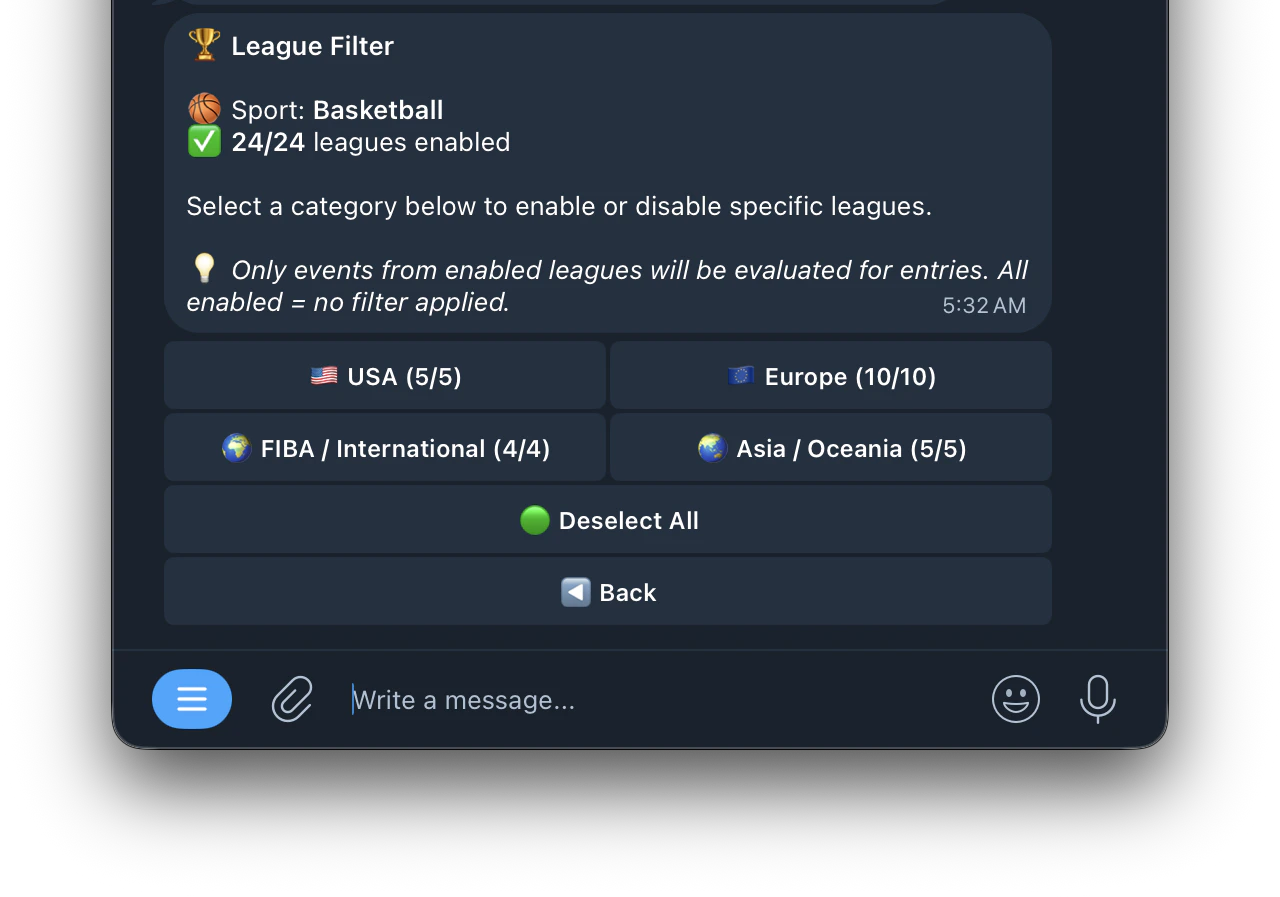
> Access the League Filter by tapping **🏆 Leagues** from the Edit Task menu. This lets you control which competitions and leagues your task is allowed to trade in.
Leagues are organized into regional categories. Tap a category to expand it and toggle individual leagues on or off. The number in brackets shows how many leagues are currently enabled out of the total available (e.g. **5/5** means all leagues in that category are enabled).
For a Basketball task the leagues are organized into 4 regional categories:
* 🇺🇸 **USA** (5/5) — NBA, G League and other US competitions
* 🇪🇺 **Europe** (10/10) — EuroLeague, national leagues and cups
* 🌍 **FIBA / International** (4/4) — World Cup, Olympic and FIBA competitions
* 🌏 **Asia / Oceania** (5/5) — NBL, Asian leagues and regional competitions