> ## Documentation Index
> Fetch the complete documentation index at: https://docs.kreo.app/llms.txt
> Use this file to discover all available pages before exploring further.

# Generate Wallet

> Create a new Kreo wallet to separate your funds or run different strategies.

**How to Generate a Wallet**

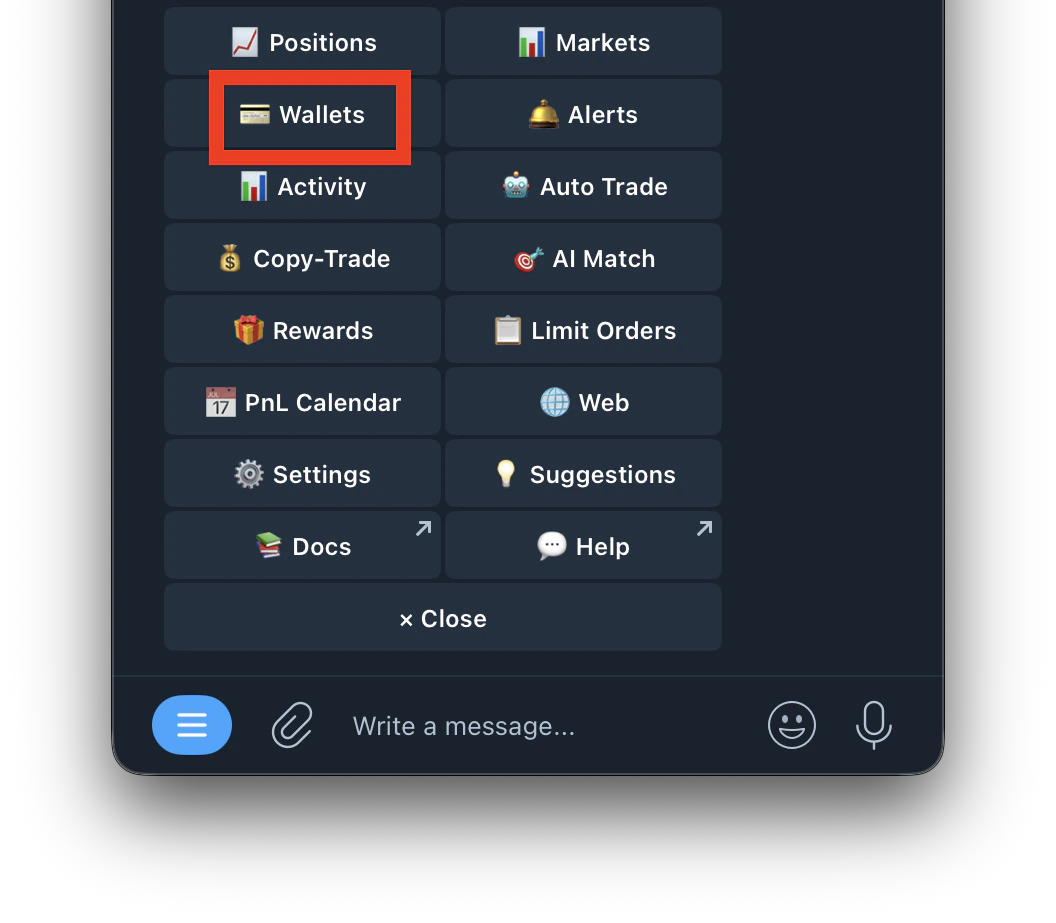
1. Go to /wallets or /start and click on Wallets
   <Frame>
     <img src="https://mintcdn.com/kreo/yWrXdDvJb6c4jPiY/images/Screenshot-2026-04-30-at-2.00.40-PM.png?fit=max&auto=format&n=yWrXdDvJb6c4jPiY&q=85&s=cf5bddf5a76417a6db7c4537fa412146" alt="Screenshot 2026 04 30 At 2 00 40 PM" title="Screenshot 2026 04 30 At 2 00 40 PM" className="mx-auto" style={{ width:"49%" }} width="1056" height="923" data-path="images/Screenshot-2026-04-30-at-2.00.40-PM.png" />
   </Frame>
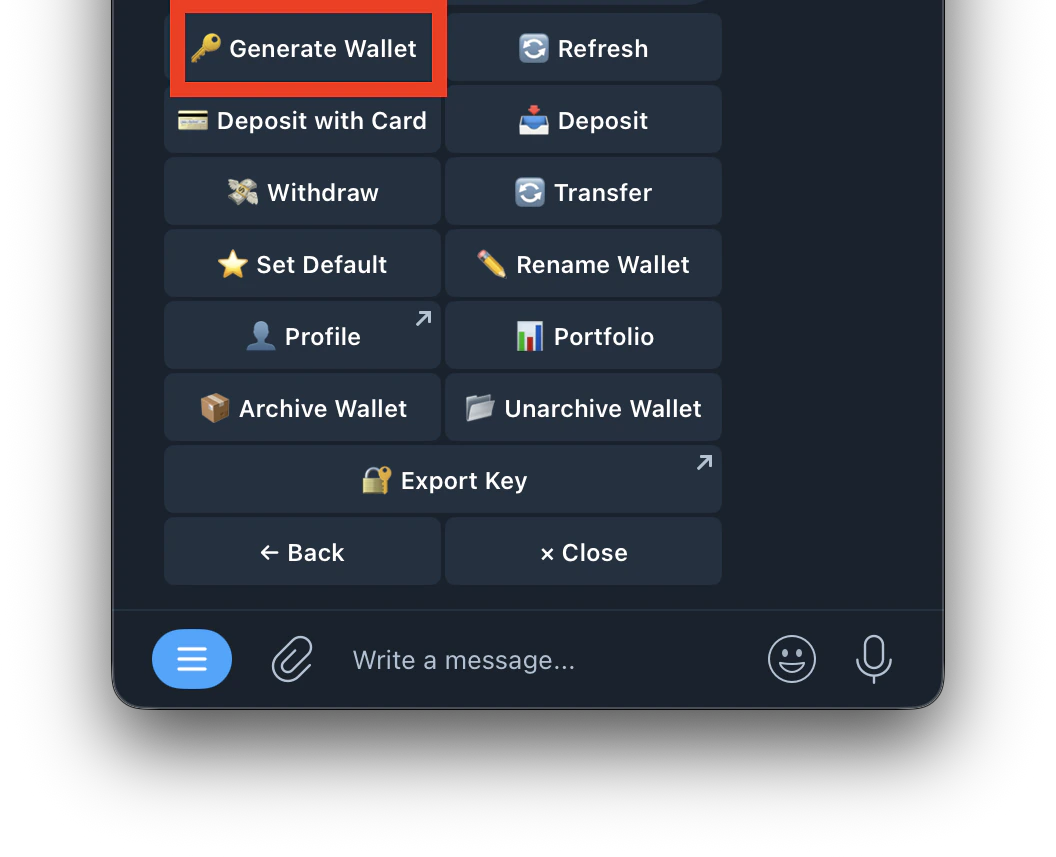
2. Tap **Generate Wallet**
   <Frame>
     <img src="https://mintcdn.com/kreo/yWrXdDvJb6c4jPiY/images/Screenshot-2026-04-30-at-2.02.07-PM.png?fit=max&auto=format&n=yWrXdDvJb6c4jPiY&q=85&s=2aa30526df17844de61935a1504cec47" alt="Screenshot 2026 04 30 At 2 02 07 PM" title="Screenshot 2026 04 30 At 2 02 07 PM" className="mx-auto" style={{ width:"46%" }} width="1056" height="857" data-path="images/Screenshot-2026-04-30-at-2.02.07-PM.png" />
   </Frame>
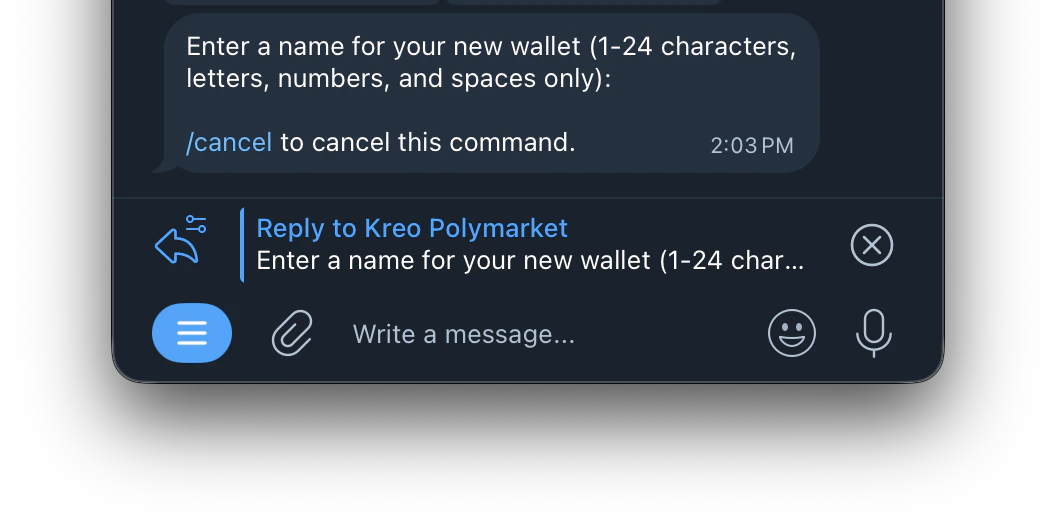
3. Enter a name for your new wallet (1–24 characters, letters, numbers, and spaces only)
   <Frame>
     <img src="https://mintcdn.com/kreo/yWrXdDvJb6c4jPiY/images/Screenshot-2026-04-30-at-2.03.08-PM.png?fit=max&auto=format&n=yWrXdDvJb6c4jPiY&q=85&s=049d2c5d36c9534bd397ea4854e23188" alt="Screenshot 2026 04 30 At 2 03 08 PM" title="Screenshot 2026 04 30 At 2 03 08 PM" className="mx-auto" style={{ width:"59%" }} width="1056" height="531" data-path="images/Screenshot-2026-04-30-at-2.03.08-PM.png" />
   </Frame>
4. Your new wallet is created and ready to use

<Tip>
  You can have multiple wallets (W1, W2, W3, etc.) — each operates independently with its own balance.
</Tip>