> ## Documentation Index
> Fetch the complete documentation index at: https://docs.kreo.app/llms.txt
> Use this file to discover all available pages before exploring further.
# Edit Task (Crypto Auto Trade)
> Once a task is created you can edit all its settings from the task menu. Below is an overview of each section.
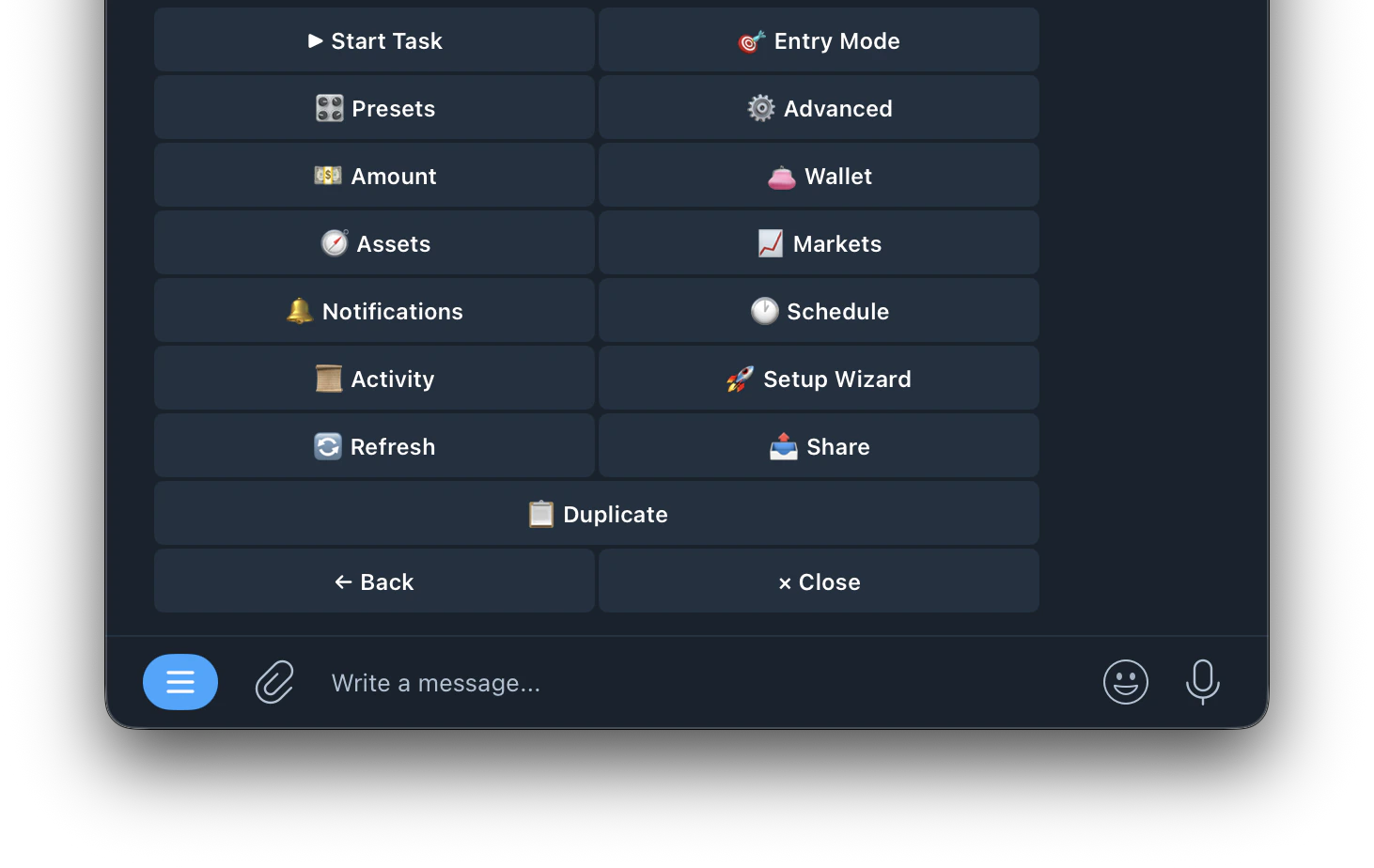 | Buttons | Fuction |
| ------------------------------------------------------------------------------ | ---------------------------------------------------------------------------------------- |
| **▶ Start Task** | Starts the task running |
| [**🎯 Entry Mode**](https://docs.kreo.app/entry-mode) | Configure how the bot decides when to enter a trade |
| [**🎛️ Presets**](https://docs.kreo.app/presets) | Apply beginner-friendly preset templates to your entry filters |
| [**⚙️ Advanced**](https://docs.kreo.app/advanced) | Configure advanced settings like Auto-Hedge, Stop Loss, Take Profit, Conviction and more |
| **💵 Amount** | Set your trade size (Fixed or Auto-Scale) |
| **👛 Wallet** | Select which wallet this task trades from |
| **🎯 Assets** | Choose which crypto assets this task is allowed to trade |
| **📈 Markets** | Configure which markets the task trades on |
| [**🔔 Notifications**](https://docs.kreo.app/notifications) | Customize which alerts you receive for this task |
| [**🕐 Schedule**](https://docs.kreo.app/schedule-crypto-auto-trade) | Set trading hours for this task |
| **📋 Activity** | View all trade activity for this task |
| **🚀 Setup Wizard** | Re-run the setup wizard to reconfigure the task |
| **🔄 Refresh** | Refresh the task menu |
| **📤 Share** | Share this task |
| **📋 Duplicate** | Create a copy of this task |
| Buttons | Fuction |
| ------------------------------------------------------------------------------ | ---------------------------------------------------------------------------------------- |
| **▶ Start Task** | Starts the task running |
| [**🎯 Entry Mode**](https://docs.kreo.app/entry-mode) | Configure how the bot decides when to enter a trade |
| [**🎛️ Presets**](https://docs.kreo.app/presets) | Apply beginner-friendly preset templates to your entry filters |
| [**⚙️ Advanced**](https://docs.kreo.app/advanced) | Configure advanced settings like Auto-Hedge, Stop Loss, Take Profit, Conviction and more |
| **💵 Amount** | Set your trade size (Fixed or Auto-Scale) |
| **👛 Wallet** | Select which wallet this task trades from |
| **🎯 Assets** | Choose which crypto assets this task is allowed to trade |
| **📈 Markets** | Configure which markets the task trades on |
| [**🔔 Notifications**](https://docs.kreo.app/notifications) | Customize which alerts you receive for this task |
| [**🕐 Schedule**](https://docs.kreo.app/schedule-crypto-auto-trade) | Set trading hours for this task |
| **📋 Activity** | View all trade activity for this task |
| **🚀 Setup Wizard** | Re-run the setup wizard to reconfigure the task |
| **🔄 Refresh** | Refresh the task menu |
| **📤 Share** | Share this task |
| **📋 Duplicate** | Create a copy of this task |