> ## Documentation Index
> Fetch the complete documentation index at: https://docs.kreo.app/llms.txt
> Use this file to discover all available pages before exploring further.
# Edit Task Settings
> Adjust your task settings including buy method, filters, risk management and more.
**How to Access**
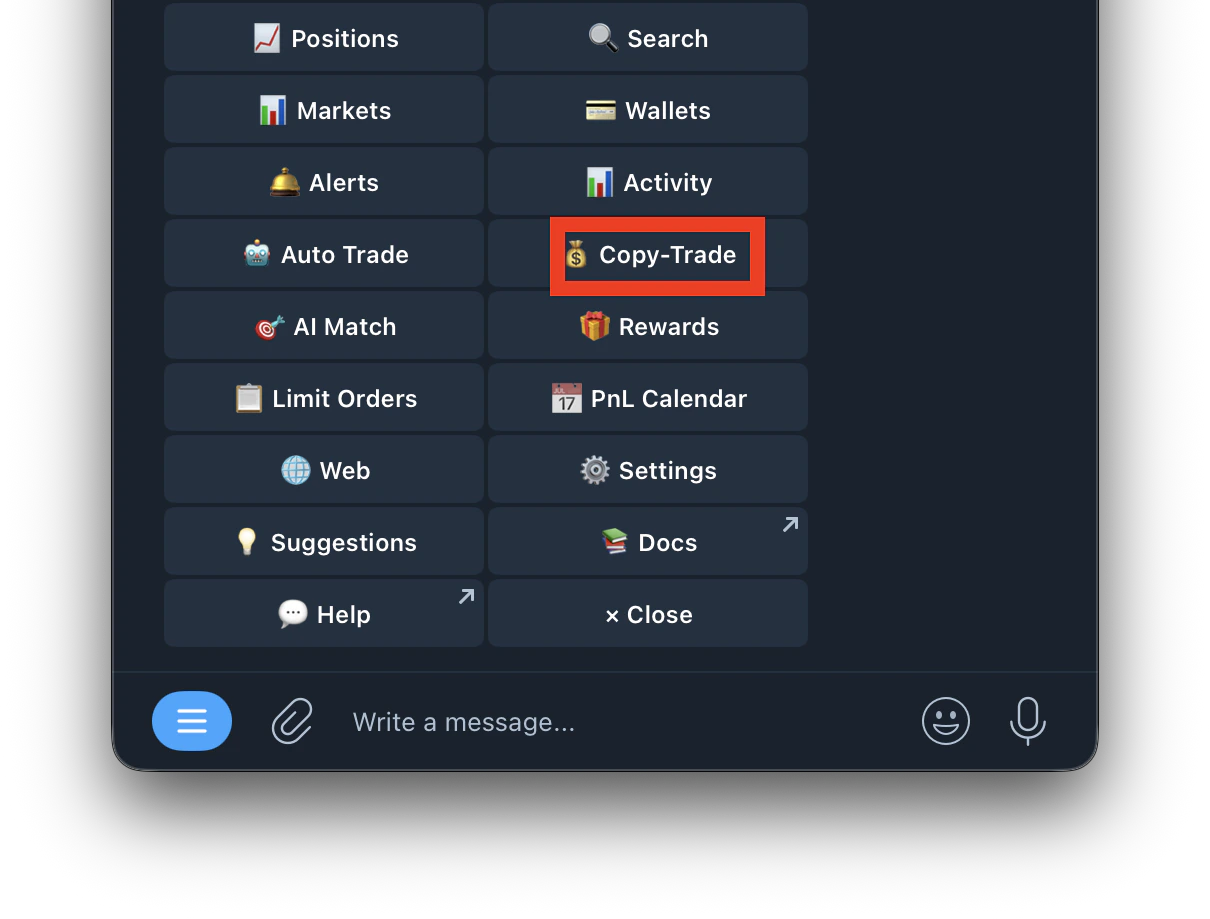
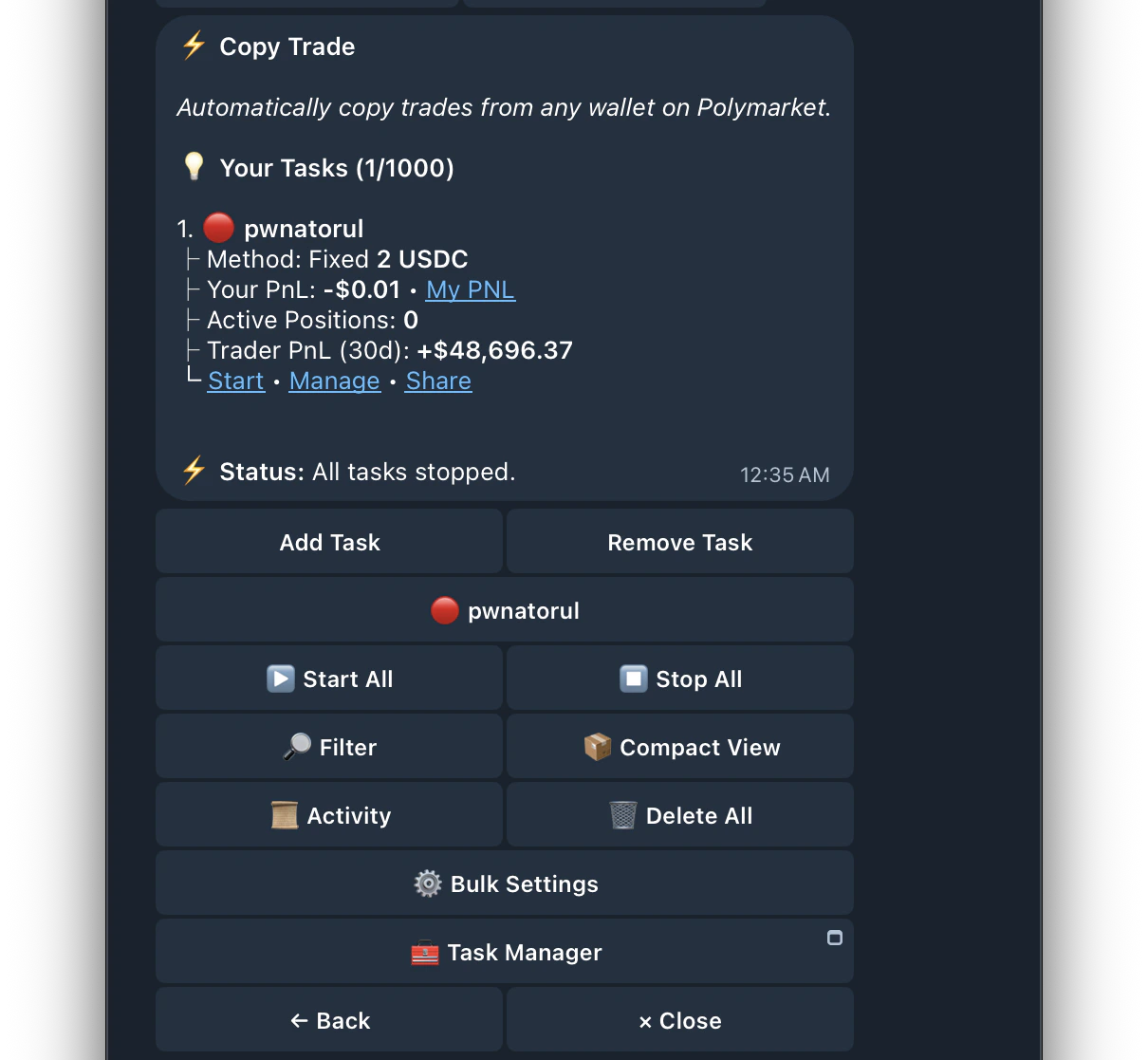
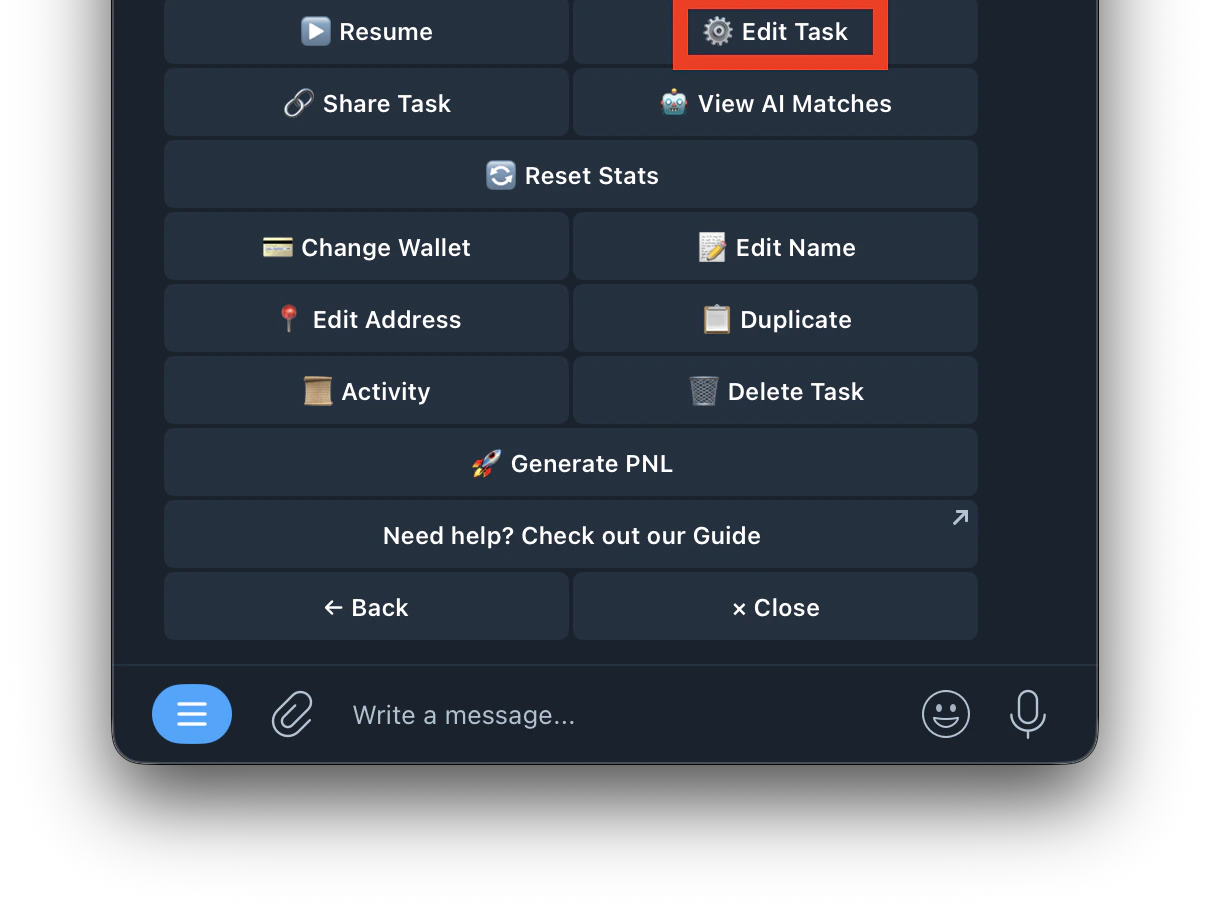 **Task Overview**
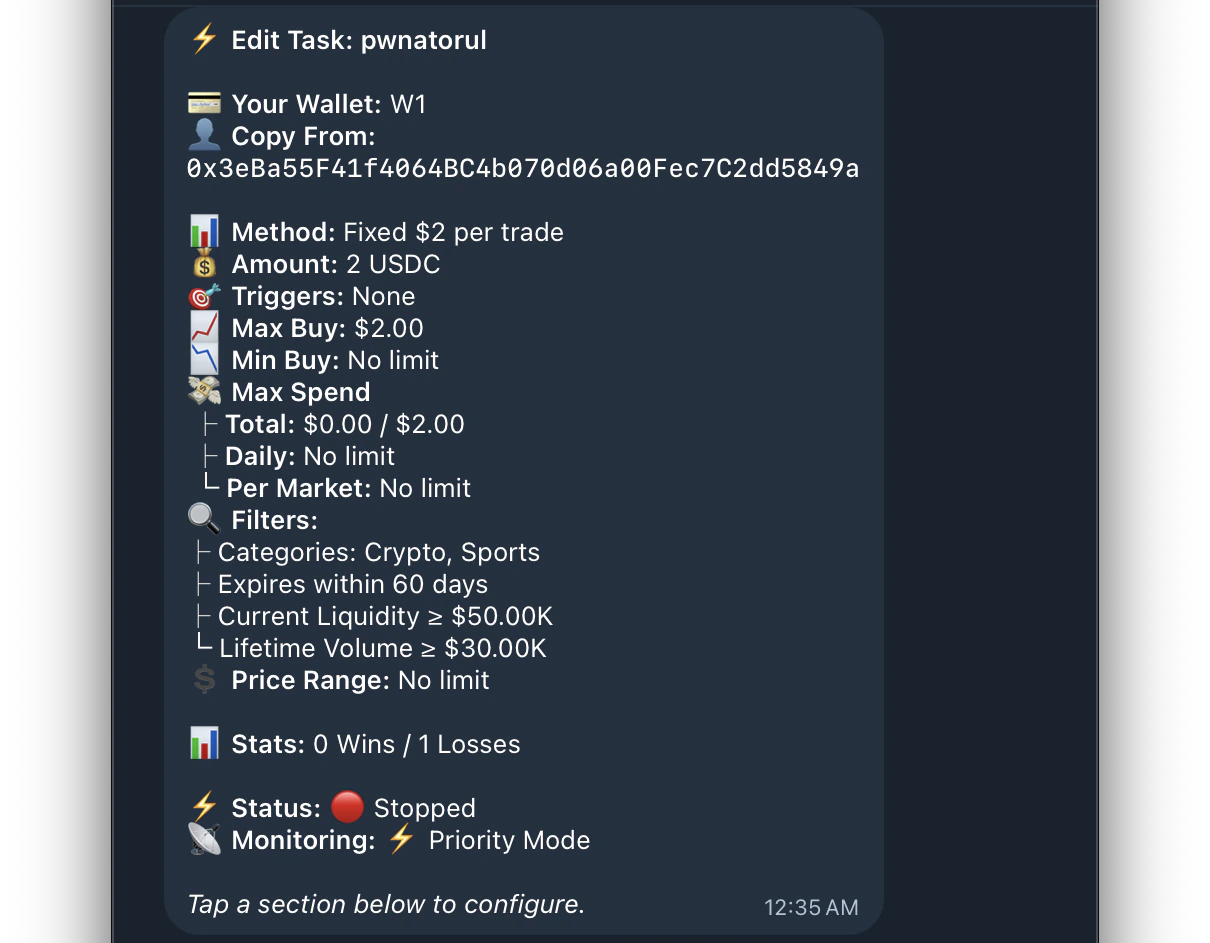 > When you open Edit Task you'll see a summary of your current settings:
| Field | What it shows |
| :-------------- | :----------------------------------------------------------- |
| **Your Wallet** | Which Kreo wallet this task is trading from |
| **Copy From** | The wallet address being copied |
| **Method** | Your current buy method and amount |
| **Amount** | USDC amount per trade |
| **Triggers** | Min/Max trigger thresholds |
| **Max Buy** | Hard cap per trade |
| **Min Buy** | Minimum amount per trade |
| **Max Spend** | Total, Daily, and Per Market spend limits with current usage |
| **Filters** | Active filters (categories, expiry, liquidity, volume) |
| **Price Range** | Min/Max odds filter |
| **Stats** | Win/Loss record for this task |
| **Status** | Running 🟢 or Stopped 🔴 |
| **Monitoring** | Normal or Priority Mode |
> When you open Edit Task you'll see a summary of your current settings:
| Field | What it shows |
| :-------------- | :----------------------------------------------------------- |
| **Your Wallet** | Which Kreo wallet this task is trading from |
| **Copy From** | The wallet address being copied |
| **Method** | Your current buy method and amount |
| **Amount** | USDC amount per trade |
| **Triggers** | Min/Max trigger thresholds |
| **Max Buy** | Hard cap per trade |
| **Min Buy** | Minimum amount per trade |
| **Max Spend** | Total, Daily, and Per Market spend limits with current usage |
| **Filters** | Active filters (categories, expiry, liquidity, volume) |
| **Price Range** | Min/Max odds filter |
| **Stats** | Win/Loss record for this task |
| **Status** | Running 🟢 or Stopped 🔴 |
| **Monitoring** | Normal or Priority Mode |
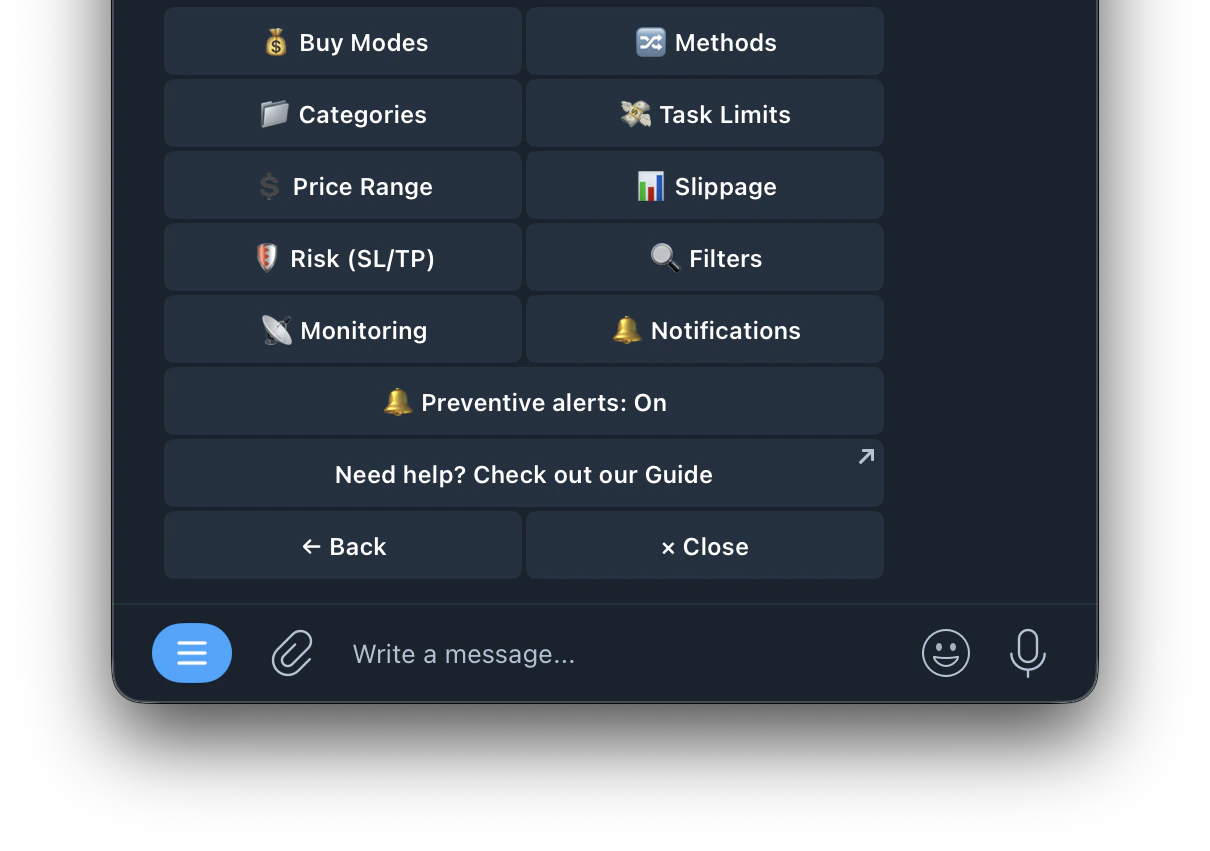 **Edit Task Buttons**
| Button | What it does |
| :------------------------------------------------------------------- | :-------------------------------------------------------------------------------------------------------------------- |
| [💵 Buy Modes](https://docs.kreo.app/buy-modes) | Change your buy method — Fixed, Exact, Percentage, or Portfolio Weighted |
| [🔀 Methods](https://docs.kreo.app/methods) | Configure trade behavior — Follow Buys, Copy Sells, Counter Trade, Price Match Mode, Buy/Sell Limit, One Entry/Market |
| [📁 Categories](https://docs.kreo.app/categories) | Filter which market categories to copy — Crypto, Sports, Politics, etc. Includes crypto sub-category filtering |
| [💸 Task Limits](https://docs.kreo.app/task-limits) | Set Max Spend (Total, Daily, Per Market), One Entry/Market, Partial Fill |
| [💲 Price Range](https://docs.kreo.app/price-range) | Set min/max odds filter for copied trades |
| [📊 Slippage](https://docs.kreo.app/slippage) | Set slippage tolerance for this task. Default 5% |
| [🛡️ Risk (SL/TP)](https://docs.kreo.app/risk-management) | Set Stop Loss, Take Profit, and Trailing Stop for this task |
| [🔍 Filters](https://docs.kreo.app/filters) | Configure Trigger Range, Market Quality, Time Filters, Market Name Filter |
| [📡 Monitoring](https://docs.kreo.app/monitoring-mode) | Switch between Normal and Priority monitoring mode |
| [🔔 Notifications](https://docs.kreo.app/notifications-1) | Customize which notifications you receive for this task |
| 🚨 **Prevention** | Toggle prevention alerts on or off |
Odds are represented as **price from 1¢ to 100¢**.
**Edit Task Buttons**
| Button | What it does |
| :------------------------------------------------------------------- | :-------------------------------------------------------------------------------------------------------------------- |
| [💵 Buy Modes](https://docs.kreo.app/buy-modes) | Change your buy method — Fixed, Exact, Percentage, or Portfolio Weighted |
| [🔀 Methods](https://docs.kreo.app/methods) | Configure trade behavior — Follow Buys, Copy Sells, Counter Trade, Price Match Mode, Buy/Sell Limit, One Entry/Market |
| [📁 Categories](https://docs.kreo.app/categories) | Filter which market categories to copy — Crypto, Sports, Politics, etc. Includes crypto sub-category filtering |
| [💸 Task Limits](https://docs.kreo.app/task-limits) | Set Max Spend (Total, Daily, Per Market), One Entry/Market, Partial Fill |
| [💲 Price Range](https://docs.kreo.app/price-range) | Set min/max odds filter for copied trades |
| [📊 Slippage](https://docs.kreo.app/slippage) | Set slippage tolerance for this task. Default 5% |
| [🛡️ Risk (SL/TP)](https://docs.kreo.app/risk-management) | Set Stop Loss, Take Profit, and Trailing Stop for this task |
| [🔍 Filters](https://docs.kreo.app/filters) | Configure Trigger Range, Market Quality, Time Filters, Market Name Filter |
| [📡 Monitoring](https://docs.kreo.app/monitoring-mode) | Switch between Normal and Priority monitoring mode |
| [🔔 Notifications](https://docs.kreo.app/notifications-1) | Customize which notifications you receive for this task |
| 🚨 **Prevention** | Toggle prevention alerts on or off |
Odds are represented as **price from 1¢ to 100¢**.
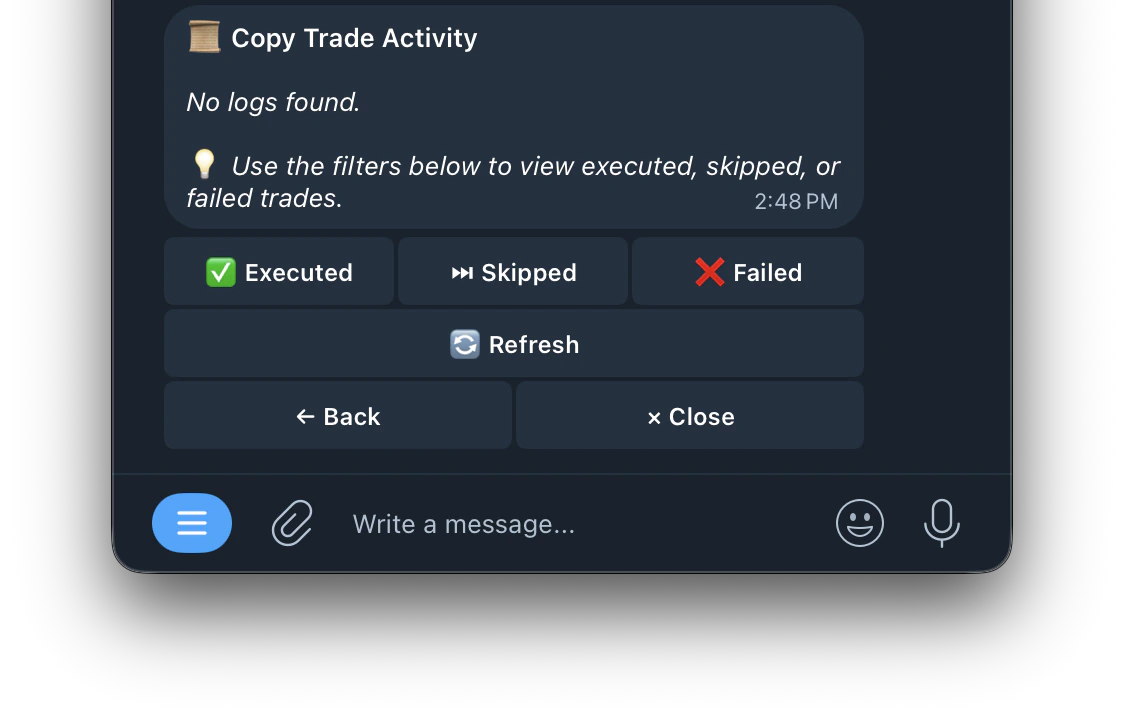 * View your full trade history per task including buys, sells, skips, and failures with reasons
* Shows wins, losses, and skip figures per task
* Use filters to view executed, skipped, or failed trades
* **Duplicate Task**: Copy an existing task’s settings into a new task to save setup time.
* **Reset PnL**: Reset a task’s profit/loss stats to start tracking fresh.
* **Rename Task**: Give your task a custom name for easy identification.
* **Mute Notifications**: Toggle off trade notifications for a task while it keeps running. You can now customize which specific notifications to mute
* **Customize Notifications**: Choose which copy trade notifications you receive. Select specific notification types to reduce message volume and avoid Telegram rate limits
* **Compact Mode**: Show up to 40 tasks on one page for easier management. Ideal for users running many tasks
* **Target Address on Notifications**: Buy and skip notifications now include the target wallet address so you can identify which trader triggered the trade
* **Copy Trade Manager Mini-App**: Manage all your copy trade tasks through a seamless mini-app experience directly inside Telegram. Access it from /copytrade
* **Bulk Edit Tasks**: Edit settings across multiple copy trade tasks at once instead of editing one by one. Ideal for users running many tasks
* **Prevent Repurchase Across Tasks**: Prevents any task from entering a market that another task already holds a position in. Available in bulk settings
We recommend muting notifications and viewing all history of trades inside of the Activity section on copy trade settings.
This prevents Telegram Rate Limits when copying volatile and very active wallets.
* View your full trade history per task including buys, sells, skips, and failures with reasons
* Shows wins, losses, and skip figures per task
* Use filters to view executed, skipped, or failed trades
* **Duplicate Task**: Copy an existing task’s settings into a new task to save setup time.
* **Reset PnL**: Reset a task’s profit/loss stats to start tracking fresh.
* **Rename Task**: Give your task a custom name for easy identification.
* **Mute Notifications**: Toggle off trade notifications for a task while it keeps running. You can now customize which specific notifications to mute
* **Customize Notifications**: Choose which copy trade notifications you receive. Select specific notification types to reduce message volume and avoid Telegram rate limits
* **Compact Mode**: Show up to 40 tasks on one page for easier management. Ideal for users running many tasks
* **Target Address on Notifications**: Buy and skip notifications now include the target wallet address so you can identify which trader triggered the trade
* **Copy Trade Manager Mini-App**: Manage all your copy trade tasks through a seamless mini-app experience directly inside Telegram. Access it from /copytrade
* **Bulk Edit Tasks**: Edit settings across multiple copy trade tasks at once instead of editing one by one. Ideal for users running many tasks
* **Prevent Repurchase Across Tasks**: Prevents any task from entering a market that another task already holds a position in. Available in bulk settings
We recommend muting notifications and viewing all history of trades inside of the Activity section on copy trade settings.
This prevents Telegram Rate Limits when copying volatile and very active wallets.