> ## Documentation Index
> Fetch the complete documentation index at: https://docs.kreo.app/llms.txt
> Use this file to discover all available pages before exploring further.

# Buy Presets

> Configure your quick buy amounts shown on the buy panel.

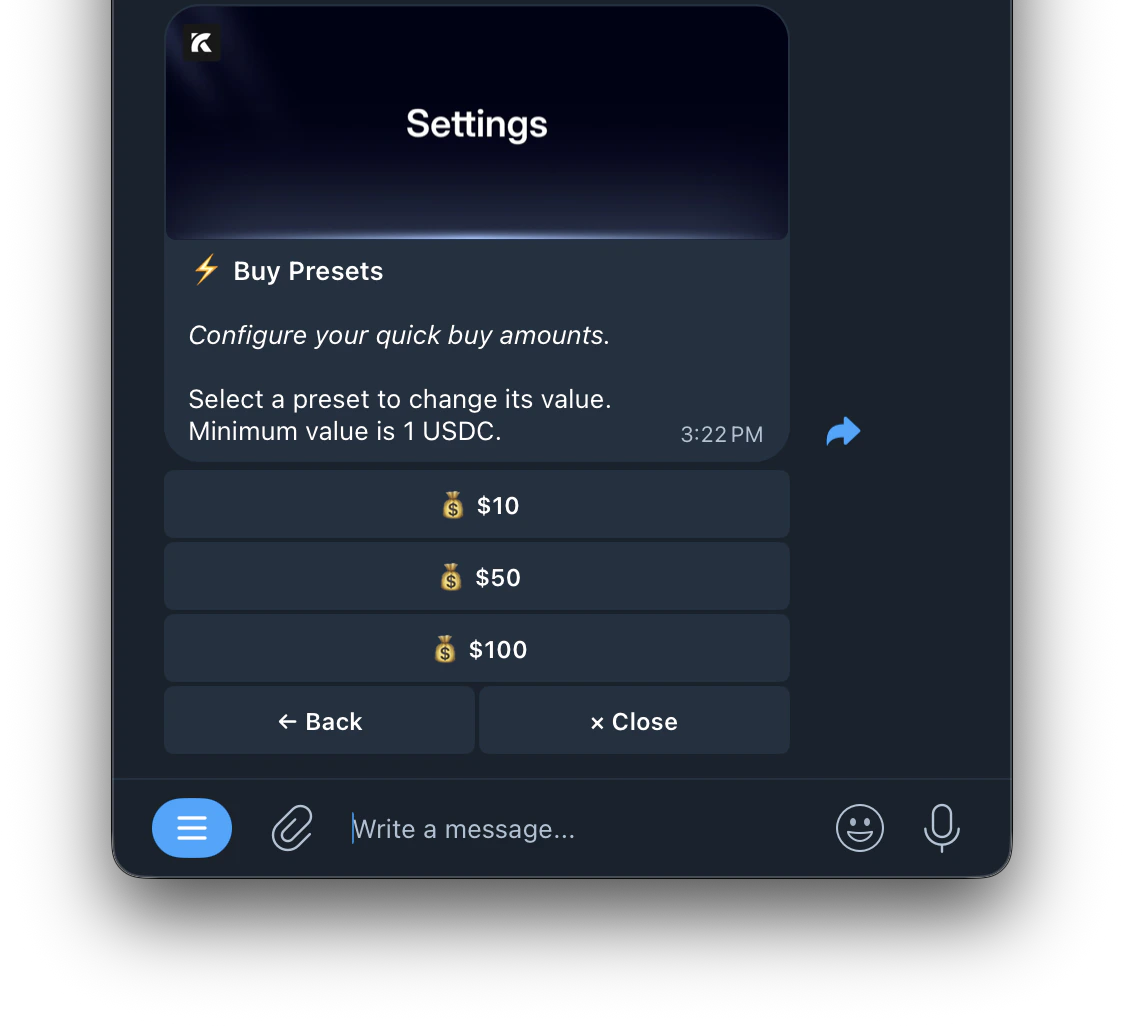
Quick buy presets let you set up to 3 preset amounts for fast one-tap buying without entering an amount manually each time.

**How to Configure**

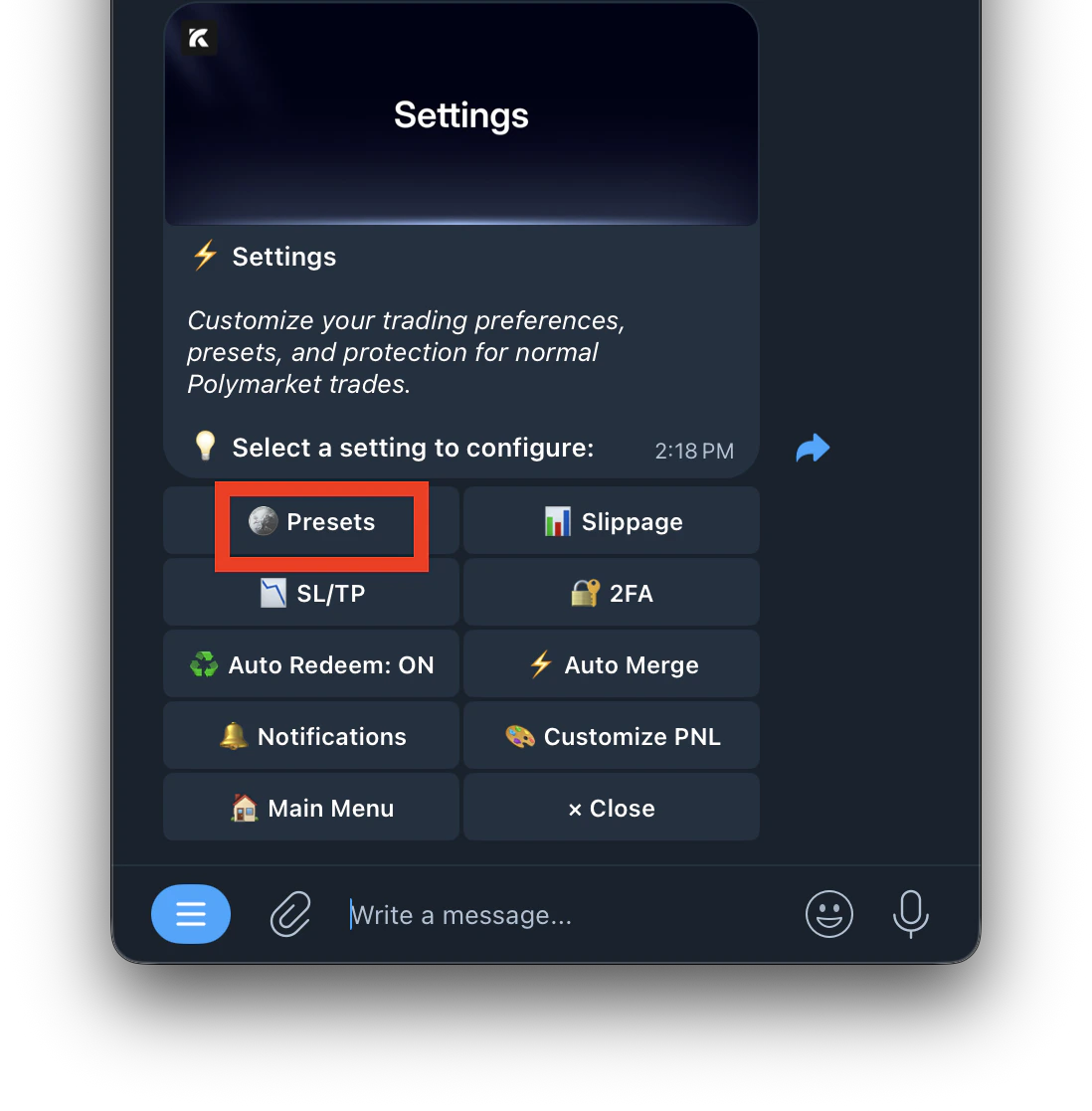
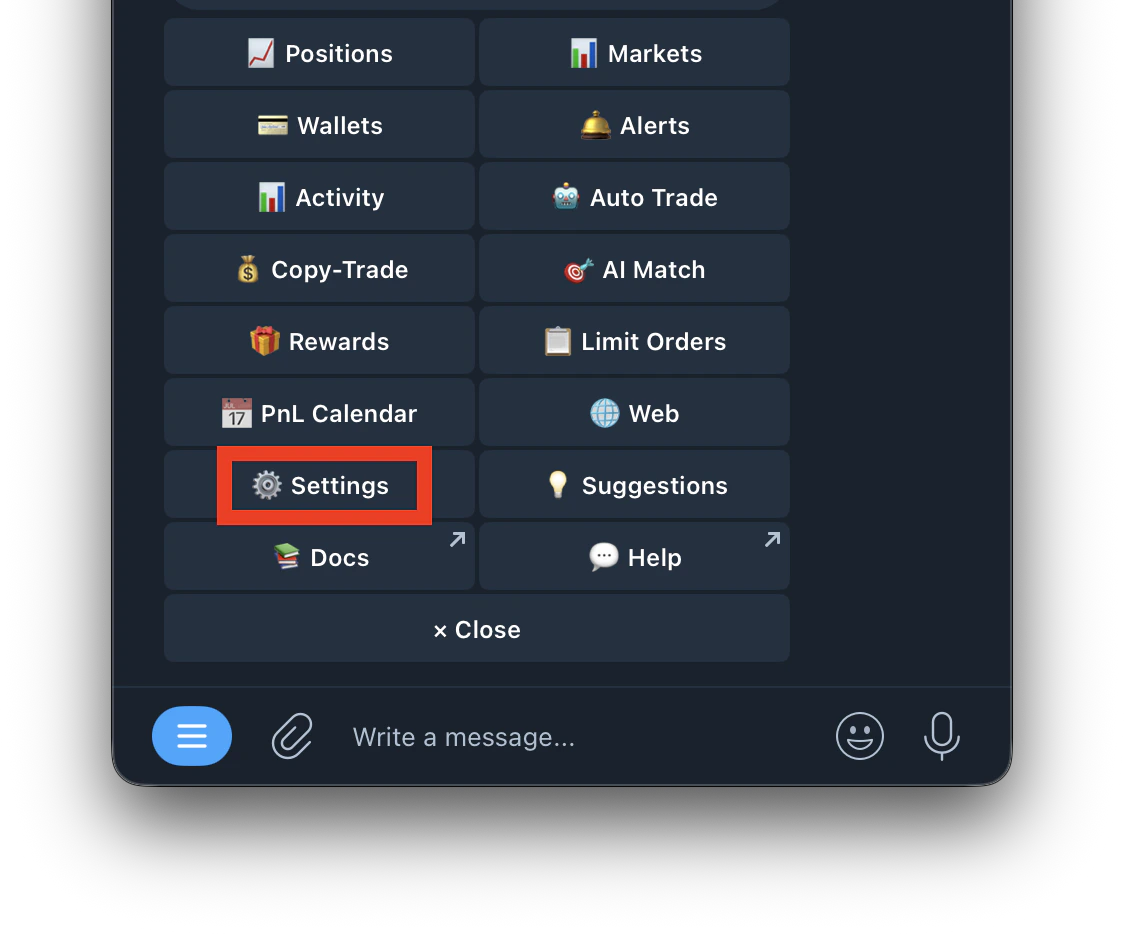
1. Go to /settings
   <Frame>
     <img src="https://mintcdn.com/kreo/DmbziDTYOVbUmegO/images/Screenshot-2026-04-30-at-3.21.15-PM.png?fit=max&auto=format&n=DmbziDTYOVbUmegO&q=85&s=c10124dfb61a2eb09db72d5c884ca1d1" alt="Screenshot 2026 04 30 At 3 21 15 PM" title="Screenshot 2026 04 30 At 3 21 15 PM" className="mx-auto" style={{ width:"54%" }} width="1124" height="934" data-path="images/Screenshot-2026-04-30-at-3.21.15-PM.png" />
   </Frame>
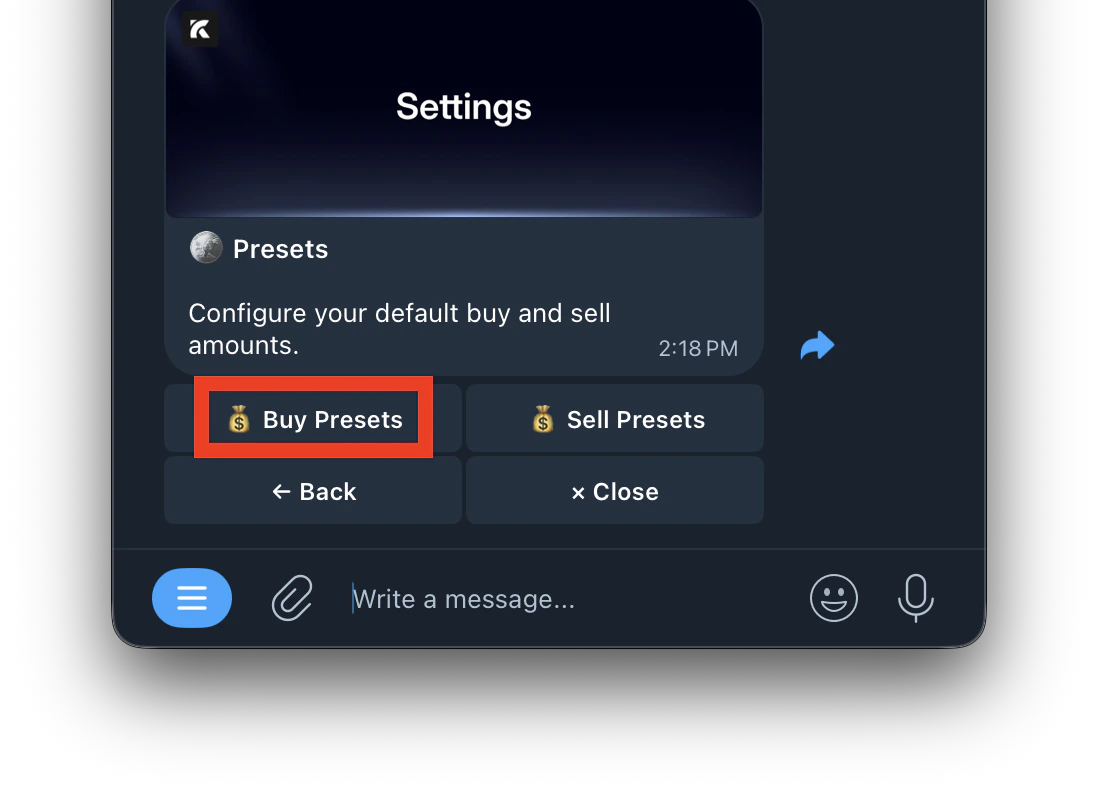
2. Tap **Presets**
   <Frame>
     <img src="https://mintcdn.com/kreo/qYFUkKNsMRlwJy6p/images/Screenshot-2026-05-10-at-2.23.33-PM.png?fit=max&auto=format&n=qYFUkKNsMRlwJy6p&q=85&s=93f3e15e270247cacaaf7902350b0e1f" alt="Screenshot 2026 05 10 At 2 23 33 PM" title="Screenshot 2026 05 10 At 2 23 33 PM" className="mx-auto" style={{ width:"48%" }} width="1098" height="1117" data-path="images/Screenshot-2026-05-10-at-2.23.33-PM.png" />
   </Frame>
3. Select Buy presets
   <Frame>
     <img src="https://mintcdn.com/kreo/qYFUkKNsMRlwJy6p/images/Screenshot-2026-05-10-at-2.24.57-PM.png?fit=max&auto=format&n=qYFUkKNsMRlwJy6p&q=85&s=80f6b1cfbd2960450f61ed31bdf2b4bc" alt="Screenshot 2026 05 10 At 2 24 57 PM" title="Screenshot 2026 05 10 At 2 24 57 PM" className="mx-auto" style={{ width:"48%" }} width="1098" height="796" data-path="images/Screenshot-2026-05-10-at-2.24.57-PM.png" />
   </Frame>
4. Select which preset slot to change
   <Frame>
     <img src="https://mintcdn.com/kreo/DmbziDTYOVbUmegO/images/Screenshot-2026-04-30-at-3.23.14-PM.png?fit=max&auto=format&n=DmbziDTYOVbUmegO&q=85&s=b652132334266f413f5dc007d50fdb9a" alt="Screenshot 2026 04 30 At 3 23 14 PM" title="Screenshot 2026 04 30 At 3 23 14 PM" className="mx-auto" style={{ width:"51%" }} width="1124" height="1026" data-path="images/Screenshot-2026-04-30-at-3.23.14-PM.png" />
   </Frame>
5. Enter your preferred amount in USDC
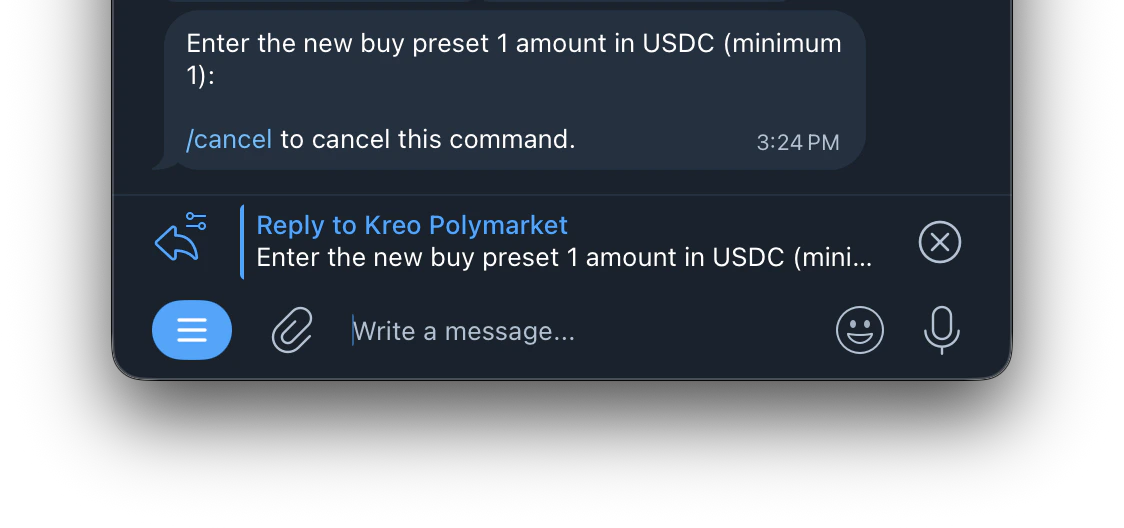
   <Frame>
     <img src="https://mintcdn.com/kreo/DmbziDTYOVbUmegO/images/Screenshot-2026-04-30-at-3.24.17-PM.png?fit=max&auto=format&n=DmbziDTYOVbUmegO&q=85&s=311369066e5cb12672aac64cad5a52d2" alt="Screenshot 2026 04 30 At 3 24 17 PM" title="Screenshot 2026 04 30 At 3 24 17 PM" className="mx-auto" style={{ width:"55%" }} width="1124" height="528" data-path="images/Screenshot-2026-04-30-at-3.24.17-PM.png" />
   </Frame>

<Note>
  Set Preset 1 to \$5, Preset 2 to \$10, Preset 3 to \$25 — these will appear as quick buy buttons on every market.
</Note>