> ## Documentation Index
> Fetch the complete documentation index at: https://docs.kreo.app/llms.txt
> Use this file to discover all available pages before exploring further.
# Auto Trade Intro
> Auto Trade lets you create automated trading strategies on crypto and sports prediction markets. The bot trades for you based on the rules you set.
**Main Menu**\
Navigate to **/autotrade** to get started
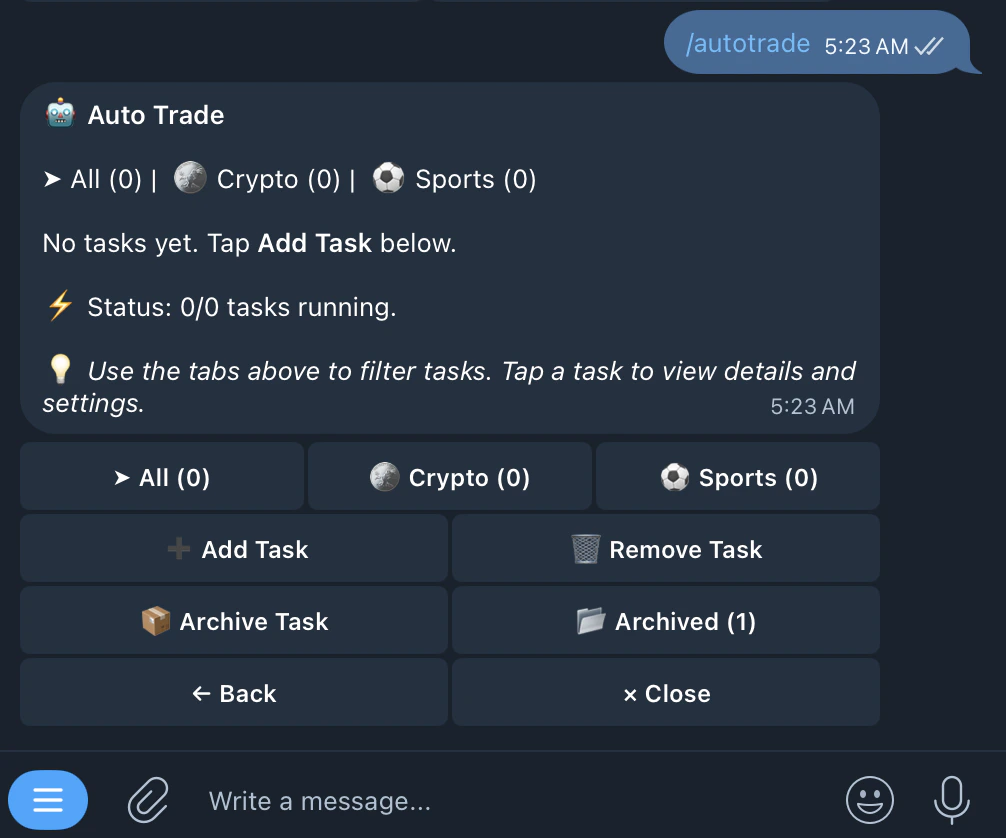 | Buttons | Function |
| --------------- | ---------------------------------------------- |
| All | shows all tasks regardless of type |
| 🪙 Crypto | filters to show crypto auto trade tasks only |
| ⚽️ Sports | filters to show sports auto trade tasks only |
| ➕ Add Task | creates a new auto trade task |
| 🗑️ Remove Task | permanently removes a task |
| 📦 Archive Task | archives a task to hide it without deleting it |
To add a task, tap Add Task and choose either Crypto or Sports. Tap below to see the detailed setup guides.
[Crypto Auto Trade page](https://docs.kreo.app/crypto)
[Sports Auto Trade page](https://docs.kreo.app/sport)
| Buttons | Function |
| --------------- | ---------------------------------------------- |
| All | shows all tasks regardless of type |
| 🪙 Crypto | filters to show crypto auto trade tasks only |
| ⚽️ Sports | filters to show sports auto trade tasks only |
| ➕ Add Task | creates a new auto trade task |
| 🗑️ Remove Task | permanently removes a task |
| 📦 Archive Task | archives a task to hide it without deleting it |
To add a task, tap Add Task and choose either Crypto or Sports. Tap below to see the detailed setup guides.
[Crypto Auto Trade page](https://docs.kreo.app/crypto)
[Sports Auto Trade page](https://docs.kreo.app/sport)
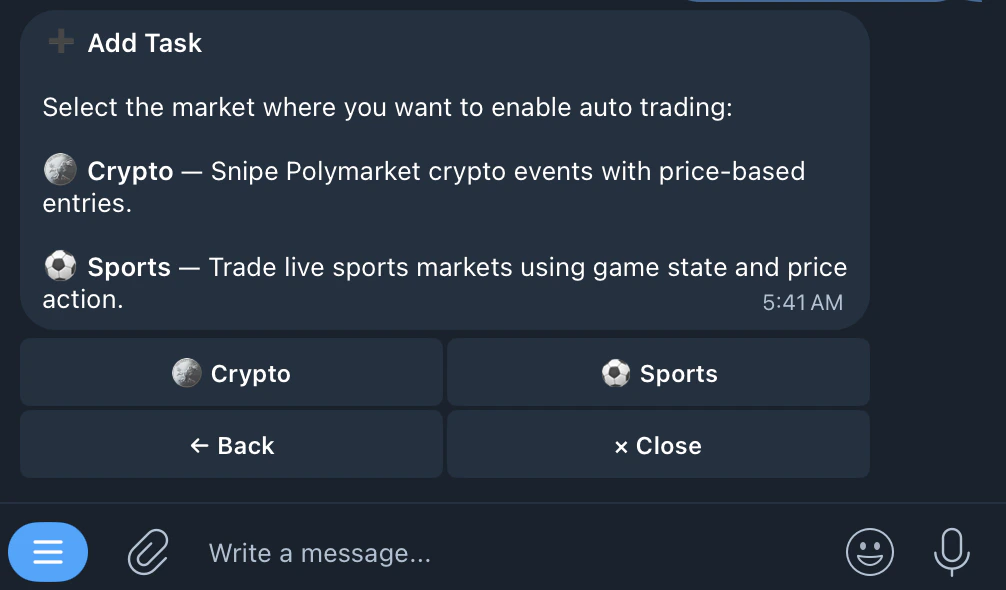 Set filters and sizing, and let Kreo trade on the go for you!