> ## Documentation Index
> Fetch the complete documentation index at: https://docs.kreo.app/llms.txt
> Use this file to discover all available pages before exploring further.

# Archive Wallet

> Hide a wallet you no longer use. Make sure to withdraw any funds first — archived wallets can't be used for trading.

**How to Archive a Wallet**

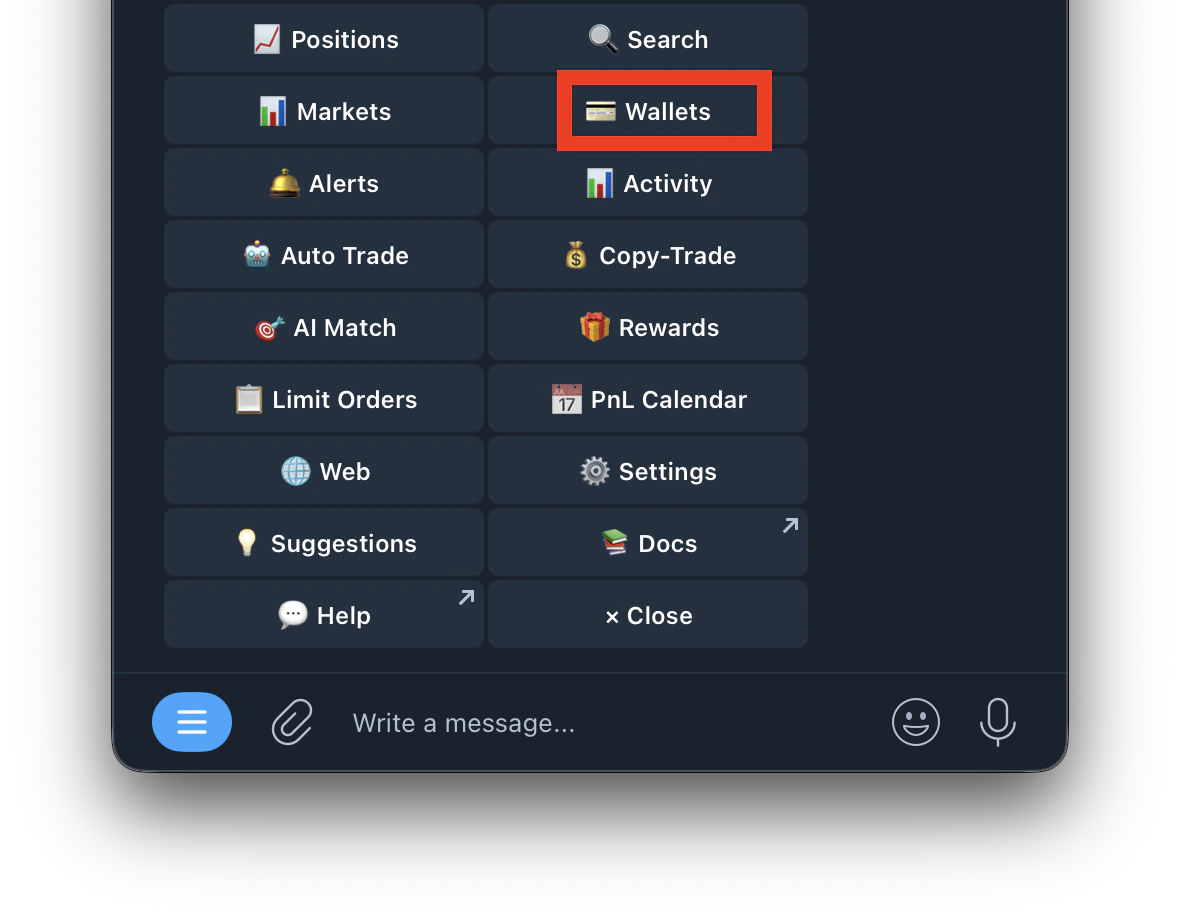
1. Type /wallets or /start and tap Wallet
   <Frame>
     <img src="https://mintcdn.com/kreo/M2q5ujI7i0TLv2rl/images/Screenshot-2026-04-26-at-1.29.32-AM-2.png?fit=max&auto=format&n=M2q5ujI7i0TLv2rl&q=85&s=06f5390572eff3c9b34e1bb12d137567" alt="Screenshot 2026 04 26 At 1 29 32 AM 2" title="Screenshot 2026 04 26 At 1 29 32 AM 2" className="mx-auto" style={{ width:"53%" }} width="1180" height="920" data-path="images/Screenshot-2026-04-26-at-1.29.32-AM-2.png" />
   </Frame>
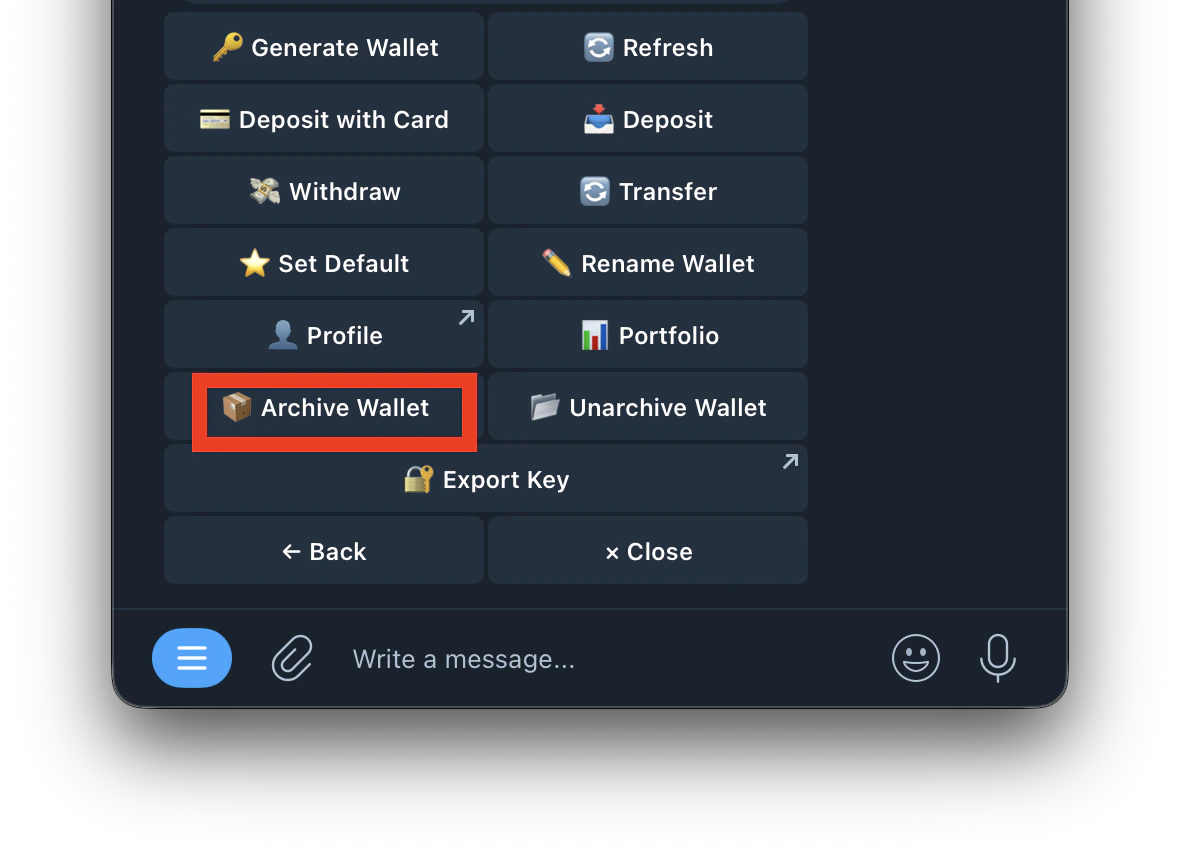
2. Tap **Archive Wallet**
   <Frame>
     <img src="https://mintcdn.com/kreo/M2q5ujI7i0TLv2rl/images/Screenshot-2026-04-26-at-1.52.43-AM.png?fit=max&auto=format&n=M2q5ujI7i0TLv2rl&q=85&s=7f4cfd22906158acf69886f57f7f05e2" alt="Screenshot 2026 04 26 At 1 52 43 AM" title="Screenshot 2026 04 26 At 1 52 43 AM" className="mx-auto" style={{ width:"50%" }} width="1180" height="856" data-path="images/Screenshot-2026-04-26-at-1.52.43-AM.png" />
   </Frame>
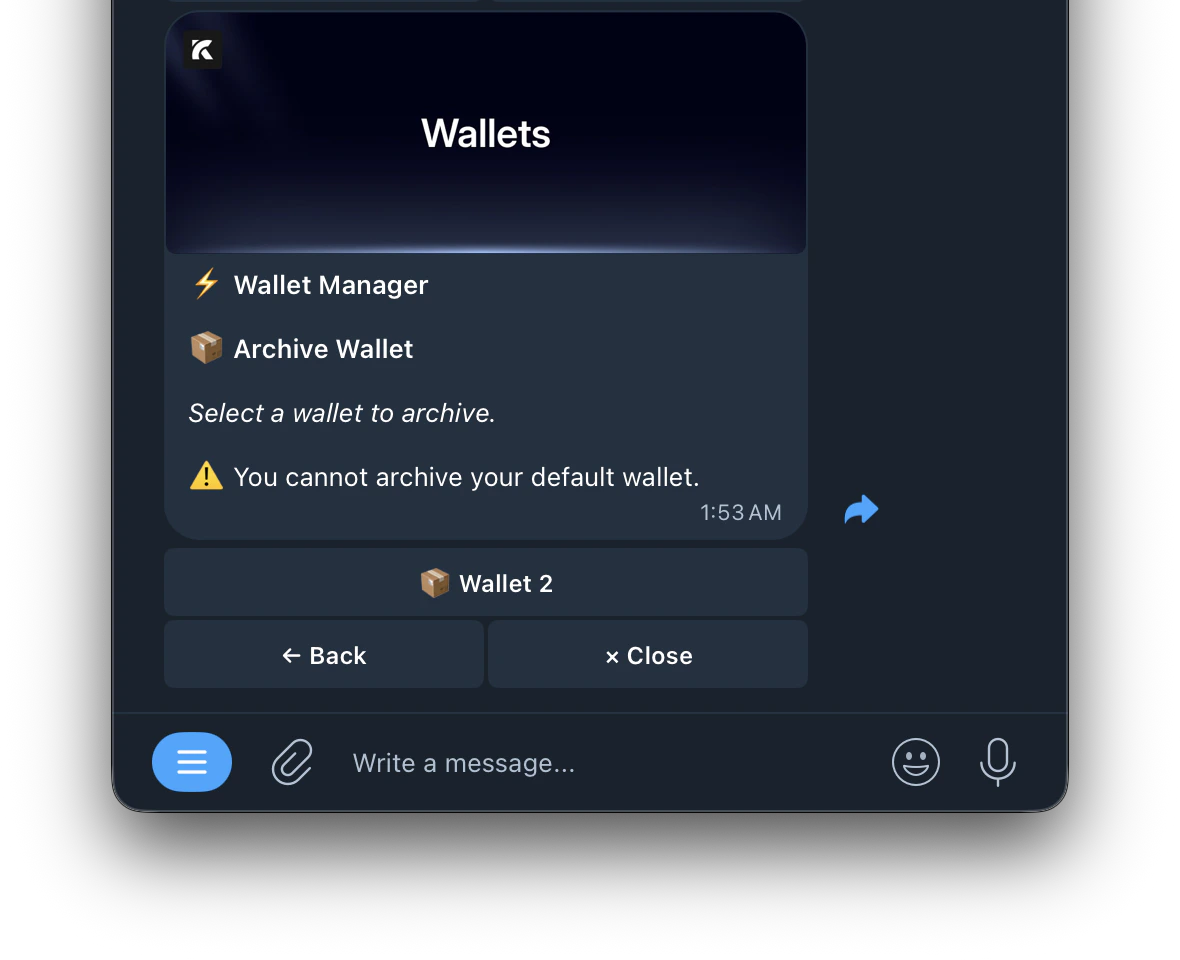
3. Select the wallet you want to archive
   <Frame>
     <img src="https://mintcdn.com/kreo/M2q5ujI7i0TLv2rl/images/Screenshot-2026-04-26-at-1.53.42-AM.png?fit=max&auto=format&n=M2q5ujI7i0TLv2rl&q=85&s=007d506d9668740b18ad678e9ecbee3f" alt="Screenshot 2026 04 26 At 1 53 42 AM" title="Screenshot 2026 04 26 At 1 53 42 AM" className="mx-auto" style={{ width:"52%" }} width="1180" height="960" data-path="images/Screenshot-2026-04-26-at-1.53.42-AM.png" />
   </Frame>

<Warning>
  You cannot archive your default wallet — set another wallet as default first. You can always unarchive it later.
</Warning>